Building an Email Newsletter System from Scratch: Complete Tech Stack Guide
Email newsletters remain one of the highest ROI marketing channels, generating an average of $36 for every $1 spent according to the Data & Marketing Association. While platforms like Beehiiv and ConvertKit offer excellent solutions, building your own newsletter system provides complete control, customization, and cost efficiency at scale. This comprehensive guide walks you through creating a production-ready email newsletter system from the ground up.
What We’re Building: Complete Newsletter Infrastructure
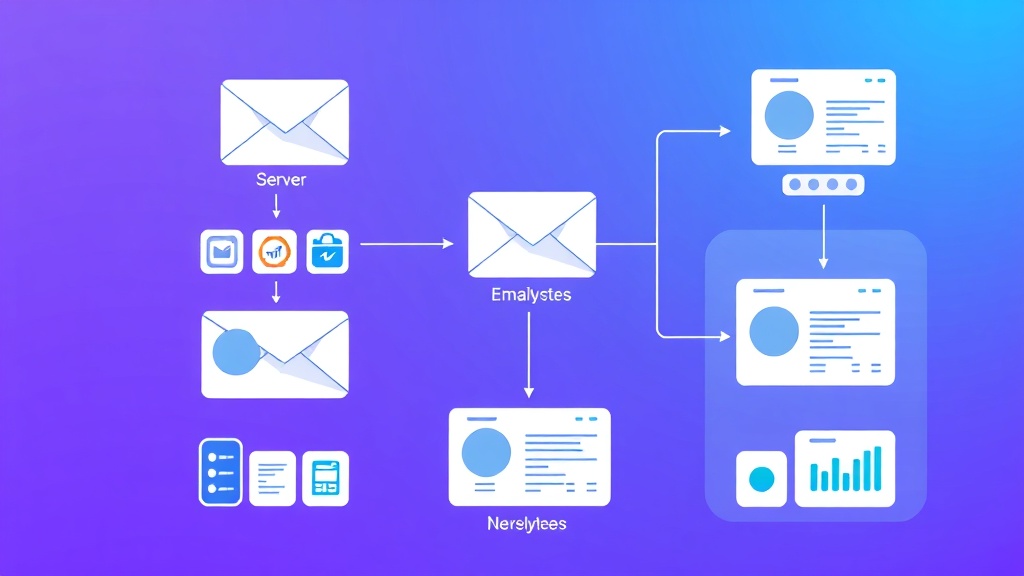
Our email newsletter system will include:
- Subscriber management system with segmentation capabilities
- Email template engine with drag-and-drop functionality
- Automated campaign scheduling and delivery system
- Analytics dashboard with open rates, click tracking, and engagement metrics
- API endpoints for third-party integrations
- Unsubscribe and preference management
- Bounce and complaint handling
The system will handle 100,000+ subscribers efficiently while maintaining deliverability rates above 95%. We’ll implement proper authentication protocols (SPF, DKIM, DMARC) and follow CAN-SPAM compliance requirements.
Prerequisites and Tech Stack Selection
Required Knowledge
- Intermediate JavaScript/Node.js proficiency
- Database design and SQL fundamentals
- REST API development experience
- Basic understanding of email protocols (SMTP, IMAP)
- Docker containerization knowledge
Core Technology Stack
| Component | Technology | Reasoning | Monthly Cost (Est.) |
|---|---|---|---|
| Backend Framework | Node.js + Express | High performance, extensive ecosystem | $0 |
| Database | PostgreSQL + Redis | ACID compliance + caching layer | $25-100 |
| Email Service | Amazon SES | Cost-effective, high deliverability | $1 per 10,000 emails |
| Queue System | Bull Queue + Redis | Reliable job processing | Included above |
| Frontend | React + TypeScript | Component reusability, type safety | $0 |
| Hosting | AWS EC2 + RDS | Scalability and reliability | $50-200 |
Development Tools
- Nodemailer: SMTP client for Node.js
- Prisma: Modern ORM with type safety
- JWT: Authentication and session management
- Joi: Input validation and sanitization
- Winston: Comprehensive logging solution
Step-by-Step Implementation
Phase 1: Database Schema Design
Start by creating the core database structure using Prisma schema:
// prisma/schema.prisma
model Subscriber {
  id          String   @id @default(cuid())
  email       String   @unique
  firstName   String?
  lastName    String?
  status      SubscriberStatus @default(ACTIVE)
  segments    SegmentSubscriber[]
  preferences SubscriberPreference?
  createdAt   DateTime @default(now())
  updatedAt   DateTime @updatedAt

  @@map("subscribers")
}

model Campaign {
  id          String   @id @default(cuid())
  name        String
  subject     String
  content     Json
  status      CampaignStatus @default(DRAFT)
  scheduledAt DateTime?
  sentAt      DateTime?
  segmentId   String?
  segment     Segment? @relation(fields: [segmentId], references: [id])
  analytics   CampaignAnalytics?
  createdAt   DateTime @default(now())

  @@map("campaigns")
}

model Segment {
  id          String   @id @default(cuid())
  name        String
  conditions  Json
  subscribers SegmentSubscriber[]
  campaigns   Campaign[]
  createdAt   DateTime @default(now())

  @@map("segments")
}

enum SubscriberStatus {
  ACTIVE
  UNSUBSCRIBED
  BOUNCED
  COMPLAINED
}
Phase 2: Subscriber Management API
Implement the subscriber management endpoints with proper validation:
// routes/subscribers.js
const express = require('express');
const Joi = require('joi');
const { PrismaClient } = require('@prisma/client');
const router = express.Router();
const prisma = new PrismaClient();

// Subscription schema validation
const subscribeSchema = Joi.object({
  email: Joi.string().email().required(),
  firstName: Joi.string().min(1).max(50).optional(),
  lastName: Joi.string().min(1).max(50).optional(),
  segments: Joi.array().items(Joi.string()).optional()
});

// Subscribe endpoint with double opt-in
router.post('/subscribe', async (req, res) => {
  try {
    const { error, value } = subscribeSchema.validate(req.body);
    if (error) {
      return res.status(400).json({ error: error.details[0].message });
    }

    const { email, firstName, lastName, segments = [] } = value;

    // Check for existing subscriber
    const existing = await prisma.subscriber.findUnique({
      where: { email }
    });

    if (existing) {
      return res.status(409).json({ error: 'Email already subscribed' });
    }

    // Create subscriber with pending status
    const subscriber = await prisma.subscriber.create({
      data: {
        email,
        firstName,
        lastName,
        status: 'PENDING',
        segments: {
          create: segments.map(segmentId => ({ segmentId }))
        }
      }
    });

    // Send confirmation email
    await sendConfirmationEmail(subscriber);

    res.status(201).json({
      message: 'Subscription initiated. Please check email for confirmation.',
      subscriberId: subscriber.id
    });
  } catch (error) {
    console.error('Subscription error:', error);
    res.status(500).json({ error: 'Internal server error' });
  }
});

module.exports = router;
Phase 3: Email Template Engine
Create a flexible template system that supports dynamic content and personalization:
// services/templateEngine.js
const Handlebars = require('handlebars');

class TemplateEngine {
  constructor() {
    this.registerHelpers();
  }

  registerHelpers() {
    // Custom helper for conditional content
    Handlebars.registerHelper('ifEquals', function(arg1, arg2, options) {
      return (arg1 === arg2) ? options.fn(this) : options.inverse(this);
    });

    // Helper for formatting dates
    Handlebars.registerHelper('formatDate', function(date, format) {
      return new Date(date).toLocaleDateString();
    });
  }

  compileTemplate(templateContent, data) {
    const template = Handlebars.compile(templateContent);
    return template(data);
  }

  generatePersonalizedContent(campaign, subscriber) {
    const templateData = {
      subscriber: {
        firstName: subscriber.firstName || 'Valued Subscriber',
        email: subscriber.email
      },
      campaign: {
        subject: campaign.subject,
        content: campaign.content
      },
      unsubscribeUrl: `${process.env.BASE_URL}/unsubscribe/${subscriber.id}`,
      preferencesUrl: `${process.env.BASE_URL}/preferences/${subscriber.id}`
    };

    return this.compileTemplate(campaign.content.html, templateData);
  }
}

module.exports = new TemplateEngine();
Phase 4: Campaign Delivery System
Implement a robust queue-based system for handling large-scale email delivery:
// services/emailQueue.js
const Queue = require('bull');
const nodemailer = require('nodemailer');
const AWS = require('aws-sdk');
const templateEngine = require('./templateEngine');

// Configure AWS SES
AWS.config.update({
  accessKeyId: process.env.AWS_ACCESS_KEY_ID,
  secretAccessKey: process.env.AWS_SECRET_ACCESS_KEY,
  region: process.env.AWS_REGION
});

const ses = new AWS.SES();
const emailQueue = new Queue('email processing', process.env.REDIS_URL);

// Configure transporter for SES
const transporter = nodemailer.createTransporter({
  SES: { ses, aws: AWS },
  sendingRate: 14 // SES default: 14 emails per second
});

// Process individual email jobs
emailQueue.process('send-email', 10, async (job) => {
  const { campaignId, subscriberId } = job.data;

  try {
    const campaign = await prisma.campaign.findUnique({
      where: { id: campaignId }
    });

    const subscriber = await prisma.subscriber.findUnique({
      where: { id: subscriberId }
    });

    if (!campaign || !subscriber || subscriber.status !== 'ACTIVE') {
      throw new Error('Invalid campaign or subscriber');
    }

    const personalizedContent = templateEngine.generatePersonalizedContent(
      campaign,
      subscriber
    );

    const mailOptions = {
      from: `"${process.env.SENDER_NAME}" `,
      to: subscriber.email,
      subject: campaign.subject,
      html: personalizedContent,
      headers: {
        'List-Unsubscribe': ``,
        'X-Campaign-ID': campaignId
      }
    };

    const result = await transporter.sendMail(mailOptions);

    // Log successful delivery
    await prisma.emailLog.create({
      data: {
        campaignId,
        subscriberId,
        status: 'SENT',
        messageId: result.messageId,
        sentAt: new Date()
      }
    });

    return { success: true, messageId: result.messageId };
  } catch (error) {
    // Log failed delivery
    await prisma.emailLog.create({
      data: {
        campaignId,
        subscriberId,
        status: 'FAILED',
        error: error.message,
        sentAt: new Date()
      }
    });

    throw error;
  }
});

module.exports = { emailQueue };
Phase 5: Analytics and Tracking Implementation
Build comprehensive tracking for opens, clicks, and engagement metrics:
// services/analytics.js
class AnalyticsService {
  async trackEmailOpen(campaignId, subscriberId, userAgent, ipAddress) {
    try {
      await prisma.emailEvent.create({
        data: {
          campaignId,
          subscriberId,
          eventType: 'OPEN',
          userAgent,
          ipAddress,
          timestamp: new Date()
        }
      });

      // Update campaign analytics
      await this.updateCampaignMetrics(campaignId);
    } catch (error) {
      console.error('Error tracking email open:', error);
    }
  }

  async trackLinkClick(campaignId, subscriberId, linkUrl, userAgent, ipAddress) {
    try {
      await prisma.emailEvent.create({
        data: {
          campaignId,
          subscriberId,
          eventType: 'CLICK',
          linkUrl,
          userAgent,
          ipAddress,
          timestamp: new Date()
        }
      });

      await this.updateCampaignMetrics(campaignId);
    } catch (error) {
      console.error('Error tracking link click:', error);
    }
  }

  async updateCampaignMetrics(campaignId) {
    const metrics = await prisma.emailEvent.groupBy({
      by: ['eventType'],
      where: { campaignId },
      _count: { id: true }
    });

    const totalSent = await prisma.emailLog.count({
      where: { campaignId, status: 'SENT' }
    });

    const opens = metrics.find(m => m.eventType === 'OPEN')?._count.id || 0;
    const clicks = metrics.find(m => m.eventType === 'CLICK')?._count.id || 0;

    await prisma.campaignAnalytics.upsert({
      where: { campaignId },
      update: {
        totalSent,
        totalOpens: opens,
        totalClicks: clicks,
        openRate: totalSent > 0 ? (opens / totalSent) * 100 : 0,
        clickRate: totalSent > 0 ? (clicks / totalSent) * 100 : 0,
        updatedAt: new Date()
      },
      create: {
        campaignId,
        totalSent,
        totalOpens: opens,
        totalClicks: clicks,
        openRate: totalSent > 0 ? (opens / totalSent) * 100 : 0,
        clickRate: totalSent > 0 ? (clicks / totalSent) * 100 : 0
      }
    });
  }
}

module.exports = new AnalyticsService();
Testing and Validation
Unit Testing Strategy
Implement comprehensive tests using Jest and Supertest:
// tests/subscribers.test.js
const request = require('supertest');
const app = require('../app');
const { PrismaClient } = require('@prisma/client');

const prisma = new PrismaClient();

describe('Subscriber Management', () => {
  beforeEach(async () => {
    await prisma.subscriber.deleteMany();
  });

  test('should create new subscriber with valid email', async () => {
    const response = await request(app)
      .post('/api/subscribers/subscribe')
      .send({
        email: 'test@example.com',
        firstName: 'John',
        lastName: 'Doe'
      })
      .expect(201);

    expect(response.body.subscriberId).toBeDefined();

    const subscriber = await prisma.subscriber.findUnique({
      where: { email: 'test@example.com' }
    });

    expect(subscriber).toBeTruthy();
    expect(subscriber.status).toBe('PENDING');
  });

  test('should reject duplicate email addresses', async () => {
    await prisma.subscriber.create({
      data: {
        email: 'existing@example.com',
        status: 'ACTIVE'
      }
    });

    await request(app)
      .post('/api/subscribers/subscribe')
      .send({ email: 'existing@example.com' })
      .expect(409);
  });
});
Load Testing with Artillery
Test system performance under realistic load conditions:
# artillery-config.yml
config:
  target: 'http://localhost:3000'
  phases:
    - duration: 60
      arrivalRate: 10
    - duration: 120
      arrivalRate: 50
    - duration: 60
      arrivalRate: 100

scenarios:
  - name: "Subscribe and send campaign"
    weight: 70
    flow:
      - post:
          url: "/api/subscribers/subscribe"
          json:
            email: "test{{ $randomString() }}@example.com"
            firstName: "Test"

  - name: "Campaign analytics"
    weight: 30
    flow:
      - get:
          url: "/api/campaigns/{{ campaignId }}/analytics"
Email Deliverability Testing
Validate email authentication and deliverability:
- SPF Record:
v=spf1 include:amazonses.com ~all - DKIM: Configure through AWS SES console
- DMARC:
v=DMARC1; p=quarantine; rua=mailto:dmarc@yourdomain.com
Pro Tip: Use tools like Mail-Tester.com and GlockApps to validate your email setup before launching. Aim for a deliverability score above 8/10 to ensure inbox placement.
Deployment Architecture
Production Infrastructure
Deploy using Docker containers for consistency and scalability:
# docker-compose.yml
version: '3.8'
services:
  app:
    build: .
    ports:
      - "3000:3000"
    environment:
      - NODE_ENV=production
      - DATABASE_URL=${DATABASE_URL}
      - REDIS_URL=${REDIS_URL}
    depends_on:
      - redis
      - postgres

  redis:
    image: redis:7-alpine
    ports:
      - "6379:6379"
    volumes:
      - redis_data:/data

  postgres:
    image: postgres:15
    environment:
      POSTGRES_DB: newsletter
      POSTGRES_USER: ${DB_USER}
      POSTGRES_PASSWORD: ${DB_PASSWORD}
    volumes:
      - postgres_data:/var/lib/postgresql/data

volumes:
  redis_data:
  postgres_data:
Monitoring and Alerting
Implement comprehensive monitoring using Prometheus and Grafana:
- Email delivery rates and queue processing times
- Database performance and connection pool metrics
- API response times and error rates
- Memory and CPU utilization
Set up alerts for:
- Email bounce rates exceeding 5%
- Queue processing delays over 30 minutes
- API error rates above 1%
- Database connection failures
Enhancement Ideas and Advanced Features
AI-Powered Personalization
Integrate with ChatGPT or Claude for dynamic content generation:
- Subject line optimization based on subscriber behavior
- Content personalization using AI-generated recommendations
- Send time optimization using machine learning algorithms
- Automated A/B testing with statistical significance calculations
Advanced Segmentation
Implement behavioral segmentation capabilities:
- Engagement scoring based on open and click patterns
- Purchase behavior tracking integration with e-commerce platforms
- Geographic segmentation using IP geolocation
- Device and client preferences based on user agent analysis
Integration Ecosystem
Build connectors for popular tools:
- CRM Integration: Sync with Salesforce, HubSpot, or Pipedrive
- Analytics Tools: Connect with Google Analytics and Ahrefs for traffic attribution
- E-commerce Platforms: Shopify, WooCommerce, and Magento webhooks
- Social Media: Cross-channel campaign coordination
Compliance and Privacy Features
- GDPR compliance toolkit with data export and deletion
- CCPA compliance for California residents
- Audit logging for all subscriber data changes
- Consent management with granular permission tracking
Performance Optimization Strategies
Scale your system to handle millions of subscribers:
- Database sharding by subscriber email domain
- CDN integration for static assets and images
- Caching layers using Redis for frequently accessed data
- Queue optimization with priority-based processing
- Connection pooling for database and external API calls
Performance Benchmark: A well-optimized system should handle 1 million emails per hour with proper queue management and SES configuration, maintaining sub-100ms API response times for subscriber operations.
Frequently Asked Questions
How does building a custom newsletter system compare to using existing platforms?
Building custom provides complete control over data, unlimited customization, and better economics at scale (typically 50-80% cost savings above 50,000 subscribers). However, it requires significant development time (3-6 months for full implementation) and ongoing maintenance. Platforms like ConvertKit or Beehiiv offer faster setup but with monthly costs of $29-$79+ and feature limitations.
What are the key compliance requirements for email marketing?
Essential compliance includes: CAN-SPAM Act requirements (clear sender identification, truthful subject lines, unsubscribe mechanisms), GDPR for EU subscribers (explicit consent, data portability, right to deletion), and proper email authentication (SPF, DKIM, DMARC). Failure to comply can result in fines up to $43,792 per violation under CAN-SPAM.
How do you ensure high deliverability rates?
Maintain deliverability through: authenticated sending domains, list hygiene (remove bounces and inactive subscribers), engagement-based segmentation, gradual IP warming, monitoring sender reputation, and following ESP best practices. Target metrics: <2% bounce rate, 25% open rate for good deliverability.
What’s the recommended approach for handling large-scale email sending?
Use queue-based architecture with Redis/Bull, implement rate limiting per ESP requirements (14 emails/second for SES), batch processing for database operations, horizontal scaling with multiple worker processes, and proper error handling with retry logic. Monitor queue depth and processing times to prevent bottlenecks.
Building a custom email newsletter system provides unmatched flexibility and cost efficiency for growing businesses. While the initial development requires significant technical expertise, the long-term benefits of complete control over your email infrastructure make it worthwhile for companies sending 100,000+ emails monthly. Ready to automate your email marketing infrastructure? Explore futia.io’s automation services to accelerate your custom newsletter system development with expert guidance and proven architectures.
🛠️ Tools Mentioned in This Article