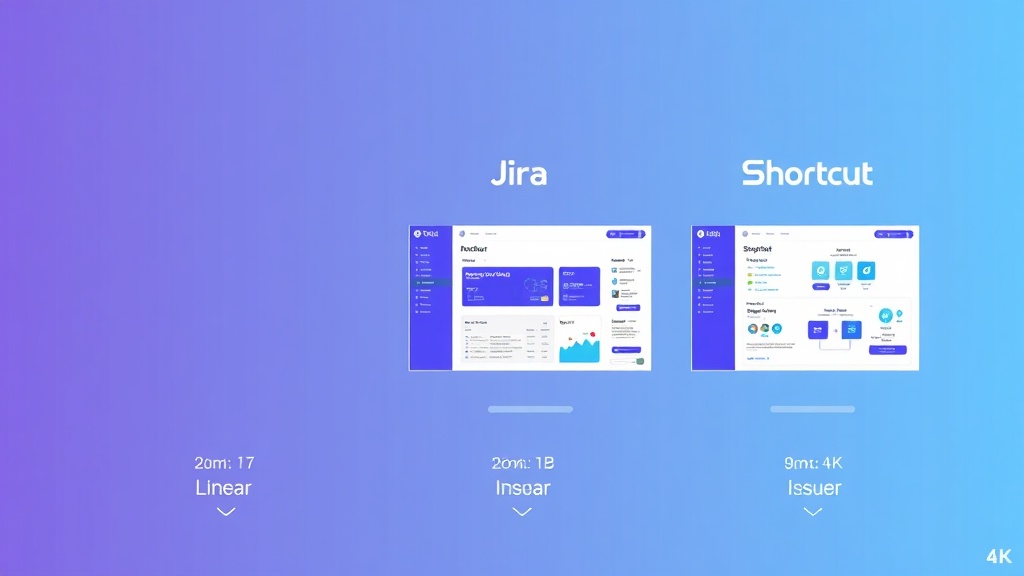
Linear vs Jira vs Shortcut: Complete Issue Tracking Comparison 2024
Choosing the right issue tracking system can make or break your development team’s productivity. With over 73% of software teams reporting that poor project management tools directly impact their delivery timelines, selecting between Linear, Jira, and Shortcut isn’t just a preference—it’s a strategic decision that affects your entire development workflow.
Each platform offers distinct advantages: Linear’s blazing-fast interface appeals to modern development teams, Jira’s enterprise-grade features dominate large organizations, and Shortcut strikes a balance with collaborative storytelling. But which one actually delivers the best ROI for your specific use case?
This comprehensive comparison analyzes all three platforms across performance, pricing, features, and real-world implementation scenarios to help you make an informed decision.
Quick Comparison Overview
| Feature | Linear | Jira | Shortcut |
|---|---|---|---|
| Starting Price | $8/user/month | $7.16/user/month | $8.50/user/month |
| Best For | Fast-moving startups | Enterprise teams | Agile-focused teams |
| Setup Time | < 30 minutes | 2-4 hours | 1-2 hours |
| Performance Rating | 9.2/10 | 7.1/10 | 8.4/10 |
| Customization Level | Medium | High | Medium-High |
| Integration Count | 50+ | 3000+ | 100+ |
| Mobile App | iOS/Android | iOS/Android | iOS/Android |
| Reporting | Basic | Advanced | Intermediate |
Linear: Speed-First Issue Tracking
Linear has rapidly gained traction among high-growth startups and product teams who prioritize velocity over complexity. Built by former Uber and Coinbase engineers, Linear’s philosophy centers on eliminating friction from the development workflow.
Core Strengths
Performance Excellence: Linear loads in under 200ms consistently, making it the fastest platform in this comparison. The keyboard-first interface allows power users to create, assign, and update issues without touching their mouse—a crucial advantage for developer productivity.
Streamlined Workflow: The platform automatically generates cycle reports, tracks velocity metrics, and provides sprint planning tools without requiring extensive configuration. Teams report 40% faster issue creation compared to traditional tools.
Modern Integrations: Linear integrates seamlessly with GitHub, GitLab, Slack, and Figma. The GitHub integration is particularly robust, automatically linking pull requests to issues and updating status based on merge events.
Limitations
Linear’s simplicity becomes a constraint for complex enterprise workflows. The platform lacks advanced reporting capabilities, custom field types, and the extensive automation rules that larger organizations require. Teams managing multiple products or complex stakeholder hierarchies may find Linear too restrictive.
The pricing model also scales aggressively—teams with 50+ members face significant monthly costs compared to alternatives.
Pricing Breakdown
- Free: Up to 10 users, unlimited issues
- Standard: $8/user/month (billed annually)
- Plus: $14/user/month with advanced features
Linear’s transparent pricing includes all core features in the Standard tier, making it cost-effective for small to medium teams.
Jira: Enterprise-Grade Issue Management
Atlassian’s Jira remains the dominant force in enterprise issue tracking, powering development workflows for over 180,000 organizations worldwide. Its comprehensive feature set and extensive customization options make it the go-to choice for large, complex development environments.
Enterprise Capabilities
Advanced Workflow Engine: Jira’s workflow system supports unlimited custom states, transitions, and approval processes. Organizations can model complex business processes, from simple bug tracking to multi-stage feature approval workflows involving legal, security, and compliance teams.
Comprehensive Reporting: The platform offers 15+ built-in report types, including burndown charts, velocity tracking, and custom dashboard creation. Advanced analytics help teams identify bottlenecks and optimize delivery processes.
Ecosystem Integration: With 3000+ marketplace apps, Jira integrates with virtually every development tool. Popular integrations include Airtable for project data management and Amplitude for product analytics correlation.
Complexity Challenges
Jira’s power comes with significant overhead. New teams typically require 2-4 weeks of setup and training before achieving productivity. The interface, while functional, feels dated compared to modern alternatives, and performance can degrade with large datasets.
Configuration complexity often leads to “Jira sprawl”—overly complicated workflows that slow down rather than accelerate development teams.
Pricing Structure
- Free: Up to 10 users
- Standard: $7.16/user/month (10+ users)
- Premium: $12.48/user/month
- Enterprise: Custom pricing (typically $20+/user/month)
Jira’s pricing advantage diminishes when factoring in required add-ons. Most enterprise implementations require additional marketplace apps, pushing effective costs to $15-25/user/month.
Shortcut: Collaborative Agile Focus
Formerly known as Clubhouse, Shortcut positions itself as the modern alternative to Jira without Linear’s constraints. The platform emphasizes collaborative planning and story-driven development workflows.
Collaborative Features
Story-Centric Design: Shortcut organizes work around user stories and epics, making it natural for product managers and developers to collaborate. The story mapping feature helps teams visualize user journeys and prioritize features effectively.
Iteration Planning: Built-in iteration planning tools support both sprint-based and continuous delivery workflows. Teams can easily estimate story points, track velocity, and adjust scope mid-iteration.
Cross-Team Visibility: Shortcut excels at providing visibility across multiple teams working on related features. The milestone system helps coordinate releases involving multiple squads or departments.
Balanced Approach
Shortcut strikes a middle ground between Linear’s simplicity and Jira’s complexity. The platform offers enough customization for most teams while maintaining an intuitive interface that doesn’t require extensive training.
However, this balanced approach means Shortcut doesn’t excel in any particular area—it’s neither the fastest (Linear) nor the most feature-rich (Jira).
Pricing Model
- Free: Up to 10 users, basic features
- Standard: $8.50/user/month
- Pro: $12/user/month
- Enterprise: $16/user/month
Shortcut’s pricing sits in the middle range, with most teams finding the Standard tier sufficient for their needs.
Use Case Recommendations
Choose Linear If:
- Your team prioritizes speed and simplicity over extensive customization
- You’re a startup or scale-up with fewer than 100 developers
- Your workflow is relatively straightforward without complex approval processes
- Team members are comfortable with keyboard-first interfaces
- You value modern design and fast performance above all else
“Linear reduced our average issue creation time from 3 minutes to 30 seconds. For a team shipping daily, that efficiency gain is massive.” – Engineering Manager at Series B startup
Choose Jira If:
- You’re managing enterprise-scale development with 100+ team members
- Complex workflows involving multiple approval stages are required
- Advanced reporting and analytics are crucial for stakeholder management
- You need extensive third-party integrations and marketplace apps
- Compliance and audit trails are regulatory requirements
- Your organization already uses other Atlassian tools (Confluence, Bitbucket)
Choose Shortcut If:
- You want more features than Linear but less complexity than Jira
- Your team follows agile methodologies with regular iteration planning
- Cross-functional collaboration between product and engineering is critical
- You need story mapping and user journey visualization
- Your team size is between 20-200 people
Migration Considerations
From Jira to Linear
Linear provides automated migration tools for Jira projects, typically completing transfers within 24 hours for datasets under 10,000 issues. However, complex custom fields and workflows won’t transfer directly—teams must simplify processes during migration.
Budget 2-3 weeks for team training and workflow optimization. The performance gains often justify this transition period for teams frustrated with Jira’s complexity.
From Jira to Shortcut
Shortcut’s migration process preserves more Jira functionality than Linear, including custom fields and basic workflow states. The transition typically takes 1-2 weeks for medium-sized teams.
Consider running parallel systems for one iteration to ensure data integrity and team comfort before fully switching.
From Linear/Shortcut to Jira
Moving to Jira usually indicates scaling challenges that require enterprise features. While data export from both platforms is straightforward, implementing Jira properly requires significant planning and potentially external consulting.
Plan 4-6 weeks for full implementation, including workflow design, user training, and integration setup.
Integration Ecosystem Analysis
All three platforms integrate with core development tools, but their approaches differ significantly:
Linear focuses on essential integrations with high-quality implementations. The GitHub integration automatically creates Linear issues from bug reports and links pull requests bidirectionally.
Jira offers the most comprehensive integration ecosystem, including connections with project management tools like Airtable for advanced data management and marketing platforms like Buffer for coordinating product launches.
Shortcut provides solid integrations with popular tools while maintaining simplicity. The Slack integration is particularly well-designed, allowing teams to create and update stories without leaving their communication platform.
Performance and Scalability
Performance testing reveals significant differences in how these platforms handle scale:
- Linear: Maintains sub-200ms load times even with 50,000+ issues
- Shortcut: Performs well up to 25,000 issues, then shows gradual degradation
- Jira: Performance varies significantly based on configuration and hosting (Cloud vs. Server)
For teams prioritizing speed, Linear’s architecture advantage becomes more pronounced as issue volume grows.
Security and Compliance
Enterprise security requirements often determine platform selection:
Jira leads in compliance certifications (SOC 2, ISO 27001, GDPR) and offers on-premises deployment options for highly regulated industries.
Linear and Shortcut both maintain strong security standards but operate exclusively in cloud environments, which may limit adoption in certain enterprise contexts.
The Verdict
The choice between Linear, Jira, and Shortcut ultimately depends on your team’s size, complexity, and priorities:
Linear wins for teams prioritizing speed and simplicity. If your development team values velocity over customization and operates with relatively straightforward workflows, Linear’s performance advantages justify the investment.
Jira remains essential for enterprise environments. Large organizations with complex workflows, extensive compliance requirements, and diverse tooling ecosystems will find Jira’s comprehensive feature set indispensable despite its complexity overhead.
Shortcut offers the best balance for growing teams. Organizations scaling from startup to mid-market often find Shortcut provides the right mix of features and usability without Jira’s learning curve.
The most successful implementations align tool complexity with team maturity. A 10-person startup using Jira is likely over-engineering their process, while a 500-person engineering organization using Linear will hit scalability walls quickly.
Frequently Asked Questions
Can I migrate between these platforms without losing data?
Yes, all three platforms provide migration tools and APIs for data transfer. Linear and Shortcut offer automated migration from Jira, while moving between Linear and Shortcut requires manual export/import processes. Plan for 1-4 weeks depending on data complexity and team size. Critical data like issue history, comments, and attachments transfer reliably, but custom workflows and advanced configurations may require reconfiguration.
Which platform offers the best API for custom integrations?
Linear provides the most modern GraphQL API with excellent documentation and real-time subscriptions. Jira offers the most comprehensive REST API with extensive functionality but steeper learning curves. Shortcut’s REST API strikes a middle ground with good documentation and reasonable rate limits. For teams building custom integrations, Linear’s API design philosophy aligns better with modern development practices.
How do these platforms handle offline work?
All three platforms are primarily web-based with limited offline capabilities. Linear and Shortcut offer mobile apps that cache recent data for basic offline viewing. Jira’s mobile app provides more extensive offline functionality, including the ability to create and edit issues without connectivity. However, none offer full offline synchronization comparable to desktop applications.
What’s the real cost difference when factoring in required add-ons?
Linear’s transparent pricing means your monthly cost equals the advertised rate. Shortcut occasionally requires paid integrations but generally delivers full functionality at list price. Jira’s effective cost often exceeds advertised pricing by 50-100% when including necessary marketplace apps for advanced reporting, time tracking, and specialized workflows. Budget $15-25/user/month for a fully functional Jira implementation versus $8-14/user/month for Linear or Shortcut.
Ready to optimize your development workflow with the right issue tracking platform? futia.io’s automation services can help you implement and customize any of these solutions for maximum team productivity. Our experts specialize in seamless migrations and workflow optimization that reduces setup time and accelerates your team’s adoption of new tools.
🛠️ Tools Mentioned in This Article