Multi-Channel Customer Communication Automation: Complete Guide 2024
Modern businesses handle an average of 11 different communication channels to engage with customers, from email and SMS to social media and live chat. Without proper automation, managing these touchpoints becomes a logistical nightmare that leads to inconsistent messaging, delayed responses, and frustrated customers. Multi-channel customer communication automation solves this challenge by orchestrating seamless interactions across all platforms while maintaining personalization at scale.
This comprehensive guide will walk you through building a robust multi-channel communication system that increases customer engagement by up to 250% while reducing operational costs by 40%. You’ll learn the technical architecture, implementation strategies, and troubleshooting techniques that enterprise teams use to deliver consistent customer experiences across every touchpoint.
Prerequisites and Technical Requirements
Before implementing multi-channel automation, ensure your organization meets these technical and operational prerequisites:
Technical Infrastructure
- Customer Data Platform (CDP): Unified customer database with API access
- Marketing Automation Platform: Tools like ActiveCampaign or Brevo for campaign orchestration
- Analytics Stack: Real-time tracking capabilities through platforms like Amplitude
- API Management: Rate limiting, authentication, and monitoring systems
- Cloud Infrastructure: Scalable hosting with 99.9% uptime SLA
Data Requirements
- Customer profiles with channel preferences
- Behavioral tracking across all touchpoints
- Segmentation data (demographics, purchase history, engagement levels)
- Content library with channel-specific formats
- Compliance data (GDPR consent, opt-out preferences)
Team Capabilities
- Marketing automation specialists
- Data analysts for campaign optimization
- Content creators familiar with channel-specific requirements
- Technical support for integration maintenance
Architecture and Strategy Overview
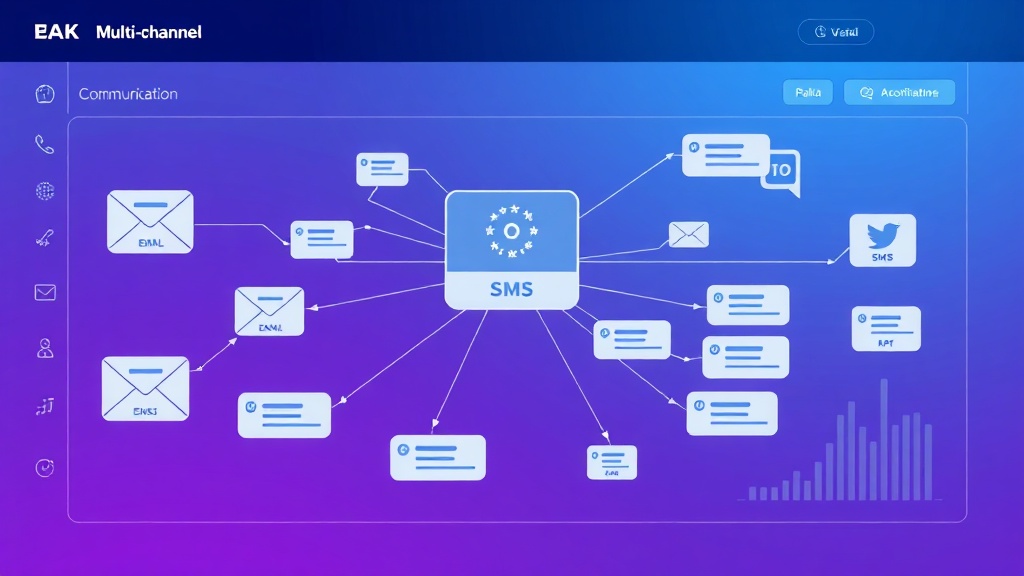
Effective multi-channel automation requires a hub-and-spoke architecture where a central orchestration layer manages communication flows across all channels. This approach ensures message consistency while allowing channel-specific optimizations.
Core Architecture Components
The foundation consists of five interconnected layers:
- Data Layer: Centralized customer database with real-time synchronization
- Logic Layer: Business rules engine for trigger conditions and routing
- Orchestration Layer: Campaign management and scheduling system
- Channel Layer: Platform-specific adapters and APIs
- Analytics Layer: Performance monitoring and optimization insights
Expert Tip: Implement a message queue system to handle high-volume communications. This prevents system overload during peak periods and ensures reliable message delivery across all channels.
Channel Priority Matrix
Different channels serve distinct purposes in the customer journey. Understanding these roles helps optimize message timing and content:
| Channel | Primary Use Case | Response Time | Automation Complexity | Cost per Message |
|---|---|---|---|---|
| Nurturing, newsletters | 24-48 hours | Low | $0.001 | |
| SMS | Urgent alerts, confirmations | 5-15 minutes | Medium | $0.05 |
| Push Notifications | App engagement, reminders | Instant | Medium | $0.002 |
| Social Media | Brand awareness, support | 2-4 hours | High | $0.10 |
| Live Chat | Real-time support | Instant | High | $2.50 |
Detailed Implementation Steps
Step 1: Customer Data Unification
Begin by consolidating customer data from all touchpoints into a single, accessible database. This creates the foundation for personalized, consistent messaging.
Implementation Process:
- Audit existing data sources and identify key customer identifiers
- Implement data mapping and transformation rules
- Set up real-time synchronization between systems
- Create unified customer profiles with channel preferences
// Example customer profile structure
{
  "customer_id": "cust_12345",
  "email": "user@example.com",
  "phone": "+1234567890",
  "preferences": {
    "email_frequency": "weekly",
    "sms_enabled": true,
    "push_notifications": false
  },
  "segments": ["high_value", "mobile_user"],
  "lifecycle_stage": "active_customer"
}
Step 2: Channel Integration Setup
Connect each communication channel through APIs and webhooks. Modern platforms like ActiveCampaign provide native integrations for most channels, simplifying this process significantly.
Integration Checklist:
- Email service provider (ESP) API configuration
- SMS gateway integration with delivery tracking
- Social media platform API access and posting permissions
- Mobile app push notification service setup
- Live chat platform webhook configuration
Step 3: Automation Workflow Design
Create sophisticated workflows that respond to customer behavior across channels. These workflows should include trigger conditions, decision points, and channel-specific message variations.
Workflow Components:
- Triggers: Event-based activations (purchase, signup, abandonment)
- Conditions: Segmentation and personalization rules
- Actions: Channel-specific message delivery
- Delays: Timing optimization based on channel best practices
// Example workflow configuration
{
  "workflow_name": "abandoned_cart_recovery",
  "trigger": {
    "event": "cart_abandoned",
    "delay": "1_hour"
  },
  "conditions": [
    {
      "field": "cart_value",
      "operator": "greater_than",
      "value": 50
    }
  ],
  "actions": [
    {
      "channel": "email",
      "template": "cart_reminder_email",
      "delay": "0_minutes"
    },
    {
      "channel": "sms",
      "template": "cart_reminder_sms",
      "delay": "24_hours",
      "condition": "email_not_opened"
    }
  ]
}
Step 4: Message Personalization Engine
Implement dynamic content generation that adapts messages based on customer data, behavior, and channel characteristics. This ensures relevance while maintaining brand consistency.
Personalization Elements:
- Customer name and demographic data
- Purchase history and preferences
- Behavioral triggers and context
- Channel-specific formatting and tone
- Location and time zone optimization
Step 5: Testing and Quality Assurance
Before launching automation workflows, implement comprehensive testing procedures to ensure message delivery, formatting, and personalization work correctly across all channels.
Testing Framework:
- Unit Testing: Individual workflow components
- Integration Testing: Cross-channel message coordination
- A/B Testing: Message variations and timing optimization
- Load Testing: High-volume message delivery performance
Advanced Configuration Techniques
Dynamic Channel Selection
Implement intelligent channel selection based on customer preferences, message urgency, and historical engagement data. This approach can increase open rates by up to 35% compared to static channel strategies.
// Channel selection algorithm
function selectOptimalChannel(customer, message) {
  const urgency = message.priority;
  const preferences = customer.channel_preferences;
  const engagement = customer.channel_engagement_rates;

  if (urgency === 'high' && preferences.sms_enabled) {
    return 'sms';
  }

  const bestChannel = Object.keys(engagement)
    .sort((a, b) => engagement[b] - engagement[a])[0];

  return bestChannel;
}
Cross-Channel Attribution
Set up attribution tracking to understand how different channels contribute to conversions. This data drives optimization decisions and budget allocation.
- First-touch attribution for awareness campaigns
- Last-touch attribution for conversion tracking
- Multi-touch attribution for complex customer journeys
- Time-decay models for long sales cycles
Troubleshooting Common Issues
Message Delivery Failures
Symptoms: Low delivery rates, bounced messages, delayed sending
Solutions:
- Implement retry logic with exponential backoff
- Monitor API rate limits and implement queuing
- Set up delivery status webhooks for real-time monitoring
- Maintain clean contact lists with regular validation
Personalization Errors
Symptoms: Generic messages, missing customer data, formatting issues
Solutions:
- Implement fallback values for missing data fields
- Add data validation checks before message generation
- Create channel-specific formatting rules
- Set up automated testing for personalization tokens
Channel Synchronization Problems
Symptoms: Duplicate messages, inconsistent timing, conflicting campaigns
Solutions:
- Implement global frequency capping across channels
- Create message conflict detection rules
- Set up centralized campaign scheduling
- Use unique identifiers for cross-channel tracking
Pro Tip: Implement a “message fatigue” detection system that automatically adjusts sending frequency when engagement rates drop below defined thresholds.
Performance Optimization Strategies
Send Time Optimization
Leverage machine learning algorithms to determine optimal send times for each customer and channel combination. This can improve engagement rates by 20-40%.
- Analyze historical engagement patterns
- Consider time zones and local preferences
- Account for channel-specific behaviors
- Implement predictive send time algorithms
Content Optimization
Use A/B testing and performance analytics to continuously improve message content across channels:
- Subject line and headline variations
- Call-to-action button placement and text
- Image and media optimization
- Message length and formatting
Measuring Success and ROI
Key Performance Indicators
Track these essential metrics to measure automation effectiveness:
| Metric | SMS | Push | Social | |
|---|---|---|---|---|
| Delivery Rate | >98% | >95% | >90% | 100% |
| Open Rate | 25-35% | 95-98% | 10-20% | 5-10% |
| Click Rate | 3-5% | 8-12% | 2-4% | 1-3% |
| Conversion Rate | 1-3% | 3-7% | 1-2% | 0.5-1% |
Advanced Analytics Implementation
Set up comprehensive analytics tracking to measure cross-channel performance and customer journey progression. Tools like Amplitude provide deep insights into user behavior across multiple touchpoints.
Analytics Setup:
- Customer lifetime value tracking
- Channel attribution modeling
- Cohort analysis for retention measurement
- Revenue attribution by campaign and channel
Scaling Your Automation System
Infrastructure Considerations
As your automation scales, consider these architectural improvements:
- Microservices Architecture: Separate channel handlers for independent scaling
- Message Queuing: Redis or RabbitMQ for high-volume processing
- Database Optimization: Read replicas and caching layers
- CDN Integration: Global content delivery for media assets
Team Structure Evolution
Successful scaling requires organizational changes:
- Dedicated automation specialists for each major channel
- Data science team for predictive optimization
- Customer success team integration
- DevOps support for infrastructure management
Frequently Asked Questions
How do I prevent customers from receiving duplicate messages across channels?
Implement a global message deduplication system that tracks all communications sent to each customer within a specified time window. Use unique message fingerprints based on content and recipient to identify potential duplicates before sending. Additionally, set up frequency capping rules that limit the total number of messages per customer per day across all channels.
What’s the optimal frequency for multi-channel campaigns?
Optimal frequency varies by industry, customer segment, and channel mix. Start with conservative limits: 1 email per day, 2 SMS per week, and 3 push notifications per day. Monitor engagement metrics and gradually adjust based on performance data. Implement dynamic frequency optimization that reduces sending for low-engagement customers and increases for highly engaged segments.
How can I ensure GDPR compliance across multiple communication channels?
Maintain centralized consent management that tracks opt-in status for each channel separately. Implement automatic opt-out synchronization across all channels when customers unsubscribe from any single channel (unless they specifically opt out of individual channels only). Regular audit logs and data retention policies are essential for compliance reporting.
What’s the best way to handle channel-specific message formatting automatically?
Create a template engine with channel-specific formatting rules and constraints. For example, automatically truncate subject lines for mobile email clients, add SMS character count warnings, and optimize images for different social media platforms. Use conditional logic in your templates to show/hide content based on the delivery channel while maintaining consistent messaging.
Ready to implement sophisticated multi-channel customer communication automation for your business? futia.io’s automation services can help you design, build, and optimize a comprehensive communication system that scales with your growth while maintaining the personalized touch your customers expect.
🛠️ Tools Mentioned in This Article