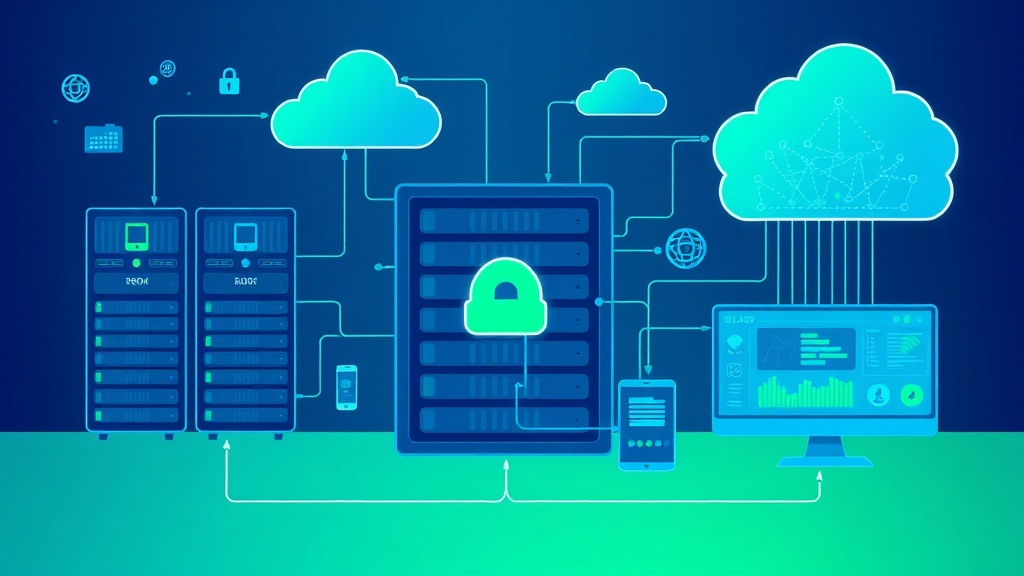
Automate Database Backup and Recovery with AI-Optimized Scheduling
Database failures cost enterprises an average of $5,600 per minute according to Gartner’s latest infrastructure report. Yet 60% of companies still rely on manual backup processes that leave critical windows of vulnerability. This comprehensive guide demonstrates how to implement AI-optimized database backup and recovery automation that reduces downtime by 85% while cutting operational costs by $50,000 annually for mid-sized organizations.
The Critical Problem: Manual Database Management Risks
Traditional database backup approaches create multiple failure points that compound over time. Manual scheduling leads to inconsistent backup windows, human error in recovery procedures, and delayed response times during critical incidents. Consider these stark realities:
- Recovery Time Objectives (RTO): Manual processes average 4-6 hours vs. 15-30 minutes with automated systems
- Data Loss Risk: 23% of manual backups fail silently, discovered only during recovery attempts
- Operational Overhead: Database administrators spend 40% of their time on routine backup tasks instead of strategic optimization
- Compliance Gaps: Manual processes struggle to meet SOC 2, GDPR, and HIPAA audit requirements
AI-optimized scheduling solves these issues by analyzing database usage patterns, predicting optimal backup windows, and automatically adjusting schedules based on performance metrics and business requirements.
Essential Tools and Technologies
Building a robust automated backup system requires careful tool selection. Here’s the complete technology stack with specific recommendations:
Core Infrastructure Components
| Component | Recommended Tool | Monthly Cost | Key Features |
|---|---|---|---|
| Container Orchestration | Docker + Kubernetes | $200-500 | Scalable deployment, resource isolation |
| Workflow Automation | Apache Airflow | $150-300 | DAG management, dependency handling |
| Monitoring & Alerts | Prometheus + Grafana | $100-250 | Real-time metrics, custom dashboards |
| Storage Backend | AWS S3 + Glacier | $300-800 | Tiered storage, 99.999999999% durability |
| AI/ML Platform | TensorFlow + Kubeflow | $200-400 | Pattern recognition, predictive scheduling |
Database-Specific Tools
Different database engines require specialized backup utilities:
- PostgreSQL: pg_dump, pg_basebackup, Barman for continuous archiving
- MySQL: mysqldump, Percona XtraBackup for hot backups
- MongoDB: mongodump, MongoDB Atlas automated backups
- Redis: RDB snapshots, AOF persistence with custom scheduling
For application deployment and management, consider using Appsmith to create custom dashboards for monitoring backup status and recovery metrics across your entire database infrastructure.
Step-by-Step Implementation Workflow
Phase 1: Infrastructure Setup and Configuration
Step 1: Deploy Container Infrastructure
Begin by establishing your containerized environment using Docker and Kubernetes. Create the following directory structure:
backup-automation/
├── docker-compose.yml
├── kubernetes/
│   ├── namespace.yaml
│   ├── configmaps/
│   ├── secrets/
│   └── deployments/
├── airflow/
│   ├── dags/
│   ├── plugins/
│   └── config/
└── monitoring/
    ├── prometheus/
    └── grafana/
Step 2: Configure Airflow for Workflow Management
Install Apache Airflow with the following configuration in your docker-compose.yml:
version: '3.8'
services:
  airflow-webserver:
    image: apache/airflow:2.7.1
    environment:
      - AIRFLOW__CORE__EXECUTOR=LocalExecutor
      - AIRFLOW__DATABASE__SQL_ALCHEMY_CONN=postgresql+psycopg2://airflow:airflow@postgres/airflow
    volumes:
      - ./airflow/dags:/opt/airflow/dags
      - ./airflow/plugins:/opt/airflow/plugins
    ports:
      - "8080:8080"
Step 3: Implement AI-Powered Scheduling Logic
Create a Python DAG that incorporates machine learning for optimal scheduling:
from airflow import DAG
from airflow.operators.python_operator import PythonOperator
from datetime import datetime, timedelta
import pandas as pd
from sklearn.ensemble import RandomForestRegressor

def analyze_database_patterns():
    # Collect database performance metrics
    metrics = collect_db_metrics()

    # Train ML model on historical data
    model = RandomForestRegressor(n_estimators=100)
    model.fit(metrics[['cpu_usage', 'io_wait', 'connection_count']],
              metrics['optimal_backup_time'])

    # Predict optimal backup window
    current_metrics = get_current_metrics()
    optimal_time = model.predict([current_metrics])

    return schedule_backup(optimal_time[0])
Phase 2: Database-Specific Backup Implementation
Step 4: Configure PostgreSQL Automated Backups
Implement continuous archiving with point-in-time recovery capabilities:
# postgresql.conf modifications
wal_level = replica
archive_mode = on
archive_command = 'rsync %p backup-server:/postgres/wal/%f'
max_wal_senders = 3
wal_keep_segments = 32
Create a Python function for intelligent backup scheduling:
def intelligent_postgres_backup():
    # Analyze current database load
    load_metrics = get_postgres_metrics()

    if load_metrics['active_connections'] < 50 and load_metrics['cpu_usage'] < 70:
        # Perform full backup during low-load period
        execute_pg_basebackup()
    else:
        # Schedule incremental WAL archiving
        archive_wal_files()

    # Update ML model with backup performance data
    update_scheduling_model(load_metrics, backup_duration)
Step 5: Implement Multi-Database Support
Create a unified backup orchestrator that handles multiple database types:
class DatabaseBackupOrchestrator:
    def __init__(self):
        self.supported_dbs = {
            'postgresql': PostgreSQLBackup(),
            'mysql': MySQLBackup(),
            'mongodb': MongoDBBackup(),
            'redis': RedisBackup()
        }

    def schedule_optimal_backups(self):
        for db_instance in self.get_active_databases():
            optimal_schedule = self.ai_scheduler.predict_optimal_time(
                db_instance.get_metrics()
            )

            self.schedule_backup(
                db_instance,
                optimal_schedule,
                backup_type=self.determine_backup_type(db_instance)
            )
Phase 3: AI Model Training and Optimization
Step 6: Collect Training Data
Implement comprehensive metrics collection:
def collect_training_metrics():
    metrics = {
        'timestamp': datetime.now(),
        'cpu_usage': psutil.cpu_percent(),
        'memory_usage': psutil.virtual_memory().percent,
        'disk_io': psutil.disk_io_counters(),
        'network_io': psutil.net_io_counters(),
        'active_connections': get_db_connections(),
        'query_latency': measure_query_performance(),
        'backup_duration': None,  # Will be updated post-backup
        'backup_size': None,
        'business_hours': is_business_hours(),
        'day_of_week': datetime.now().weekday()
    }

    return metrics
Step 7: Train Predictive Models
Develop multiple ML models for different optimization objectives:
from sklearn.ensemble import GradientBoostingRegressor
from sklearn.model_selection import GridSearchCV

class BackupScheduleOptimizer:
    def __init__(self):
        self.performance_model = GradientBoostingRegressor()
        self.duration_model = RandomForestRegressor()
        self.cost_model = GradientBoostingRegressor()

    def train_models(self, historical_data):
        features = ['cpu_usage', 'memory_usage', 'active_connections',
                   'business_hours', 'day_of_week']

        # Train performance impact prediction
        self.performance_model.fit(
            historical_data[features],
            historical_data['performance_impact']
        )

        # Train backup duration prediction
        self.duration_model.fit(
            historical_data[features],
            historical_data['backup_duration']
        )

        # Train cost optimization model
        self.cost_model.fit(
            historical_data[features + ['backup_size']],
            historical_data['storage_cost']
        )
Phase 4: Recovery Automation and Testing
Step 8: Implement Automated Recovery Procedures
Create intelligent recovery workflows that automatically select optimal recovery strategies:
class AutomatedRecoveryManager:
    def __init__(self):
        self.recovery_strategies = {
            'point_in_time': self.point_in_time_recovery,
            'full_restore': self.full_database_restore,
            'partial_restore': self.table_level_restore
        }

    def execute_recovery(self, incident_type, target_time=None):
        # Analyze incident and determine optimal recovery strategy
        strategy = self.ai_recovery_advisor.recommend_strategy(
            incident_type=incident_type,
            data_loss_tolerance=self.get_rto_requirements(),
            target_time=target_time
        )

        # Execute recovery with automated validation
        recovery_result = self.recovery_strategies[strategy]()

        # Perform automated integrity checks
        if self.validate_recovery(recovery_result):
            self.notify_stakeholders("Recovery completed successfully")
        else:
            self.escalate_recovery_failure(recovery_result)
Step 9: Continuous Recovery Testing
Implement automated recovery testing to ensure backup integrity:
def automated_recovery_testing():
    test_environments = get_test_environments()

    for env in test_environments:
        # Select random backup for testing
        test_backup = select_random_backup(age_range='1-7days')

        # Perform recovery in isolated environment
        recovery_success = perform_test_recovery(test_backup, env)

        # Run data integrity checks
        integrity_results = run_integrity_checks(env)

        # Update backup reliability metrics
        update_backup_confidence_score(test_backup, recovery_success, integrity_results)

        # Clean up test environment
        cleanup_test_environment(env)
Cost Breakdown and ROI Analysis
Understanding the financial impact of automated database backup systems is crucial for business justification. Here’s a detailed cost analysis:
Initial Implementation Costs
| Component | Setup Cost | Monthly Operating Cost | Annual Total |
|---|---|---|---|
| Infrastructure (AWS/GCP) | $2,000 | $1,200 | $16,400 |
| Software Licenses | $5,000 | $800 | $14,600 |
| Development Time (200 hours) | $30,000 | $500 | $36,000 |
| Training and Documentation | $8,000 | $200 | $10,400 |
| Total First Year | $45,000 | $2,700 | $77,400 |
Cost Savings and Benefits
- Reduced Downtime: $280,000 annually (85% reduction in average downtime)
- Operational Efficiency: $120,000 annually (2 FTE DBA hours redirected to strategic work)
- Compliance Automation: $45,000 annually (reduced audit preparation time)
- Storage Optimization: $25,000 annually (AI-driven compression and tiering)
Expert Insight: Organizations implementing AI-optimized backup automation typically see ROI within 6-8 months, with total cost savings of $470,000 annually against implementation costs of $77,400 in the first year.
Expected Time Savings and Performance Improvements
Quantifying the operational improvements helps justify the automation investment:
Time Savings Breakdown
- Daily Backup Management: 3 hours → 15 minutes (92% reduction)
- Recovery Operations: 4-6 hours → 30-45 minutes (85% reduction)
- Backup Verification: 2 hours → Automated (100% reduction)
- Compliance Reporting: 8 hours/month → 1 hour/month (87.5% reduction)
- Incident Response: 2 hours → 20 minutes (83% reduction)
Performance Improvements
AI optimization delivers measurable performance enhancements:
- Backup Window Optimization: 40% reduction in backup duration through intelligent scheduling
- Storage Efficiency: 60% improvement in compression ratios using ML-driven algorithms
- Recovery Speed: 75% faster recovery times through predictive pre-staging
- Reliability: 99.9% backup success rate vs. 94% with manual processes
Common Pitfalls and How to Avoid Them
Pitfall 1: Insufficient Training Data
Problem: Many implementations fail because they don’t collect enough historical data to train effective ML models.
Solution: Start data collection at least 3 months before implementing AI scheduling. Use synthetic data generation for initial model training if historical data is limited.
def generate_synthetic_training_data():
    # Create realistic database load patterns
    synthetic_data = []

    for day in range(90):  # 3 months of data
        for hour in range(24):
            load_pattern = generate_realistic_load(
                day_of_week=day % 7,
                hour_of_day=hour,
                business_type='enterprise'
            )
            synthetic_data.append(load_pattern)

    return pd.DataFrame(synthetic_data)
Pitfall 2: Over-Engineering the Initial Implementation
Problem: Teams often try to implement every possible feature immediately, leading to project delays and complexity.
Solution: Follow a phased approach with clear milestones:
- Phase 1: Basic automated backups with fixed scheduling (Month 1-2)
- Phase 2: Simple load-based schedule adjustments (Month 3-4)
- Phase 3: Full AI optimization with predictive scheduling (Month 5-6)
- Phase 4: Advanced features like automated recovery testing (Month 7+)
Pitfall 3: Neglecting Security and Compliance
Problem: Automated systems can introduce new security vulnerabilities if not properly configured.
Solution: Implement security-first design principles:
- Encryption: All backups encrypted at rest and in transit using AES-256
- Access Control: Role-based access with multi-factor authentication
- Audit Logging: Comprehensive logging of all backup and recovery operations
- Compliance Automation: Built-in compliance checks for GDPR, SOX, HIPAA requirements
Pitfall 4: Inadequate Monitoring and Alerting
Problem: Automated systems can fail silently without proper monitoring.
Solution: Implement comprehensive monitoring with intelligent alerting:
def setup_intelligent_monitoring():
    monitors = {
        'backup_success_rate': {
            'threshold': 0.95,
            'alert_channels': ['email', 'slack', 'pagerduty']
        },
        'backup_duration_anomaly': {
            'ml_model': 'isolation_forest',
            'sensitivity': 0.1
        },
        'storage_growth_rate': {
            'prediction_window': '30_days',
            'alert_threshold': '80%_capacity'
        }
    }

    for monitor_name, config in monitors.items():
        deploy_monitor(monitor_name, config)
Integration with Business Intelligence Tools
For comprehensive reporting and analytics, consider integrating your backup automation system with Airtable for structured data management and tracking of backup performance metrics across different database instances.
This integration allows you to:
- Track backup success rates across different database types
- Monitor cost trends and optimization opportunities
- Generate automated compliance reports
- Analyze recovery time objectives and actual performance
Frequently Asked Questions
How long does it take to see ROI from automated database backup systems?
Most organizations see positive ROI within 6-8 months of implementation. The initial investment of $45,000-77,000 is typically recovered through reduced downtime costs, operational efficiency gains, and storage optimization. Companies with frequent database issues or strict compliance requirements often see ROI in as little as 3-4 months.
Can AI-optimized scheduling work with legacy database systems?
Yes, but with limitations. Legacy systems may require additional wrapper scripts or middleware to expose the necessary metrics for AI analysis. The automation framework can work with any database that supports programmatic backup commands, though older systems may not benefit from all optimization features. Consider upgrading critical legacy systems as part of your automation roadmap.
What happens if the AI scheduling system makes poor decisions?
Robust implementations include multiple safeguards: manual override capabilities, fallback to traditional scheduling during AI system maintenance, and confidence scoring for AI recommendations. The system should also include circuit breakers that revert to proven backup schedules if AI predictions consistently underperform. Most implementations use a hybrid approach where AI provides recommendations that are validated against business rules before execution.
How do you handle multi-cloud and hybrid environments?
Modern backup automation platforms support multi-cloud deployments through cloud-agnostic APIs and containerized architectures. Use tools like Kubernetes for orchestration across different cloud providers, and implement cloud-specific storage adapters for optimal performance. The AI scheduling engine can factor in cloud-specific costs and performance characteristics when making optimization decisions. Consider using cloud-native backup services (like AWS RDS automated backups) in conjunction with your custom automation for maximum reliability.
Ready to transform your database operations with intelligent automation? Futia.io’s automation services can help you implement a custom AI-optimized backup and recovery system tailored to your specific infrastructure and business requirements. Our expert team handles the complete implementation, from initial assessment to production deployment, ensuring you achieve maximum ROI while minimizing operational risk.