How to Automate Restaurant Menu Optimization with AI and Sales Data
Restaurant owners lose an average of 15-20% in potential revenue due to suboptimal menu pricing and item placement. While most restaurateurs rely on gut instinct and quarterly reviews, forward-thinking establishments are leveraging AI-powered automation to optimize their menus in real-time based on sales data, customer behavior, and market trends.
This comprehensive guide will walk you through building an automated menu optimization system that continuously analyzes your sales data, adjusts pricing strategies, and recommends menu changes to maximize profitability. We’ll cover everything from data collection to implementation, including specific tools, configurations, and expected ROI.
The Problem: Manual Menu Management is Killing Profits
Traditional menu management suffers from several critical flaws that directly impact your bottom line:
- Delayed Response to Market Changes: Manual analysis means you’re always 30-90 days behind market trends
- Emotional Pricing Decisions: Owners often underprice signature dishes or overprice low-demand items based on personal attachment
- Missed Cross-Selling Opportunities: Without data analysis, restaurants fail to identify profitable item combinations
- Inventory Waste: Poor demand forecasting leads to overordering slow-moving ingredients
- Competitive Disadvantage: While you’re manually crunching numbers, competitors using automation are already adjusting prices
“Restaurants that implement data-driven menu optimization see an average 12-18% increase in profit margins within the first six months, primarily through better pricing strategies and reduced food waste.” – National Restaurant Association Technology Report 2024
Essential Tools for Automated Menu Optimization
Building an effective automation system requires the right combination of data collection, analysis, and implementation tools. Here’s your complete toolkit:
Core Data Infrastructure
| Tool Category | Recommended Solution | Monthly Cost | Key Features |
|---|---|---|---|
| Database & Analytics | Airtable Pro | $24/user | Sales data aggregation, custom formulas, API integration |
| AI Analysis | ChatGPT Plus + API | $20 + usage | Pattern recognition, pricing recommendations, trend analysis |
| Data Visualization | Tableau Public | Free | Real-time dashboards, performance tracking |
| Automation Platform | Zapier Professional | $49/month | Workflow automation, API connections, scheduled tasks |
| POS Integration | Square API | 2.9% + 30¢ | Real-time sales data, customer analytics |
Supplementary Tools
- Web Scraping: Apify ($49/month) for competitor price monitoring
- Customer Feedback: Brandwatch ($800/month) for social sentiment analysis
- Email Automation: ActiveCampaign ($29/month) for customer communication
- Analytics Enhancement: Amplitude Starter (Free) for customer behavior tracking
Step-by-Step Implementation Workflow
Phase 1: Data Collection Setup (Week 1-2)
Step 1: Configure POS Data Export
Set up automatic data export from your POS system to Airtable. Most modern POS systems support API integration or automated CSV exports.
// Example API call for Square POS
const salesData = await fetch('https://connect.squareup.com/v2/orders', {
  method: 'GET',
  headers: {
    'Authorization': 'Bearer YOUR_ACCESS_TOKEN',
    'Content-Type': 'application/json'
  }
});
Step 2: Create Airtable Base Structure
Design your database schema with the following tables:
- Menu Items: Item ID, Name, Category, Current Price, Cost, Profit Margin
- Daily Sales: Date, Item ID, Quantity Sold, Revenue, Weather, Day of Week
- Customer Data: Order ID, Customer Type, Average Order Value, Items Purchased
- Competitor Prices: Restaurant Name, Item Name, Price, Date Collected
- Optimization Recommendations: Date, Item ID, Current Price, Suggested Price, Reasoning
Step 3: Set Up Automated Data Ingestion
Configure Zapier workflows to automatically populate your Airtable base:
- Create a trigger for new POS sales data
- Parse and clean the incoming data
- Update relevant Airtable records
- Calculate daily metrics (sales velocity, profit margins)
Phase 2: AI Analysis Configuration (Week 3)
Step 4: Build AI Analysis Prompts
Create structured prompts for ChatGPT API to analyze your menu data:
const analysisPrompt = `
Analyze the following restaurant sales data and provide optimization recommendations:

Sales Data: ${salesData}
Current Menu: ${menuItems}
Competitor Prices: ${competitorData}

Provide:
1. Price adjustment recommendations with reasoning
2. Underperforming items to consider removing
3. High-margin items to promote
4. Optimal menu positioning suggestions

Format as JSON with confidence scores.
`;
Step 5: Implement Automated Analysis Triggers
Set up daily and weekly analysis routines:
- Daily Analysis: Price sensitivity, demand patterns, inventory optimization
- Weekly Analysis: Menu performance review, competitive positioning
- Monthly Analysis: Comprehensive menu restructuring recommendations
Phase 3: Optimization Engine Development (Week 4)
Step 6: Create Dynamic Pricing Rules
Establish automated pricing rules based on multiple variables:
| Trigger Condition | Price Adjustment | Maximum Change | Frequency Limit |
|---|---|---|---|
| Demand > 150% of average | +5-10% | 15% | Once per week |
| Demand < 50% of average | -5-15% | 20% | Twice per month |
| Competitor price increase | +2-8% | 12% | Once per week |
| High food cost volatility | ±3-7% | 10% | As needed |
Step 7: Build Recommendation Dashboard
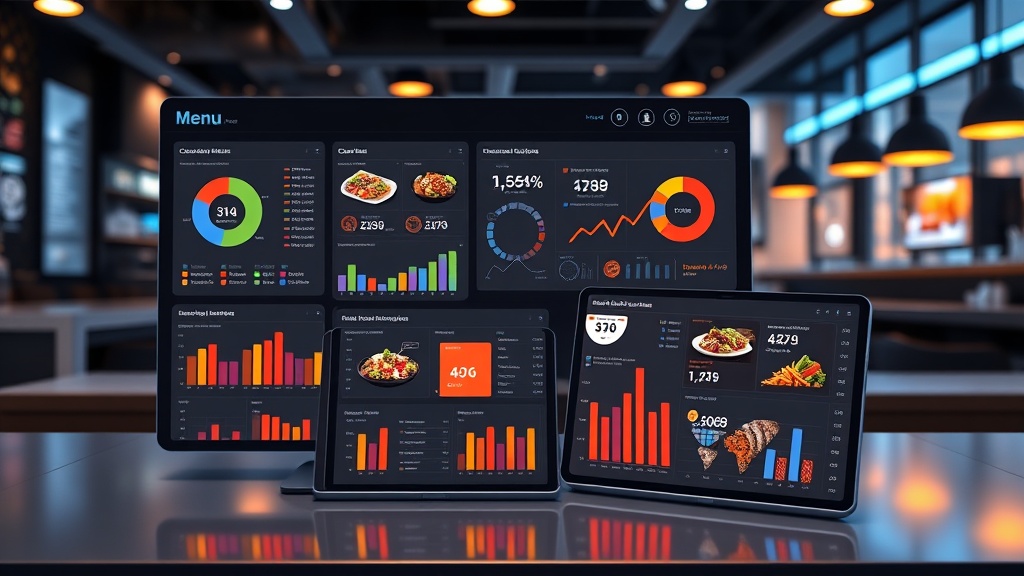
Create a real-time dashboard using Tableau that displays:
- Current menu performance metrics
- AI-generated recommendations with confidence scores
- Revenue impact projections
- Implementation status tracking
Phase 4: Implementation and Monitoring (Ongoing)
Step 8: Establish Approval Workflows
Create automated approval processes for different types of changes:
- Auto-approve: Price changes under 5% with high confidence scores
- Manager approval: Price changes 5-15% or menu item removals
- Owner approval: Major menu restructuring or price changes over 15%
Step 9: Monitor and Iterate
Set up performance tracking to measure automation effectiveness:
Track key metrics weekly: average order value, profit margins, customer satisfaction scores, and inventory turnover rates. Successful implementations typically see improvements within 2-4 weeks.
Cost Breakdown and ROI Analysis
Initial Setup Costs
| Component | Setup Cost | Monthly Cost | Annual Total |
|---|---|---|---|
| Airtable Pro | $0 | $24 | $288 |
| ChatGPT Plus + API | $0 | $50 | $600 |
| Zapier Professional | $0 | $49 | $588 |
| Development Time | $2,500 | $200 | $4,900 |
| Competitive Intelligence | $0 | $49 | $588 |
| Total | $2,500 | $372 | $6,964 |
Expected ROI
For a restaurant with $50,000 monthly revenue:
- Revenue increase: 8-15% through optimized pricing ($4,000-7,500/month)
- Cost reduction: 5-10% through better inventory management ($1,000-2,000/month)
- Time savings: 15 hours/week of manual analysis ($600/month at $10/hour)
- Total monthly benefit: $5,600-10,100
- Payback period: 2-3 months
Expected Time Savings and Efficiency Gains
Implementing automated menu optimization delivers significant time savings across multiple operational areas:
Weekly Time Savings Breakdown
- Menu Analysis: 8 hours → 30 minutes (87% reduction)
- Competitive Research: 4 hours → 0 hours (100% automation)
- Pricing Decisions: 6 hours → 1 hour (83% reduction)
- Inventory Planning: 3 hours → 45 minutes (75% reduction)
- Performance Reporting: 2 hours → 15 minutes (87% reduction)
Total weekly savings: 21 hours – equivalent to hiring a part-time analyst at a fraction of the cost.
Quality Improvements
Beyond time savings, automation delivers superior decision-making quality:
- Data-driven decisions: Eliminate emotional pricing based on personal preferences
- Real-time responsiveness: React to market changes within hours, not weeks
- Comprehensive analysis: Consider multiple variables simultaneously
- Consistent execution: Remove human error from routine calculations
Common Pitfalls and How to Avoid Them
Data Quality Issues
Problem: Incomplete or inaccurate POS data leading to poor recommendations.
Solution: Implement data validation rules and regular audits. Set up alerts for unusual data patterns and maintain backup data sources.
Over-Automation
Problem: Making too many changes too quickly, confusing customers and staff.
Solution: Implement change frequency limits and always include human oversight for significant adjustments. Start with small, incremental changes.
Ignoring Qualitative Factors
Problem: AI recommendations that ignore brand positioning or customer sentiment.
Solution: Include customer feedback data and brand guidelines in your analysis prompts. Regularly review recommendations for alignment with business strategy.
Technical Failures
Problem: API failures or system downtime disrupting automation workflows.
Solution: Build redundancy into your system with backup data sources and manual override capabilities. Monitor system health with automated alerts.
“The most successful restaurant automation implementations maintain a 80/20 balance – 80% automated decision-making with 20% human oversight for strategic alignment and quality control.”
Competitive Response
Problem: Competitors matching your automated pricing changes, leading to price wars.
Solution: Focus on value-based pricing rather than pure competitive matching. Use automation to optimize the entire customer experience, not just prices.
Advanced Optimization Strategies
Seasonal Adjustment Algorithms
Implement machine learning models that automatically adjust for seasonal variations:
- Holiday menu optimization: Automatically promote seasonal items
- Weather-based adjustments: Increase soup prices on cold days, promote cold beverages during heat waves
- Event-driven pricing: Adjust prices based on local events and foot traffic patterns
Customer Segmentation
Use AI to identify and target different customer segments with personalized menu experiences:
- Price-sensitive customers: Highlight value items and promotions
- Premium customers: Promote high-margin specialty items
- Regular customers: Suggest new items based on purchase history
Measuring Success and Continuous Improvement
Key Performance Indicators
Track these metrics to measure automation success:
| Metric | Target Improvement | Measurement Frequency | Benchmark Period |
|---|---|---|---|
| Average Order Value | 8-12% increase | Daily | 90 days pre-implementation |
| Profit Margin | 3-5% improvement | Weekly | Previous year same period |
| Menu Item Velocity | 15% more even distribution | Weekly | Historical averages |
| Food Waste | 20-30% reduction | Daily | Pre-automation baseline |
Continuous Optimization
Schedule regular system reviews and improvements:
- Monthly: Review AI recommendation accuracy and adjust algorithms
- Quarterly: Analyze ROI and expand automation to new areas
- Annually: Comprehensive system audit and technology stack review
Frequently Asked Questions
How long does it take to see results from automated menu optimization?
Most restaurants see initial improvements within 2-4 weeks of implementation. Revenue increases typically become apparent within the first month, while cost savings from improved inventory management may take 6-8 weeks to fully materialize. The key is starting with small, data-driven changes and gradually expanding the system’s scope as confidence in the recommendations grows.
Can small restaurants with limited tech resources implement this system?
Absolutely. The beauty of modern automation tools is their scalability. A small restaurant can start with basic Airtable automation and simple Zapier workflows for under $100/month. As the business grows and sees ROI, they can gradually add more sophisticated AI analysis and competitive intelligence features. The key is starting simple and building complexity over time.
How do you handle customer complaints about frequent price changes?
Successful implementations limit price change frequency and magnitude. Best practices include: capping changes at 5-10% per adjustment, limiting changes to once per week maximum, and focusing on value communication rather than just price. Many restaurants also implement “price lock” periods for popular items during busy seasons to maintain customer trust while optimizing other menu elements.
What happens if the AI makes a bad recommendation that hurts sales?
This is why human oversight remains crucial. Implement approval workflows for significant changes, start with small test adjustments, and always maintain the ability to quickly revert changes. Most successful systems include confidence scores for recommendations and automatic rollback triggers if key metrics decline beyond acceptable thresholds. The goal is augmenting human decision-making, not replacing it entirely.
Ready to transform your restaurant’s profitability with automated menu optimization? The combination of AI analysis, real-time data processing, and strategic automation can deliver measurable results within weeks. Whether you’re running a single location or managing a restaurant chain, these systems scale to meet your needs while providing the competitive edge necessary in today’s data-driven hospitality industry.
If you’re ready to implement these automation strategies but need expert guidance, futia.io’s automation services can help you design and deploy a custom menu optimization system tailored to your specific restaurant concept and operational requirements.
🛠️ Tools Mentioned in This Article