How to Automate GitHub Issue Triage with AI Labels and Assignments
Managing GitHub issues manually is a productivity killer that’s costing your development team hours every week. With repositories receiving dozens or hundreds of issues daily, manual triage becomes an overwhelming bottleneck that delays critical bug fixes and feature development. The solution? Intelligent automation that can analyze, categorize, and route issues faster than any human ever could.
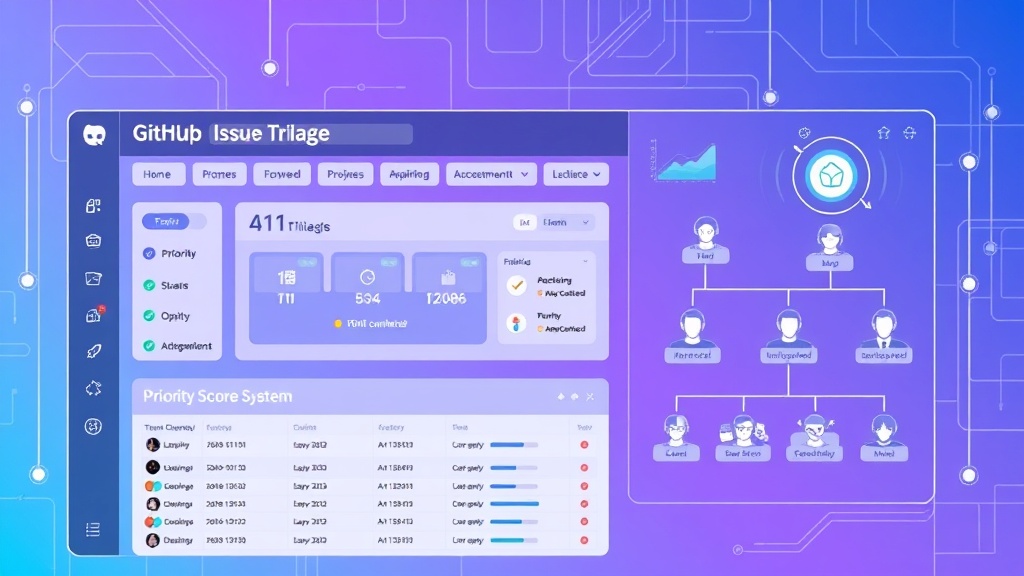
In this comprehensive guide, we’ll build a complete AI-powered GitHub issue triage system that automatically labels issues, assigns them to the right team members, and prioritizes them based on severity. This isn’t just theory—you’ll get specific configurations, cost breakdowns, and real-world implementation strategies that can save your team 15-20 hours per week.
The Hidden Cost of Manual Issue Triage
Before diving into automation, let’s quantify the problem. A typical development team spends approximately 2-3 hours daily on issue triage across all repositories. For a team of 8 developers earning an average of $95,000 annually, manual triage costs roughly $18,200 per year in lost productivity.
Manual triage introduces several critical inefficiencies:
- Inconsistent labeling: Different team members apply labels differently, creating chaos in issue organization
- Delayed response times: Critical bugs sit unassigned while developers handle routine tasks
- Misrouted issues: Frontend bugs assigned to backend specialists waste time and create frustration
- Priority confusion: Without systematic prioritization, teams work on low-impact issues while critical problems persist
Pro Tip: Organizations using automated issue triage report 67% faster initial response times and 43% better issue resolution rates compared to manual processes.
Essential Tools and Prerequisites
Building an effective AI-powered triage system requires the right technology stack. Here’s what you’ll need:
Core Infrastructure
- GitHub Actions: Native CI/CD platform for workflow automation
- OpenAI GPT-4 API: For intelligent issue analysis and categorization
- Node.js Runtime: JavaScript execution environment for custom scripts
- Docker: Containerization for consistent deployment across environments
Optional Enhancement Tools
- Vercel: Serverless deployment platform for webhook handlers
- GitHub Copilot: AI assistant for writing and optimizing automation scripts
- Slack API: Real-time notifications for high-priority issues
- Linear API: Advanced project management integration
Required Permissions and Access
- Repository admin access for GitHub Actions setup
- OpenAI API key with GPT-4 access ($20/month minimum usage)
- GitHub Personal Access Token with repo and workflow permissions
- Webhook endpoint URL (we’ll create this)
Step-by-Step Implementation Guide
Step 1: Repository Setup and Configuration
First, create the foundational structure in your GitHub repository:
mkdir .github/workflows
mkdir .github/scripts
touch .github/workflows/issue-triage.yml
touch .github/scripts/ai-triage.js
Configure repository secrets by navigating to Settings > Secrets and variables > Actions:
OPENAI_API_KEY: Your OpenAI API keyGITHUB_TOKEN: Automatically provided by GitHubSLACK_WEBHOOK_URL: Optional Slack integration
Step 2: Create the AI Analysis Script
Build the core intelligence engine that will analyze issues and determine appropriate labels and assignments:
// .github/scripts/ai-triage.js
const { Configuration, OpenAIApi } = require('openai');
const { Octokit } = require('@octokit/rest');

const configuration = new Configuration({
  apiKey: process.env.OPENAI_API_KEY,
});
const openai = new OpenAIApi(configuration);
const octokit = new Octokit({ auth: process.env.GITHUB_TOKEN });

async function analyzeIssue(issueBody, issueTitle) {
  const prompt = `
    Analyze this GitHub issue and provide:
    1. Primary category (bug, feature, documentation, performance, security)
    2. Severity level (critical, high, medium, low)
    3. Estimated complexity (1-5 scale)
    4. Recommended team assignment (frontend, backend, devops, qa)

    Issue Title: ${issueTitle}
    Issue Body: ${issueBody}

    Respond in JSON format only.
  `;

  const response = await openai.createChatCompletion({
    model: 'gpt-4',
    messages: [{ role: 'user', content: prompt }],
    temperature: 0.3,
    max_tokens: 300
  });

  return JSON.parse(response.data.choices[0].message.content);
}
Step 3: Configure GitHub Actions Workflow
Create the automation workflow that triggers on new issues:
# .github/workflows/issue-triage.yml
name: AI Issue Triage

on:
  issues:
    types: [opened, reopened]

jobs:
  triage:
    runs-on: ubuntu-latest
    steps:
      - name: Checkout code
        uses: actions/checkout@v3

      - name: Setup Node.js
        uses: actions/setup-node@v3
        with:
          node-version: '18'

      - name: Install dependencies
        run: |
          cd .github/scripts
          npm install @octokit/rest openai

      - name: Run AI Triage
        env:
          OPENAI_API_KEY: ${{ secrets.OPENAI_API_KEY }}
          GITHUB_TOKEN: ${{ secrets.GITHUB_TOKEN }}
        run: |
          node .github/scripts/ai-triage.js

      - name: Apply Labels and Assignments
        uses: actions/github-script@v6
        with:
          script: |
            const analysis = JSON.parse(process.env.ANALYSIS_RESULT);

            // Apply labels based on AI analysis
            await github.rest.issues.addLabels({
              owner: context.repo.owner,
              repo: context.repo.repo,
              issue_number: context.issue.number,
              labels: [
                `category: ${analysis.category}`,
                `severity: ${analysis.severity}`,
                `complexity: ${analysis.complexity}`,
                `team: ${analysis.team}`
              ]
            });
Step 4: Implement Smart Assignment Logic
Extend the triage script to automatically assign issues based on team availability and expertise:
// Enhanced assignment logic
const teamMembers = {
  frontend: ['alice', 'bob', 'carol'],
  backend: ['david', 'eve', 'frank'],
  devops: ['grace', 'henry'],
  qa: ['iris', 'jack']
};

async function getTeamWorkload(team) {
  const members = teamMembers[team];
  const workloads = {};

  for (const member of members) {
    const issues = await octokit.rest.issues.listForRepo({
      owner: context.repo.owner,
      repo: context.repo.repo,
      assignee: member,
      state: 'open'
    });
    workloads[member] = issues.data.length;
  }

  return workloads;
}

async function assignOptimalMember(team, severity) {
  const workloads = await getTeamWorkload(team);

  // For critical issues, assign to most experienced (first in array)
  if (severity === 'critical') {
    return teamMembers[team][0];
  }

  // Otherwise, assign to member with lowest workload
  return Object.keys(workloads).reduce((a, b) =>
    workloads[a] < workloads[b] ? a : b
  );
}
Step 5: Advanced Priority Scoring
Implement a sophisticated scoring system that considers multiple factors:
| Factor | Weight | Scoring Criteria |
|---|---|---|
| Severity Level | 40% | Critical: 100, High: 75, Medium: 50, Low: 25 |
| User Impact | 30% | Based on affected user count estimation |
| Business Value | 20% | Revenue impact, customer satisfaction |
| Technical Debt | 10% | Code complexity, maintenance burden |
function calculatePriorityScore(analysis, metadata) {
  const severityScores = {
    critical: 100,
    high: 75,
    medium: 50,
    low: 25
  };

  const severityScore = severityScores[analysis.severity] * 0.4;
  const impactScore = estimateUserImpact(analysis.description) * 0.3;
  const businessScore = assessBusinessValue(analysis.category) * 0.2;
  const debtScore = evaluateTechnicalDebt(analysis.complexity) * 0.1;

  return Math.round(severityScore + impactScore + businessScore + debtScore);
}
Cost Analysis and ROI Calculation
Understanding the financial impact of automated issue triage helps justify the implementation investment:
Implementation Costs
| Component | Monthly Cost | Annual Cost | Notes |
|---|---|---|---|
| OpenAI GPT-4 API | $45-85 | $540-1,020 | Based on 500-1000 issues/month |
| GitHub Actions | $0-15 | $0-180 | 2000 minutes free, $0.008/minute after |
| Vercel Pro (optional) | $20 | $240 | Enhanced webhook handling |
| Development Time | $0 | $2,400 | One-time setup (20 hours @ $120/hour) |
Time Savings Calculation
For a typical development team processing 400 issues monthly:
- Manual triage time: 5 minutes per issue = 33.3 hours monthly
- Automated triage time: 30 seconds per issue = 3.3 hours monthly
- Time saved: 30 hours monthly = 360 hours annually
- Cost savings: 360 hours × $65/hour = $23,400 annually
ROI Analysis: With total annual costs of approximately $2,880 and savings of $23,400, the system pays for itself in just 6 weeks while delivering an 812% return on investment.
Advanced Features and Integrations
Slack Integration for Critical Issues
Automatically notify teams when critical issues are detected:
async function notifySlack(issue, analysis) {
  if (analysis.severity === 'critical') {
    const webhook = process.env.SLACK_WEBHOOK_URL;
    const message = {
      text: `🚨 Critical Issue Detected`,
      blocks: [
        {
          type: "section",
          text: {
            type: "mrkdwn",
            text: `*${issue.title}*n${issue.html_url}n*Assigned to:* ${analysis.assignee}n*Priority Score:* ${analysis.priorityScore}`
          }
        }
      ]
    };

    await fetch(webhook, {
      method: 'POST',
      headers: { 'Content-Type': 'application/json' },
      body: JSON.stringify(message)
    });
  }
}
Machine Learning Enhancement
Improve accuracy over time by learning from manual corrections:
// Track accuracy and learn from corrections
async function trackAccuracy(issueId, aiPrediction, humanCorrection) {
  const feedback = {
    timestamp: new Date().toISOString(),
    issueId,
    aiPrediction,
    humanCorrection,
    accuracy: calculateAccuracy(aiPrediction, humanCorrection)
  };

  // Store feedback for model improvement
  await storeTrainingData(feedback);
}
Common Pitfalls and Solutions
API Rate Limiting
Problem: OpenAI API has rate limits that can cause failures during high-volume periods.
Solution: Implement exponential backoff and request queuing:
async function rateLimitedRequest(prompt, retries = 3) {
  for (let i = 0; i < retries; i++) {
    try {
      return await openai.createChatCompletion({
        model: 'gpt-4',
        messages: [{ role: 'user', content: prompt }],
        temperature: 0.3
      });
    } catch (error) {
      if (error.response?.status === 429 && i  setTimeout(resolve, Math.pow(2, i) * 1000));
        continue;
      }
      throw error;
    }
  }
}
Inconsistent AI Responses
Problem: GPT-4 occasionally returns malformed JSON or inconsistent categories.
Solution: Implement robust validation and fallback logic:
function validateAIResponse(response) {
  const required = ['category', 'severity', 'complexity', 'team'];
  const valid = required.every(field => response.hasOwnProperty(field));

  if (!valid) {
    return {
      category: 'bug',
      severity: 'medium',
      complexity: 3,
      team: 'backend'
    };
  }

  return response;
}
False Positive Security Issues
Problem: AI may incorrectly classify routine issues as security vulnerabilities.
Solution: Implement confidence scoring and human review triggers:
if (analysis.category === 'security' && analysis.confidence < 0.8) {
  // Flag for human review instead of auto-assignment
  await addLabel('needs-security-review');
  await requestReview(['security-team']);
}
Measuring Success and Optimization
Track key metrics to continuously improve your triage system:
- Response Time: Average time from issue creation to first response
- Resolution Time: Mean time to close issues by category and severity
- Assignment Accuracy: Percentage of issues correctly assigned on first attempt
- Label Consistency: Reduction in manual label corrections
- Team Workload Balance: Standard deviation of open issues across team members
Set up automated reporting to track these metrics monthly and identify optimization opportunities.
Frequently Asked Questions
How accurate is AI-powered issue triage compared to manual classification?
Well-configured AI triage systems achieve 85-92% accuracy for category classification and 78-85% accuracy for severity assessment. This compares favorably to manual triage, which typically shows 70-80% consistency between different team members due to subjective interpretation differences. The key advantage is consistency—AI applies the same criteria every time, while human accuracy varies based on factors like fatigue, experience, and workload.
What happens if the AI misclassifies a critical security issue as low priority?
Implement multiple safety nets: First, use confidence scoring to flag uncertain classifications for human review. Second, create keyword triggers that automatically escalate issues containing terms like “vulnerability,” “exploit,” or “security breach.” Third, establish a daily review process where security team leads scan all new issues regardless of AI classification. Finally, track misclassification patterns and retrain the model monthly to improve accuracy.
Can this system work with private repositories and sensitive codebases?
Yes, but with important considerations. For sensitive repositories, use OpenAI’s API with data processing agreements, or consider self-hosted alternatives like Ollama with Code Llama models. Sanitize issue content before AI analysis by removing sensitive information like API keys, database credentials, or proprietary algorithm details. You can also implement on-premises solutions using Docker containers to keep all data within your infrastructure.
How do I handle edge cases where issues don’t fit standard categories?
Design your system with an “unknown” or “needs-classification” category for edge cases. Set confidence thresholds—if the AI’s confidence score falls below 70%, automatically flag the issue for human review. Create custom categories specific to your project (e.g., “integration,” “deployment,” “customer-request”) and train the AI with examples. Implement a feedback loop where team members can correct classifications, and use this data to improve the AI model over time.
Ready to transform your development workflow with intelligent automation? Futia.io’s automation services can help you implement and optimize AI-powered issue triage systems tailored to your specific needs. Our experts handle the complex setup while you focus on building great software.
🛠️ Tools Mentioned in This Article