Building a High-Converting SaaS Landing Page: Complete Design & Copy Tutorial
Converting visitors into paying customers is the ultimate goal of any SaaS landing page. Yet, most landing pages fail spectacularly — with average conversion rates hovering around 2.35% across industries. The difference between a mediocre landing page and one that converts at 15-20%? Strategic design decisions, persuasive copy, and relentless optimization.
In this comprehensive tutorial, we’ll build a complete SaaS landing page from scratch, covering everything from wireframing to deployment. You’ll learn the exact frameworks used by companies like Slack, Notion, and Figma to achieve conversion rates that consistently outperform industry benchmarks.
What We’re Building: A Complete SaaS Landing Page System
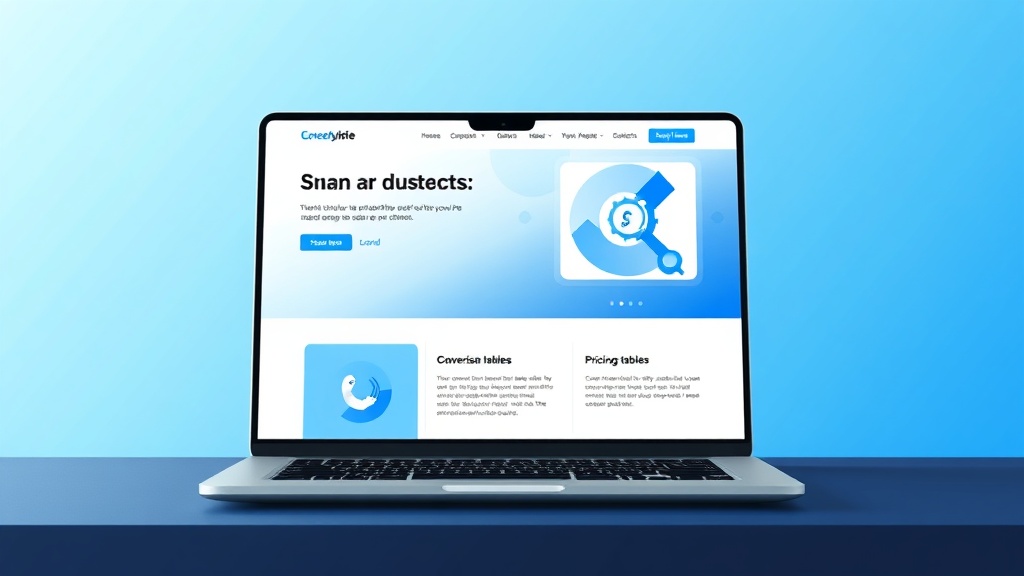
We’re creating a high-converting landing page for a fictional project management SaaS called “TaskFlow Pro.” This page will include:
- Hero section with value proposition and primary CTA
- Social proof section featuring customer logos and testimonials
- Feature showcase with benefit-focused messaging
- Pricing table with psychological pricing strategies
- FAQ section addressing common objections
- Footer with trust signals and secondary CTAs
The page will be optimized for conversion tracking, A/B testing, and lead capture integration with tools like ActiveCampaign for email automation.
Prerequisites and Tech Stack
Before diving into implementation, ensure you have the following setup:
Required Skills
- Intermediate HTML/CSS knowledge
- Basic JavaScript understanding
- Familiarity with responsive design principles
- Understanding of conversion optimization concepts
Tech Stack
| Component | Technology | Purpose | Cost |
|---|---|---|---|
| Frontend Framework | Next.js 13+ | React-based SSG for performance | Free |
| Styling | Tailwind CSS | Utility-first CSS framework | Free |
| Analytics | Google Analytics 4 | Conversion tracking | Free |
| A/B Testing | Vercel Edge Config | Feature flags and testing | $20/month |
| Forms | Formspree | Form handling and validation | $8/month |
| Hosting | Vercel | Deployment and CDN | Free tier available |
Design Tools
For design mockups and prototyping, we’ll reference Adobe XD for wireframing, though you can use any design tool you prefer. The key is having a clear visual plan before coding.
Step-by-Step Implementation
Step 1: Project Setup and Structure
Initialize your Next.js project with the following commands:
npx create-next-app@latest taskflow-landing --typescript --tailwind --eslint
cd taskflow-landing
npm install @headlessui/react @heroicons/react framer-motion
Create the following directory structure:
src/
  components/
    Hero.tsx
    SocialProof.tsx
    Features.tsx
    Pricing.tsx
    FAQ.tsx
    Footer.tsx
  utils/
    analytics.ts
  styles/
    globals.css
Step 2: Building the Hero Section
The hero section is your make-or-break moment. You have approximately 8 seconds to communicate your value proposition before visitors bounce.
// components/Hero.tsx
import { useState } from 'react'
import { ChevronRightIcon } from '@heroicons/react/24/outline'
export default function Hero() {
const [email, setEmail] = useState('')
const handleSubmit = async (e: React.FormEvent) => {
e.preventDefault()
// Track conversion event
gtag('event', 'hero_signup_attempt', {
event_category: 'engagement',
event_label: 'hero_form'
})
// Handle form submission
}
return (
Ship Projects
3x Faster
TaskFlow Pro eliminates project chaos with AI-powered task prioritization,
real-time collaboration, and automated reporting. Join 12,000+ teams
shipping better products faster.
setEmail(e.target.value)}
placeholder="Enter your work email"
className="flex-1 px-4 py-3 border border-gray-300 rounded-lg focus:ring-2 focus:ring-blue-500"
required
/>
✓ 14-day free trial ✓ No credit card required ✓ Setup in 2 minutes
)
}Pro tip: The hero headline follows the “outcome + timeframe + social proof” formula. “Ship Projects 3x Faster” communicates the benefit (faster shipping), includes a specific metric (3x), and the subtext provides social proof (12,000+ teams).
Step 3: Social Proof Section
Social proof can increase conversions by up to 15%. This section showcases customer logos, testimonials, and key metrics.
// components/SocialProof.tsx
export default function SocialProof() {
const customers = [
{ name: 'Spotify', logo: '/logos/spotify.svg' },
{ name: 'Airbnb', logo: '/logos/airbnb.svg' },
{ name: 'Uber', logo: '/logos/uber.svg' },
{ name: 'Netflix', logo: '/logos/netflix.svg' }
]
const testimonials = [
{
quote: "TaskFlow Pro reduced our project delivery time by 40%. The AI prioritization is game-changing.",
author: "Sarah Chen",
role: "VP of Product, TechCorp",
avatar: "/avatars/sarah.jpg"
}
]
return (
Trusted by teams at
{customers.map((customer) => (
 ))}
12,000+
Active Teams
40%
Faster Delivery
99.9%
Uptime SLA
))}
12,000+
Active Teams
40%
Faster Delivery
99.9%
Uptime SLA
)
}Step 4: Feature Showcase with Benefit-Focused Copy
Features tell, benefits sell. Each feature should clearly communicate the value it provides to the user.
// components/Features.tsx
import { motion } from 'framer-motion'

export default function Features() {
  const features = [
    {
      icon: '🤖',
      title: 'AI-Powered Prioritization',
      benefit: 'Never waste time on low-impact tasks',
      description: 'Our AI analyzes project dependencies, deadlines, and team capacity to automatically prioritize your backlog. Focus on what moves the needle.'
    },
    {
      icon: '⚡',
      title: 'Real-Time Collaboration',
      benefit: 'Eliminate status meeting overhead',
      description: 'Live updates, instant notifications, and collaborative workspaces keep everyone aligned without endless Slack messages or status calls.'
    },
    {
      icon: '📊',
      title: 'Automated Reporting',
      benefit: 'Impress stakeholders with zero effort',
      description: 'Beautiful dashboards and automated reports keep stakeholders informed while you focus on building. Export to PowerPoint in one click.'
    }
  ]

  return (


            Everything you need to ship faster


            Stop juggling multiple tools. TaskFlow Pro combines project management,
            team collaboration, and progress tracking in one powerful platform.


          {features.map((feature, index) => (

              {feature.icon}

                {feature.title}

              {feature.benefit}
              {feature.description}

          ))}


  )
}
Step 5: Psychological Pricing Table
Pricing psychology can dramatically impact conversion rates. We’ll implement anchoring, scarcity, and value perception techniques.
// components/Pricing.tsx
export default function Pricing() {
const plans = [
{
name: 'Starter',
price: 29,
period: 'per user/month',
description: 'Perfect for small teams getting started',
features: [
'Up to 10 team members',
'Basic project templates',
'Email support',
'5GB storage'
],
cta: 'Start Free Trial',
popular: false
},
{
name: 'Professional',
price: 59,
period: 'per user/month',
description: 'Most popular for growing teams',
features: [
'Unlimited team members',
'AI-powered prioritization',
'Advanced analytics',
'Priority support',
'100GB storage',
'Custom integrations'
],
cta: 'Start Free Trial',
popular: true
},
{
name: 'Enterprise',
price: 99,
period: 'per user/month',
description: 'Advanced features for large organizations',
features: [
'Everything in Professional',
'SSO & advanced security',
'Dedicated success manager',
'Custom onboarding',
'Unlimited storage',
'White-label options'
],
cta: 'Contact Sales',
popular: false
}
]
return (
Simple, transparent pricing
Start free, scale as you grow. No hidden fees, no surprises.
{plans.map((plan) => (
{plan.popular && (
Most Popular
)}
{plan.name}
{plan.description}
${plan.price}
{plan.period}
{plan.features.map((feature) => (
-
{feature}
))}
))}
All plans include 14-day free trial • No setup fees • Cancel anytime
)
}Testing and Validation
Conversion Tracking Setup
Implement comprehensive tracking to measure success and identify optimization opportunities:
// utils/analytics.ts
export const trackConversion = (event: string, data?: any) => {
  // Google Analytics 4
  gtag('event', event, {
    event_category: 'conversion',
    event_label: data?.label || '',
    value: data?.value || 0
  })

  // Facebook Pixel (if applicable)
  if (typeof fbq !== 'undefined') {
    fbq('track', event, data)
  }
}

export const trackFormSubmission = (formType: string) => {
  trackConversion('form_submission', {
    label: formType,
    value: 1
  })
}
A/B Testing Framework
Set up feature flags for testing different versions of key elements:
// utils/experiments.ts
export const getExperimentVariant = (experimentName: string) => {
  // Simple client-side A/B testing
  const userId = localStorage.getItem('user_id') || Math.random().toString()
  const hash = simpleHash(userId + experimentName)
  return hash % 2 === 0 ? 'A' : 'B'
}

// Test different hero headlines
export const getHeroHeadline = () => {
  const variant = getExperimentVariant('hero_headline')
  return variant === 'A'
    ? 'Ship Projects 3x Faster'
    : 'Build Better Products, Faster'
}
Performance Optimization
Ensure your landing page loads quickly across all devices:
- Image optimization: Use Next.js Image component with WebP format
- Code splitting: Lazy load non-critical components
- Critical CSS: Inline above-the-fold styles
- CDN: Serve assets from Vercel’s global CDN
Performance benchmark: Aim for a Lighthouse score of 90+ and First Contentful Paint under 1.5 seconds. Every 100ms delay can reduce conversions by 7%.
Deployment and Integration
Vercel Deployment
Deploy your landing page with zero configuration:
# Install Vercel CLI
npm i -g vercel

# Deploy
vercel --prod

# Set up custom domain
vercel domains add yourdomain.com
Email Marketing Integration
Connect your forms to ActiveCampaign for automated follow-up sequences:
// utils/email.ts
export const subscribeToNewsletter = async (email: string, source: string) => {
  const response = await fetch('/api/subscribe', {
    method: 'POST',
    headers: { 'Content-Type': 'application/json' },
    body: JSON.stringify({
      email,
      source,
      tags: ['landing-page-signup']
    })
  })

  return response.json()
}
Analytics Integration
For advanced analytics beyond Google Analytics, consider integrating Amplitude for detailed user behavior tracking:
// Track user journey through the funnel
amplitude.track('Landing Page View', {
  source: document.referrer,
  campaign: new URLSearchParams(window.location.search).get('utm_campaign')
})

amplitude.track('CTA Click', {
  cta_location: 'hero',
  cta_text: 'Start Free Trial'
})
Enhancement Ideas and Advanced Optimizations
Dynamic Personalization
Implement real-time personalization based on visitor behavior:
- Geographic targeting: Show pricing in local currency
- Referrer-based messaging: Customize copy based on traffic source
- Return visitor optimization: Show different CTAs for repeat visitors
- Device-specific optimization: Mobile-first design with touch-optimized elements
Advanced Conversion Tactics
Implement psychological triggers to boost conversions:
- Scarcity: “Join 500+ teams who signed up this week”
- Social proof: Real-time signup notifications
- Risk reversal: Money-back guarantees and free trials
- Authority: Industry certifications and security badges
Interactive Elements
Add engagement-boosting interactive features:
- ROI calculator: Let visitors calculate potential time savings
- Product demo: Embedded interactive product tour
- Chatbot integration: AI-powered sales assistant
- Video testimonials: Auto-playing customer success stories
Technical Enhancements
| Enhancement | Impact | Implementation Effort | Priority |
|---|---|---|---|
| Progressive Web App (PWA) | Improved mobile experience | Medium | High |
| Server-side rendering | Better SEO and performance | Low (Next.js built-in) | High |
| Advanced analytics | Better optimization insights | Medium | Medium |
| Multi-language support | Global market expansion | High | Low |
Frequently Asked Questions
What’s the ideal conversion rate for a SaaS landing page?
SaaS landing pages typically convert between 2-5% for cold traffic and 10-15% for warm traffic (email subscribers, retargeting). However, highly optimized pages can achieve 20%+ conversion rates. Focus on continuous testing rather than industry benchmarks — your goal should be beating your own previous performance.
How do I choose between different pricing strategies?
Test multiple approaches: charm pricing ($29 vs $30), anchoring (showing a high-priced plan first), and value-based pricing (emphasizing ROI over features). The three-tier approach works well because it leverages the “Goldilocks effect” — most customers choose the middle option. Always include annual billing discounts to improve customer lifetime value.
Should I include a chatbot on my landing page?
Chatbots can increase conversions by 10-15% when implemented correctly. However, avoid generic chatbots that feel robotic. Instead, use targeted messages based on user behavior (e.g., “Questions about our Enterprise plan?” when someone hovers over that pricing tier). Tools like Intercom or Drift integrate well with most landing page setups.
How often should I A/B test my landing page elements?
Run one test at a time with statistical significance (typically 95% confidence level). Test high-impact elements first: headlines, CTAs, and value propositions. Each test should run for at least one full business cycle (usually 2-4 weeks) to account for traffic variations. Prioritize tests based on potential impact and ease of implementation.
Ready to take your SaaS landing page to the next level? Our team at futia.io specializes in building high-converting automated marketing systems that turn visitors into customers. From landing page optimization to complete marketing automation workflows, we help SaaS companies scale their growth engines. Explore our automation services and see how we can accelerate your growth.
🛠️ Tools Mentioned in This Article