AI-Powered Financial Forecasting for Startups: Complete Implementation Guide
Financial forecasting has evolved from spreadsheet guesswork to AI-driven precision. For startups operating with limited resources and maximum uncertainty, traditional forecasting methods often fall short. Today’s AI-powered financial forecasting tools can process thousands of data points, identify patterns invisible to human analysis, and generate predictions with 85-95% accuracy rates—compared to 60-70% for manual methods.
This comprehensive guide walks you through implementing AI-powered financial forecasting systems that can transform your startup’s financial planning from reactive to predictive. We’ll cover everything from data preparation to model deployment, with real-world examples and actionable implementation steps.
Prerequisites and Foundation Requirements
Before diving into AI implementation, ensure your startup meets these technical and organizational prerequisites:
Data Infrastructure Requirements
- Historical Financial Data: Minimum 12-18 months of revenue, expense, and cash flow data
- Data Quality Standards: Clean, consistent data formats with less than 5% missing values
- Integration Capabilities: API access to your accounting software (QuickBooks, Xero, NetSuite)
- Real-time Data Feeds: Live connections to payment processors, CRM systems, and operational tools
Technical Infrastructure
- Cloud Computing Resources: AWS, Google Cloud, or Azure account with machine learning services
- Development Environment: Python 3.8+, R, or access to no-code ML platforms
- Database Management: PostgreSQL, MongoDB, or cloud-based data warehouses
- API Management: Tools for data ingestion and model deployment
Team Capabilities
Your team should include or have access to:
- Data analyst with SQL and basic Python/R skills
- Financial analyst familiar with forecasting methodologies
- Technical lead for system integration and deployment
Pro tip: If you lack internal technical expertise, consider partnering with AI automation specialists who can handle the technical implementation while you focus on business logic and data interpretation.
Architecture and Strategy Overview
Effective AI-powered financial forecasting requires a multi-layered architecture that combines data ingestion, processing, modeling, and visualization components.
System Architecture Components
The optimal architecture consists of five core layers:
- Data Ingestion Layer: Automated data collection from multiple sources
- Data Processing Layer: Cleaning, transformation, and feature engineering
- AI/ML Layer: Multiple forecasting models and ensemble methods
- Business Logic Layer: Scenario planning and sensitivity analysis
- Presentation Layer: Dashboards and automated reporting
Forecasting Strategy Framework
Successful AI forecasting implementations follow a three-horizon approach:
| Horizon | Time Frame | Primary Models | Key Metrics | Update Frequency |
|---|---|---|---|---|
| Operational | 1-13 weeks | ARIMA, Linear Regression | Cash flow, Revenue | Weekly |
| Tactical | 3-12 months | Random Forest, XGBoost | Revenue, Expenses, Hiring | Monthly |
| Strategic | 1-3 years | Neural Networks, Ensemble | Market size, Growth rates | Quarterly |
Model Selection Strategy
Choose models based on your data characteristics and forecasting needs:
- Time Series Models: ARIMA, Prophet for seasonal revenue patterns
- Machine Learning Models: Random Forest, XGBoost for complex multi-variable predictions
- Deep Learning: LSTM, GRU for long-term trend analysis with large datasets
- Ensemble Methods: Combine multiple models for improved accuracy
Detailed Implementation Steps
Step 1: Data Collection and Preparation
Start by establishing robust data pipelines that automatically collect and clean financial data from multiple sources.
Data Source Integration
Connect your forecasting system to key data sources:
import pandas as pd
import numpy as np
from datetime import datetime, timedelta

# Example: QuickBooks API integration
def fetch_financial_data(start_date, end_date):
    # API call to accounting software
    revenue_data = get_revenue_data(start_date, end_date)
    expense_data = get_expense_data(start_date, end_date)

    # Combine and clean data
    financial_df = pd.merge(revenue_data, expense_data, on='date')
    financial_df['net_income'] = financial_df['revenue'] - financial_df['expenses']

    return financial_df
Data Quality Assurance
Implement automated data validation to ensure forecast accuracy:
- Completeness Checks: Identify and flag missing data points
- Consistency Validation: Verify data formats and ranges
- Anomaly Detection: Flag unusual transactions or patterns
- Reconciliation: Cross-check data across multiple sources
Step 2: Feature Engineering and Model Development
Transform raw financial data into predictive features that AI models can effectively use.
Feature Creation
# Example feature engineering for revenue forecasting
def create_features(df):
    # Time-based features
    df['month'] = df['date'].dt.month
    df['quarter'] = df['date'].dt.quarter
    df['day_of_week'] = df['date'].dt.dayofweek

    # Lag features
    df['revenue_lag_1'] = df['revenue'].shift(1)
    df['revenue_lag_7'] = df['revenue'].shift(7)
    df['revenue_lag_30'] = df['revenue'].shift(30)

    # Rolling statistics
    df['revenue_ma_7'] = df['revenue'].rolling(7).mean()
    df['revenue_ma_30'] = df['revenue'].rolling(30).mean()
    df['revenue_std_7'] = df['revenue'].rolling(7).std()

    # Growth rates
    df['revenue_growth'] = df['revenue'].pct_change()
    df['revenue_growth_ma'] = df['revenue_growth'].rolling(7).mean()

    return df
Model Training and Validation
Implement multiple forecasting models and compare their performance:
from sklearn.ensemble import RandomForestRegressor
from sklearn.metrics import mean_absolute_error, mean_squared_error
import xgboost as xgb

# Split data for training and validation
train_size = int(len(df) * 0.8)
train_data = df[:train_size]
test_data = df[train_size:]

# Random Forest model
rf_model = RandomForestRegressor(n_estimators=100, random_state=42)
rf_model.fit(train_data[features], train_data['revenue'])

# XGBoost model
xgb_model = xgb.XGBRegressor(n_estimators=100, learning_rate=0.1)
xgb_model.fit(train_data[features], train_data['revenue'])

# Model evaluation
rf_predictions = rf_model.predict(test_data[features])
xgb_predictions = xgb_model.predict(test_data[features])

rf_mae = mean_absolute_error(test_data['revenue'], rf_predictions)
xgb_mae = mean_absolute_error(test_data['revenue'], xgb_predictions)
Step 3: Automated Reporting and Dashboard Creation
Build automated reporting systems that update forecasts and generate insights without manual intervention. Tools like HubSpot can integrate with your forecasting system to provide sales pipeline data that improves revenue predictions.
Dashboard Development
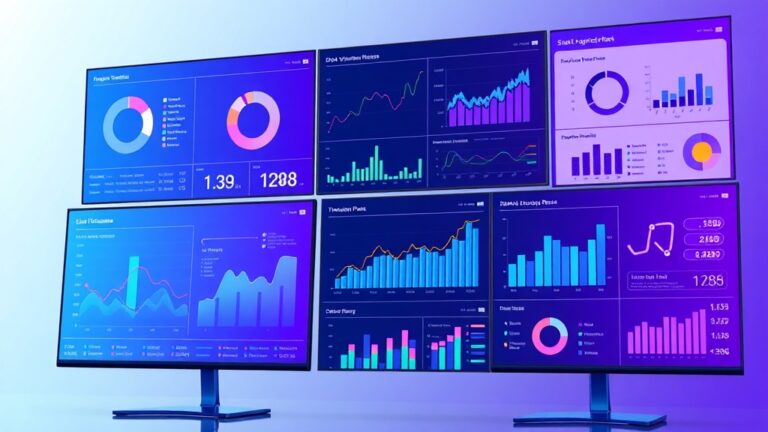
Create interactive dashboards using tools like Plotly Dash or Streamlit:
import plotly.graph_objects as go
from plotly.subplots import make_subplots

def create_forecast_dashboard(actual_data, forecast_data):
    fig = make_subplots(
        rows=2, cols=2,
        subplot_titles=('Revenue Forecast', 'Cash Flow', 'Expenses', 'Confidence Intervals')
    )

    # Revenue forecast plot
    fig.add_trace(
        go.Scatter(x=actual_data.index, y=actual_data['revenue'], name='Actual'),
        row=1, col=1
    )
    fig.add_trace(
        go.Scatter(x=forecast_data.index, y=forecast_data['revenue_forecast'], name='Forecast'),
        row=1, col=1
    )

    return fig
Step 4: Integration with Business Systems
Connect your AI forecasting system with existing business tools to create a unified financial planning ecosystem. ActiveCampaign can provide customer lifecycle data that enhances customer lifetime value predictions, while Bubble can help you build custom interfaces for forecast visualization without extensive coding.
API Integration Example
# Example: Integrating with CRM for enhanced forecasting
def integrate_crm_data(forecast_df):
    # Fetch pipeline data from CRM
    pipeline_data = fetch_crm_pipeline()

    # Calculate weighted pipeline value
    weighted_pipeline = pipeline_data['deal_value'] * pipeline_data['probability']

    # Adjust revenue forecast based on pipeline
    forecast_df['pipeline_adjusted_revenue'] = (
        forecast_df['base_revenue_forecast'] +
        weighted_pipeline.sum() * conversion_rate
    )

    return forecast_df
Advanced Configuration and Optimization
Hyperparameter Tuning
Optimize model performance through systematic hyperparameter tuning:
from sklearn.model_selection import GridSearchCV

# XGBoost hyperparameter tuning
xgb_params = {
    'n_estimators': [100, 200, 300],
    'learning_rate': [0.01, 0.1, 0.2],
    'max_depth': [3, 5, 7],
    'subsample': [0.8, 0.9, 1.0]
}

xgb_grid = GridSearchCV(
    xgb.XGBRegressor(random_state=42),
    xgb_params,
    cv=5,
    scoring='neg_mean_absolute_error',
    n_jobs=-1
)

xgb_grid.fit(train_data[features], train_data['revenue'])
best_xgb_model = xgb_grid.best_estimator_
Ensemble Model Implementation
Combine multiple models for improved accuracy and robustness:
from sklearn.ensemble import VotingRegressor

# Create ensemble of multiple models
ensemble_model = VotingRegressor([
    ('rf', rf_model),
    ('xgb', best_xgb_model),
    ('linear', LinearRegression())
])

ensemble_model.fit(train_data[features], train_data['revenue'])
ensemble_predictions = ensemble_model.predict(test_data[features])
Troubleshooting Common Issues
Data Quality Problems
Issue: Inconsistent or missing data leading to poor forecast accuracy.
Solution: Implement robust data validation and cleaning pipelines:
- Set up automated data quality monitoring with alerts
- Use interpolation methods for missing values
- Establish data governance protocols
- Create fallback data sources for critical metrics
Model Performance Degradation
Issue: Forecast accuracy decreases over time as business conditions change.
Solution: Implement continuous model monitoring and retraining:
# Model drift detection
def detect_model_drift(model, new_data, threshold=0.15):
    current_accuracy = calculate_accuracy(model, new_data)
    baseline_accuracy = model.baseline_accuracy

    drift_score = abs(current_accuracy - baseline_accuracy) / baseline_accuracy

    if drift_score > threshold:
        trigger_model_retrain()
        send_alert(f"Model drift detected: {drift_score:.2f}")

    return drift_score
Scalability Challenges
Issue: System performance degrades as data volume increases.
Solution: Optimize data processing and model inference:
- Implement data sampling strategies for large datasets
- Use incremental learning algorithms
- Deploy models using containerization (Docker/Kubernetes)
- Implement caching for frequently accessed predictions
Integration Failures
Issue: API connections fail or data synchronization errors occur.
Solution: Build resilient integration patterns:
- Implement retry logic with exponential backoff
- Create data backup and recovery procedures
- Set up monitoring and alerting for integration failures
- Use message queues for reliable data transfer
Performance Monitoring and Optimization
Key Performance Indicators
Monitor these metrics to ensure your AI forecasting system delivers value:
| Metric | Target Range | Monitoring Frequency | Alert Threshold |
|---|---|---|---|
| Mean Absolute Percentage Error (MAPE) | 5-15% | Weekly | >20% |
| Forecast Bias | -5% to +5% | Monthly | >10% |
| Data Freshness | <24 hours | Daily | >48 hours |
| Model Inference Time | <5 seconds | Real-time | >10 seconds |
Continuous Improvement Process
Establish a systematic approach to model improvement:
- Weekly Performance Reviews: Analyze forecast accuracy and identify patterns
- Monthly Model Updates: Retrain models with new data
- Quarterly Strategy Reviews: Assess model architecture and feature engineering
- Annual System Audits: Comprehensive review of entire forecasting pipeline
Expert insight: The most successful AI forecasting implementations achieve 90%+ accuracy by combining multiple data sources, using ensemble models, and maintaining rigorous data quality standards. Regular model retraining is crucial—models should be updated at least monthly to maintain accuracy.
Next Steps and Advanced Resources
Scaling Your Implementation
Once your basic AI forecasting system is operational, consider these advanced enhancements:
- Multi-scenario Modeling: Implement Monte Carlo simulations for risk assessment
- Real-time Forecasting: Deploy streaming analytics for instant forecast updates
- Cross-functional Integration: Expand forecasting to operations, marketing, and HR planning
- Advanced Visualization: Create executive dashboards with predictive insights
Technology Stack Recommendations
For production-ready implementations, consider these technology combinations:
- Cloud Platform: AWS SageMaker, Google Cloud AI Platform, or Azure ML
- Data Pipeline: Apache Airflow, Prefect, or cloud-native solutions
- Model Serving: MLflow, Kubeflow, or cloud-managed endpoints
- Monitoring: Evidently AI, Weights & Biases, or custom solutions
Learning Resources
Deepen your expertise with these resources:
- Technical Documentation: Scikit-learn, XGBoost, and Prophet documentation
- Industry Reports: McKinsey Global Institute AI adoption studies
- Academic Research: Journal of Business Forecasting and MIT Sloan papers
- Community Forums: Stack Overflow, Reddit r/MachineLearning, and Kaggle
Frequently Asked Questions
What’s the minimum data requirement for AI-powered forecasting?
You need at least 12-18 months of historical financial data for basic AI forecasting. However, 24-36 months provides significantly better results, especially for seasonal businesses. The data should include daily or weekly granularity for revenue, expenses, and key operational metrics. Quality matters more than quantity—clean, consistent data with minimal gaps will outperform larger datasets with quality issues.
How accurate should I expect AI forecasts to be compared to traditional methods?
AI-powered forecasting typically achieves 85-95% accuracy for short-term predictions (1-13 weeks) compared to 60-70% for manual spreadsheet methods. Long-term forecasts (1+ years) generally achieve 70-85% accuracy. The improvement comes from AI’s ability to process multiple variables simultaneously and identify complex patterns. However, accuracy depends heavily on data quality, model selection, and regular updates.
What’s the typical implementation timeline and cost for a startup?
A basic AI forecasting system can be implemented in 4-8 weeks with costs ranging from $10,000-50,000 depending on complexity and whether you use internal resources or external consultants. Cloud computing costs typically run $200-1,000 monthly for small to medium startups. The ROI usually becomes positive within 6-12 months through improved cash flow management and better investment decisions.
How do I handle forecasting during rapid growth or market changes?
During periods of rapid change, increase your model update frequency from monthly to weekly or even daily. Implement multiple scenario models (conservative, optimistic, pessimistic) and use ensemble methods that combine different approaches. Focus on leading indicators rather than lagging ones, and consider external data sources like market trends, competitor analysis, and economic indicators. Most importantly, maintain human oversight to catch situations where historical patterns may not apply to future conditions.
Ready to transform your startup’s financial planning with AI-powered forecasting? Our team at futia.io’s automation services specializes in implementing custom AI forecasting solutions that integrate seamlessly with your existing systems. We handle the technical complexity while you focus on growing your business with data-driven confidence.