Complete Guide to Building Telegram and Discord Bots for Business Automation
In today’s digital landscape, businesses are leveraging chat platforms like Telegram and Discord to automate customer interactions, streamline operations, and build engaged communities. With over 700 million active users on Telegram and 150 million on Discord, these platforms represent massive opportunities for business automation and customer engagement.
Building bots for these platforms isn’t just about coding—it’s about creating sophisticated automation systems that can handle customer support, lead generation, content distribution, and community management at scale. This comprehensive guide will walk you through the entire process of building production-ready bots that deliver real business value.
Prerequisites and Technical Requirements
Before diving into bot development, ensure you have the necessary technical foundation and tools in place.
Development Environment Setup
You’ll need a robust development environment with the following components:
- Programming Language: Python 3.8+ (recommended) or Node.js 14+
- Database: PostgreSQL or MongoDB for data persistence
- Cloud Platform: AWS, Google Cloud, or DigitalOcean for hosting
- Version Control: Git with GitHub or GitLab
- API Testing Tools: Postman or Insomnia
Platform-Specific Requirements
For Telegram bots, you’ll need to obtain a bot token from @BotFather, which provides full API access. Discord requires creating an application through the Discord Developer Portal and generating bot tokens with specific permissions.
Understanding rate limits is crucial: Telegram allows 30 messages per second to different users, while Discord implements more complex rate limiting with different limits for different endpoints (typically 5-50 requests per 5 seconds depending on the action).
Architecture and Strategy Overview
Successful bot architecture follows a modular, scalable approach that separates concerns and enables easy maintenance and feature expansion.
Core Architecture Components
A production-ready bot architecture includes several key layers:
- API Layer: Handles incoming webhooks and API requests
- Business Logic Layer: Processes commands and manages conversation flows
- Data Layer: Manages user data, analytics, and integrations
- External Integrations: Connects with CRM systems, databases, and third-party APIs
Pro Tip: Design your bot architecture with microservices in mind from the start. This approach allows you to scale individual components independently and integrate with tools like Airtable for data management or ActiveCampaign for marketing automation.
Strategic Planning Framework
Before writing code, define your bot’s primary objectives and user journeys. Consider these strategic elements:
- User Intent Mapping: Identify what users want to accomplish
- Conversation Flow Design: Map out logical conversation paths
- Integration Points: Determine which business systems need connectivity
- Analytics Requirements: Plan what metrics you’ll track for optimization
Telegram Bot Implementation
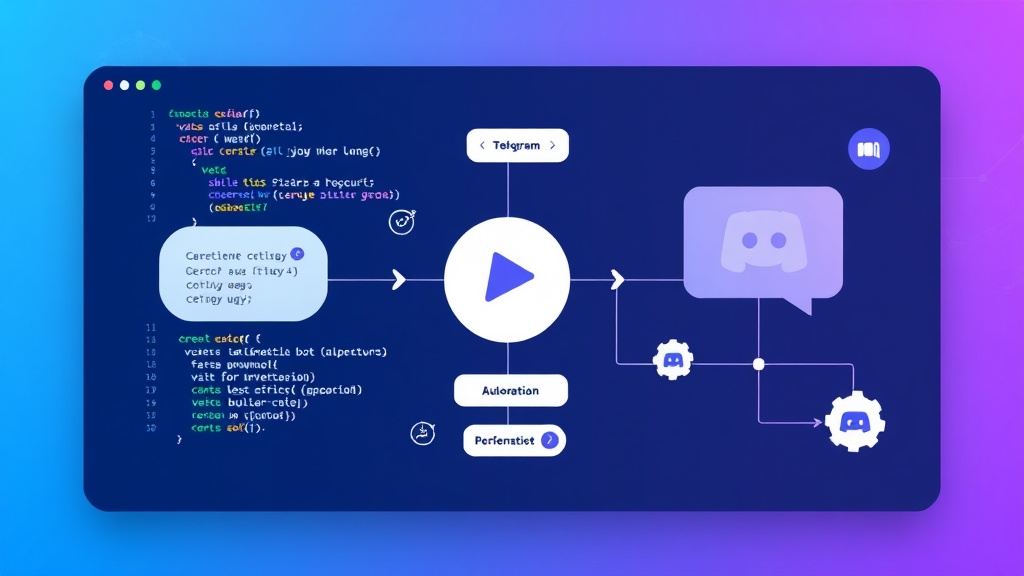
Telegram’s Bot API provides robust capabilities for building sophisticated automation tools. Here’s a step-by-step implementation guide.
Setting Up the Telegram Bot Foundation
Start by creating your bot and setting up the basic framework:
import logging
from telegram import Update, InlineKeyboardButton, InlineKeyboardMarkup
from telegram.ext import Application, CommandHandler, MessageHandler, filters, ContextTypes

# Configure logging
logging.basicConfig(format='%(asctime)s - %(name)s - %(levelname)s - %(message)s', level=logging.INFO)
logger = logging.getLogger(__name__)

class BusinessBot:
    def __init__(self, token):
        self.application = Application.builder().token(token).build()
        self.setup_handlers()

    def setup_handlers(self):
        self.application.add_handler(CommandHandler("start", self.start_command))
        self.application.add_handler(CommandHandler("help", self.help_command))
        self.application.add_handler(MessageHandler(filters.TEXT & ~filters.COMMAND, self.handle_message))

    async def start_command(self, update: Update, context: ContextTypes.DEFAULT_TYPE):
        keyboard = [
            [InlineKeyboardButton("📊 Analytics", callback_data='analytics')],
            [InlineKeyboardButton("🛠️ Support", callback_data='support')],
            [InlineKeyboardButton("📈 Reports", callback_data='reports')]
        ]
        reply_markup = InlineKeyboardMarkup(keyboard)

        await update.message.reply_text(
            'Welcome to BusinessBot! How can I assist you today?',
            reply_markup=reply_markup
        )
Advanced Features Implementation
Implement sophisticated features that provide real business value:
- User Authentication: Integrate with your existing user database
- Data Collection: Capture and store user interactions for analytics
- External API Integration: Connect with your business systems
- Automated Workflows: Trigger actions based on user behavior
For businesses using marketing automation, integrating your Telegram bot with platforms like Brevo can create powerful lead nurturing workflows that respond to user interactions in real-time.
Discord Bot Development
Discord bots offer unique advantages for community management and business automation, particularly for companies with active user communities.
Discord Bot Foundation Setup
Discord.py provides a comprehensive framework for bot development:
import discord
from discord.ext import commands, tasks
import asyncio
import json

class BusinessDiscordBot(commands.Bot):
    def __init__(self):
        intents = discord.Intents.default()
        intents.message_content = True
        intents.members = True

        super().__init__(command_prefix='!', intents=intents)

    async def on_ready(self):
        print(f'{self.user} has connected to Discord!')
        self.analytics_loop.start()

    @commands.command(name='analytics')
    async def get_analytics(self, ctx):
        embed = discord.Embed(title="Server Analytics", color=0x00ff00)
        embed.add_field(name="Members", value=ctx.guild.member_count, inline=True)
        embed.add_field(name="Channels", value=len(ctx.guild.channels), inline=True)
        await ctx.send(embed=embed)

    @tasks.loop(hours=24)
    async def analytics_loop(self):
        # Daily analytics collection
        for guild in self.guilds:
            analytics_data = {
                'guild_id': guild.id,
                'member_count': guild.member_count,
                'timestamp': datetime.utcnow().isoformat()
            }
            # Send to your analytics system
            await self.send_analytics(analytics_data)
Advanced Discord Bot Features
Discord bots excel at community management and can integrate with business intelligence tools. Consider implementing:
- Moderation Automation: Automatic content filtering and user management
- Role Management: Dynamic role assignment based on user behavior
- Analytics Integration: Connect with tools like Amplitude for user behavior tracking
- Customer Support: Automated ticket creation and routing
Platform Comparison and Use Cases
Understanding when to use each platform is crucial for maximizing your bot’s effectiveness:
| Feature | Telegram | Discord |
|---|---|---|
| User Base | 700M+ users, global reach | 150M+ users, gaming/tech focus |
| Message Types | Text, media, documents, location | Text, embeds, reactions, voice |
| Group Limits | 200,000 members per group | 500,000 members per server |
| API Rate Limits | 30 messages/second | 5-50 requests/5 seconds |
| Best For | Customer support, notifications, B2C | Community management, B2B, gaming |
| Monetization | Direct payments, subscriptions | Premium roles, server boosts |
Integration with Business Systems
The real power of chat bots comes from their ability to integrate with existing business systems and automate workflows.
CRM and Marketing Automation
Integrate your bots with customer relationship management systems to create seamless user experiences. For example, when a user interacts with your Telegram bot, you can automatically create or update records in your CRM, trigger email sequences, or segment users for targeted campaigns.
Many businesses successfully integrate their bots with email marketing platforms to create multi-channel automation workflows. This approach ensures consistent messaging across all customer touchpoints.
Analytics and Reporting
Implement comprehensive analytics to measure bot performance and user engagement:
class BotAnalytics:
    def __init__(self, database_url):
        self.db = Database(database_url)

    async def track_interaction(self, user_id, command, platform):
        interaction_data = {
            'user_id': user_id,
            'command': command,
            'platform': platform,
            'timestamp': datetime.utcnow(),
            'session_id': self.get_session_id(user_id)
        }
        await self.db.insert('interactions', interaction_data)

    async def generate_report(self, start_date, end_date):
        query = """
        SELECT
            platform,
            command,
            COUNT(*) as usage_count,
            COUNT(DISTINCT user_id) as unique_users
        FROM interactions
        WHERE timestamp BETWEEN %s AND %s
        GROUP BY platform, command
        ORDER BY usage_count DESC
        """
        return await self.db.query(query, [start_date, end_date])
Security and Compliance
Security considerations are paramount when building bots that handle business data and customer interactions.
Data Protection and Privacy
Implement robust data protection measures:
- Token Security: Store API tokens in environment variables or secure vaults
- Data Encryption: Encrypt sensitive data both in transit and at rest
- Access Controls: Implement role-based permissions for bot commands
- Audit Logging: Track all bot interactions for compliance purposes
GDPR and Data Compliance
Ensure your bots comply with data protection regulations:
Compliance Tip: Implement data retention policies and provide users with options to export or delete their data. This is especially important when integrating with business intelligence tools or customer data platforms.
Deployment and Scaling
Production deployment requires careful planning for reliability, scalability, and monitoring.
Infrastructure Setup
Use containerization for consistent deployments across environments:
# Dockerfile
FROM python:3.9-slim

WORKDIR /app

COPY requirements.txt .
RUN pip install --no-cache-dir -r requirements.txt

COPY . .

CMD ["python", "bot.py"]
Deploy using orchestration platforms like Kubernetes or Docker Swarm for high availability and automatic scaling.
Monitoring and Maintenance
Implement comprehensive monitoring to ensure your bots remain operational:
- Health Checks: Regular endpoint monitoring
- Error Tracking: Automated error reporting and alerting
- Performance Metrics: Response time and throughput monitoring
- Resource Usage: CPU, memory, and network utilization tracking
Troubleshooting Common Issues
Even well-designed bots encounter issues. Here are solutions to the most common problems:
Rate Limiting and API Errors
Problem: Bot receives 429 (Too Many Requests) errors
Solution: Implement exponential backoff and request queuing:
import asyncio
from functools import wraps

def rate_limit_handler(max_retries=3):
    def decorator(func):
        @wraps(func)
        async def wrapper(*args, **kwargs):
            for attempt in range(max_retries):
                try:
                    return await func(*args, **kwargs)
                except RateLimitError as e:
                    wait_time = min(2 ** attempt, 60)  # Cap at 60 seconds
                    await asyncio.sleep(wait_time)
            raise Exception(f"Max retries exceeded for {func.__name__}")
        return wrapper
    return decorator
Memory Leaks and Performance Issues
Problem: Bot memory usage increases over time
Solution: Implement proper session management and garbage collection. Use connection pooling for database connections and close unused resources promptly.
Webhook Reliability
Problem: Missing or delayed webhook deliveries
Solution: Implement webhook verification, duplicate detection, and fallback polling mechanisms for critical operations.
Advanced Automation Strategies
Take your bots beyond simple command responses to create sophisticated automation workflows.
Multi-Platform Integration
Create unified experiences across platforms by synchronizing user data and conversation state. This allows users to start interactions on Telegram and continue on Discord seamlessly.
AI-Powered Responses
Integrate natural language processing to create more intelligent, context-aware responses. Use services like OpenAI’s GPT API or Google’s Dialogflow to enhance user interactions.
Business Process Automation
Connect your bots to business processes like order management, customer onboarding, or support ticket creation. This creates powerful automation workflows that reduce manual work and improve response times.
Performance Optimization
Optimize your bots for scale and efficiency:
Database Optimization
- Indexing: Create appropriate database indexes for frequently queried fields
- Connection Pooling: Use connection pools to manage database connections efficiently
- Caching: Implement Redis or Memcached for frequently accessed data
- Query Optimization: Use efficient queries and avoid N+1 problems
Resource Management
Implement efficient resource usage patterns:
class ResourceManager:
    def __init__(self, max_concurrent_requests=10):
        self.semaphore = asyncio.Semaphore(max_concurrent_requests)
        self.request_queue = asyncio.Queue()

    async def process_request(self, request_func, *args, **kwargs):
        async with self.semaphore:
            try:
                return await request_func(*args, **kwargs)
            except Exception as e:
                logger.error(f"Request failed: {e}")
                raise
Next Steps and Resources
After implementing your initial bot, consider these advanced topics:
Advanced Features to Implement
- Machine Learning Integration: Add predictive analytics and personalization
- Voice Processing: Implement voice message handling for Discord bots
- Multi-Language Support: Internationalize your bot for global audiences
- Advanced Analytics: Implement cohort analysis and user journey tracking
Recommended Learning Resources
- Official Documentation: Telegram Bot API and Discord Developer Documentation
- Community Forums: Reddit communities r/TelegramBots and r/Discord_Bots
- GitHub Repositories: Study open-source bot implementations
- Testing Frameworks: Learn pytest for Python or Jest for Node.js
Frequently Asked Questions
How much does it cost to run a business bot?
Costs vary significantly based on usage and infrastructure choices. A basic bot serving 1,000 daily active users typically costs $20-50/month for hosting, database, and third-party services. Enterprise bots with advanced features and high traffic can cost $500-2,000/month or more.
Can I use the same codebase for both Telegram and Discord bots?
While the core business logic can be shared, each platform requires platform-specific API integration code. Consider using an adapter pattern or abstraction layer to maximize code reuse while maintaining platform-specific optimizations.
How do I handle bot downtime and ensure reliability?
Implement health monitoring, automated failover, and graceful degradation. Use load balancers, multiple server instances, and database replication. Set up alerting systems to notify you of issues immediately, and maintain a disaster recovery plan.
What’s the best way to monetize business bots?
Common monetization strategies include subscription tiers for premium features, transaction fees for e-commerce integrations, lead generation commissions, and enterprise licensing for advanced functionality. The key is providing clear value that justifies the cost.
Building sophisticated Telegram and Discord bots requires careful planning, robust architecture, and ongoing optimization. By following the strategies and implementations outlined in this guide, you’ll create bots that not only engage users but also drive real business value through automation and integration.
Ready to take your business automation to the next level? futia.io’s automation services can help you design and implement custom bot solutions that integrate seamlessly with your existing business systems and scale with your growth.
🛠️ Tools Mentioned in This Article