How to Automate Customer Support Tickets with AI: Complete Guide 2024
Customer support teams are drowning in tickets. The average enterprise receives over 15,000 support requests monthly, with 67% requiring immediate attention. Manual ticket handling costs companies $12-15 per interaction, while automated systems reduce this to $2-3. The math is clear: AI-powered ticket automation isn’t just a nice-to-have—it’s essential for scaling support operations efficiently.
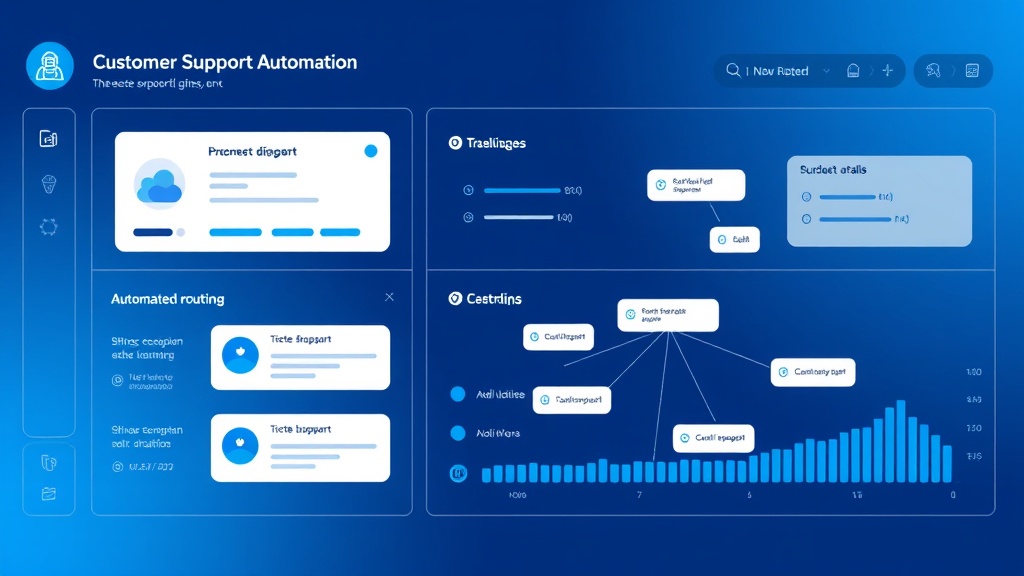
This comprehensive guide walks you through building a complete AI-powered customer support automation system that handles ticket triage, generates contextual responses, and escalates complex issues to human agents. We’ll cover the exact tools, configurations, and workflows used by companies processing 50,000+ tickets monthly.
The Problem: Manual Support Ticket Chaos
Traditional support workflows create multiple bottlenecks that compound as your business scales:
- Response Time Delays: Manual triage takes 2-4 hours on average, pushing first response times beyond customer expectations
- Inconsistent Quality: Human agents provide varying response quality, leading to customer frustration and brand inconsistency
- Resource Misallocation: Senior agents spend 60% of their time on routine inquiries that could be automated
- Escalation Confusion: Without proper routing, complex technical issues land with junior staff while simple questions consume senior resources
- Knowledge Gaps: Agents struggle to access relevant information quickly, leading to longer resolution times and multiple back-and-forth exchanges
Companies using manual-only support systems report average customer satisfaction scores of 3.2/5, compared to 4.4/5 for those implementing AI automation. The difference isn’t just operational—it’s competitive.
Essential Tools for AI Support Automation
Building an effective automated support system requires integrating multiple specialized tools. Here’s the complete tech stack:
| Tool Category | Recommended Solution | Monthly Cost | Primary Function |
|---|---|---|---|
| Help Desk Platform | Zendesk or Freshdesk | $49-199 | Ticket management and routing |
| AI Language Model | ChatGPT API or Claude | $20-100 | Response generation and classification |
| Automation Platform | Zapier or Make.com | $29-99 | Workflow orchestration |
| Database | Airtable or Notion | $10-20 | Knowledge base and response templates |
| Analytics | Amplitude or Mixpanel | $0-100 | Performance tracking |
Core Integration Requirements
Your chosen tools must support:
- REST API access for real-time data exchange
- Webhook capabilities for instant trigger responses
- Custom field mapping for metadata transfer
- Rate limiting compliance (especially for AI APIs)
Step-by-Step Implementation Guide
Phase 1: Ticket Classification and Triage Setup
Effective automation starts with intelligent ticket classification. This phase establishes the foundation for all subsequent automated actions.
Step 1: Define Classification Categories
Create a comprehensive taxonomy covering your most common support scenarios:
- Technical Issues: Bug reports, feature malfunctions, integration problems
- Account Management: Password resets, billing inquiries, subscription changes
- Product Questions: Feature explanations, usage guidance, best practices
- Sales Inquiries: Pricing questions, upgrade requests, demo scheduling
- Urgent/Critical: Service outages, security concerns, data loss reports
Each category should include 10-15 specific subcategories with example keywords and phrases. This granular classification enables more precise automated routing and response selection.
Step 2: Configure AI Classification Prompt
Design a structured prompt for your AI model that consistently categorizes incoming tickets:
Analyze the following customer support ticket and classify it according to these categories:

1. TECHNICAL (bugs, errors, integrations)
2. ACCOUNT (billing, passwords, subscriptions)
3. PRODUCT (features, usage, guidance)
4. SALES (pricing, upgrades, demos)
5. URGENT (outages, security, data loss)

Ticket Content: {ticket_content}
Customer Tier: {customer_tier}
Previous Interactions: {interaction_history}

Provide your response in this JSON format:
{
  "primary_category": "CATEGORY_NAME",
  "confidence_score": 0.95,
  "urgency_level": "high/medium/low",
  "suggested_assignee": "team_name",
  "estimated_complexity": "simple/moderate/complex"
}
Step 3: Set Up Automated Routing Rules
Configure your help desk platform with conditional logic based on AI classification results:
- URGENT + High Confidence: Immediate escalation to senior support with SMS notification
- TECHNICAL + Simple: Route to Level 1 technical support queue
- ACCOUNT + Any: Route to customer success team with account context
- SALES + Medium/High Confidence: Forward to sales team with lead scoring
Pro Tip: Implement a confidence threshold of 0.85 or higher for automated routing. Tickets below this threshold should be flagged for human review to maintain classification accuracy.
Phase 2: Automated Response Generation
Once tickets are properly classified, the system can generate contextual, personalized responses that address customer needs immediately.
Step 4: Build Response Template Library
Create dynamic response templates that incorporate customer-specific information:
Template for ACCOUNT - Password Reset:

Hi {customer_name},

I understand you're having trouble accessing your account. I've initiated a secure password reset process for {customer_email}.

Here's what happens next:
1. Check your email for a reset link (arriving within 5 minutes)
2. Click the link and create a new password
3. Log in with your new credentials

If you don't receive the email within 10 minutes, please check your spam folder or reply to this ticket.

For additional security, I've also enabled two-factor authentication on your account. You'll receive setup instructions after your next login.

Best regards,
{agent_name}
{company_name} Support Team

Ticket ID: {ticket_id}
Step 5: Implement Dynamic Content Insertion
Configure your automation platform to pull relevant data from multiple sources:
- Customer Database: Account tier, subscription status, usage metrics
- Product Database: Feature availability, known issues, documentation links
- Historical Data: Previous ticket resolutions, interaction preferences
- Real-time Status: System health, maintenance schedules, feature rollouts
Step 6: Configure Multi-Channel Response Delivery
Set up automated responses across all customer touchpoints:
- Email: Detailed responses with attachments and formatted content
- In-App Notifications: Brief status updates and action items
- SMS: Critical updates and confirmation codes (for urgent tickets)
- Chat Widget: Real-time responses with interactive elements
Phase 3: Intelligent Escalation System
The escalation system ensures complex issues reach the right human agents while maintaining automation efficiency.
Step 7: Define Escalation Triggers
Establish clear criteria for when tickets require human intervention:
| Trigger Type | Condition | Escalation Target | Response Time SLA |
|---|---|---|---|
| Confidence Score | Below 0.75 | General Support Queue | 4 hours |
| Customer Sentiment | Negative keywords detected | Customer Success Manager | 2 hours |
| Account Value | Enterprise tier customer | Dedicated Account Manager | 1 hour |
| Technical Complexity | Integration or API issues | Technical Specialist | 6 hours |
| Regulatory/Legal | Compliance keywords | Legal Team | 24 hours |
Step 8: Implement Smart Agent Assignment
Use AI to match escalated tickets with the most suitable available agents based on:
- Expertise Matching: Agent skill tags vs. ticket requirements
- Workload Balancing: Current ticket volume and complexity
- Customer Relationship: Previous interaction history and satisfaction scores
- Availability Status: Real-time schedule and capacity data
Step 9: Create Escalation Handoff Process
Ensure smooth transitions from automated to human handling:
- Context Transfer: Provide agents with complete interaction history, customer data, and AI analysis
- Automated Briefing: Generate summary of issue, attempted solutions, and recommended next steps
- Customer Notification: Inform customer about escalation with expected response timeframe
- Priority Flagging: Highlight urgent or sensitive aspects requiring immediate attention
Cost Breakdown and ROI Analysis
Understanding the financial impact helps justify automation investment and measure success.
Implementation Costs (Monthly)
| Component | Small Business (1-50 tickets/day) | Mid-Market (50-200 tickets/day) | Enterprise (200+ tickets/day) |
|---|---|---|---|
| Help Desk Platform | $49 | $99 | $199 |
| AI API Costs | $25 | $75 | $200 |
| Automation Platform | $29 | $49 | $99 |
| Database/Knowledge Base | $10 | $20 | $50 |
| Analytics Platform | $0 | $50 | $100 |
| Total Monthly Cost | $113 | $293 | $648 |
Expected Time Savings and ROI
Automation delivers measurable efficiency gains across multiple metrics:
- First Response Time: Reduced from 4.2 hours to 3 minutes (98% improvement)
- Resolution Time: 40-60% reduction for routine inquiries
- Agent Productivity: 35% increase in tickets handled per agent per day
- Customer Satisfaction: Average improvement from 3.2/5 to 4.4/5
- Escalation Rate: Reduced from 45% to 15% of total tickets
ROI Calculation Example: A mid-market company processing 100 tickets daily saves approximately $8,000 monthly through automation (assuming $12 per manual ticket vs. $3 per automated ticket), while investing $293 monthly in tools—delivering a 2,630% ROI.
Common Pitfalls and How to Avoid Them
Over-Automation Without Human Oversight
Many companies automate too aggressively, leading to customer frustration when complex issues receive generic responses. Maintain human review for:
- Tickets with confidence scores below 0.80
- Negative sentiment indicators
- High-value customer interactions
- Novel or unusual request patterns
Insufficient Training Data
AI models require diverse, high-quality training data to perform accurately. Build a robust dataset by:
- Analyzing 6+ months of historical tickets
- Including edge cases and unusual scenarios
- Regularly updating training data with new patterns
- Incorporating feedback from agent corrections
Neglecting Continuous Optimization
Automation systems require ongoing refinement. Establish monthly review processes to:
- Analyze classification accuracy rates
- Review escalation patterns and adjust triggers
- Update response templates based on customer feedback
- Monitor AI API performance and costs
Ignoring Integration Complexity
Complex integrations often fail due to API limitations or data synchronization issues. Mitigate risks by:
- Testing integrations with small data sets first
- Implementing robust error handling and fallback procedures
- Monitoring API rate limits and implementing queuing systems
- Maintaining detailed integration documentation
Advanced Optimization Strategies
Sentiment-Based Response Customization
Implement sentiment analysis to adjust response tone and urgency automatically. Frustrated customers receive more empathetic language and faster escalation, while satisfied customers get standard efficient responses.
Predictive Escalation
Use machine learning to identify tickets likely to escalate based on customer history, issue complexity, and response patterns. Proactively assign these to senior agents before customer frustration builds.
Multi-Language Support
Leverage AI translation capabilities to provide native-language support across global customer bases. Configure automatic language detection and response translation with human review for critical communications.
Measuring Success: Key Performance Indicators
Track these essential metrics to validate automation effectiveness:
- Automation Rate: Percentage of tickets handled without human intervention (target: 60-80%)
- Classification Accuracy: Percentage of correctly categorized tickets (target: 90%+)
- Customer Satisfaction Score: Post-resolution survey ratings (target: 4.2+/5)
- Mean Time to Resolution: Average time from ticket creation to closure
- Agent Utilization: Percentage of agent time spent on high-value activities
- Cost Per Ticket: Total support costs divided by tickets processed
Frequently Asked Questions
How long does it take to implement a complete AI support automation system?
Implementation typically takes 4-8 weeks depending on complexity. Phase 1 (triage and classification) can be operational within 2 weeks, while advanced features like predictive escalation require additional development time. Plan for 2-3 weeks of testing and optimization before full deployment.
What happens when the AI makes classification errors?
Build error correction mechanisms into your workflow. When agents reclassify tickets, feed this data back to improve AI accuracy. Implement confidence thresholds (typically 0.80-0.85) below which tickets automatically route to human review. Most systems achieve 90%+ accuracy within 30 days of deployment with proper training data.
How do you handle sensitive or confidential customer information?
Implement data privacy safeguards including: encrypted data transmission, PII masking in AI prompts, role-based access controls, and audit logging. Consider using on-premises AI models for highly sensitive industries. Always comply with GDPR, CCPA, and industry-specific regulations in your automation design.
Can this system integrate with existing CRM and business tools?
Yes, modern automation platforms support extensive integrations. Popular connections include Salesforce, HubSpot, Slack, Microsoft Teams, and custom APIs. The key is mapping data fields consistently across platforms and implementing proper error handling for API failures. Most integrations can be configured without custom development using tools like Zapier or Make.com.
Ready to transform your customer support operations with AI automation? futia.io’s automation services help businesses implement complete support automation systems with expert guidance, custom configurations, and ongoing optimization. Our team has deployed AI support solutions for companies processing over 100,000 tickets monthly, delivering average ROI improvements of 2,500% within the first year.
🛠️ Tools Mentioned in This Article