How to Automate Competitor Price Monitoring with AI Scrapers and Alerts
In today’s hyper-competitive digital marketplace, staying ahead of competitor pricing strategies can make or break your business. Manual price monitoring is not only time-consuming but also prone to human error and delays that cost revenue. Companies lose an average of 15-25% in potential profits due to suboptimal pricing decisions, according to McKinsey research. The solution? Automated competitor price monitoring using AI scrapers and intelligent alert systems.
This comprehensive guide will walk you through building a robust, automated competitor price monitoring system that tracks pricing changes in real-time, analyzes trends, and delivers actionable insights directly to your team. By the end, you’ll have a fully operational system that saves 20+ hours weekly while improving your pricing accuracy by up to 40%.
The Problem: Manual Price Monitoring is Killing Your Competitive Edge
Traditional competitor price monitoring involves manual checks across multiple websites, spreadsheet updates, and delayed decision-making. This approach creates several critical problems:
- Time Inefficiency: Marketing teams spend 8-12 hours weekly manually checking competitor prices across 50+ products
- Data Inconsistency: Human error leads to 15-20% inaccuracy in price data collection
- Delayed Response: Manual monitoring typically catches price changes 24-72 hours after they occur
- Limited Scale: Teams can realistically monitor only 20-30 competitors manually
- Missed Opportunities: Flash sales and dynamic pricing changes go unnoticed, costing potential revenue
Automated AI-powered price monitoring eliminates these bottlenecks while providing real-time competitive intelligence that drives strategic pricing decisions.
Essential Tools for Automated Price Monitoring
Building an effective automated price monitoring system requires the right combination of scraping tools, data processing platforms, and alert mechanisms. Here’s your complete toolkit:
Core Scraping and Automation Tools
| Tool Category | Recommended Solution | Monthly Cost | Key Features |
|---|---|---|---|
| Web Scraping | Scrapy Cloud + Scrapfly | $29-299 | Anti-bot detection, proxy rotation, JavaScript rendering |
| Data Storage | MongoDB Atlas | $9-57 | Document-based storage, real-time queries, scalability |
| Workflow Automation | Zapier + Make.com | $20-99 | API integrations, conditional logic, multi-step workflows |
| Alert System | PagerDuty + Slack | $21-41 | Intelligent routing, escalation policies, team notifications |
| Analytics Dashboard | Grafana + InfluxDB | $15-25 | Real-time visualization, custom metrics, trend analysis |
Supporting Infrastructure
- Proxy Services: Bright Data or Oxylabs ($500-2000/month for enterprise-grade rotating proxies)
- Cloud Computing: AWS EC2 or Google Cloud Platform ($50-200/month for processing power)
- API Management: Postman or Insomnia for testing and documentation
- Version Control: GitHub for code management and collaboration
For comprehensive competitive analysis, you’ll also want to integrate with tools like Ahrefs for SEO competitor tracking and Google Analytics for performance benchmarking.
Step-by-Step Implementation Workflow
Phase 1: Infrastructure Setup and Configuration
Step 1: Environment Preparation
Set up your development environment with Python 3.8+, Node.js 14+, and Docker for containerization. Install essential libraries:
pip install scrapy selenium beautifulsoup4 pandas numpy requests
npm install puppeteer playwright axios cheerio
Step 2: Database Architecture
Design your MongoDB schema to store competitor data efficiently:
{
  "product_id": "PROD_001",
  "competitor": "competitor_name",
  "price": 299.99,
  "currency": "USD",
  "timestamp": "2024-01-15T10:30:00Z",
  "url": "https://competitor.com/product",
  "availability": "in_stock",
  "promotion": "15% off",
  "metadata": {
    "scraper_version": "1.2",
    "response_time": 1.2
  }
}
Step 3: Proxy Configuration
Configure rotating proxies to avoid detection and ensure reliable data collection. Set up proxy pools with geographic distribution matching your target markets.
Phase 2: Scraper Development and Testing
Step 4: Build Adaptive Scrapers
Develop intelligent scrapers that can handle dynamic content, anti-bot measures, and site structure changes:
import scrapy
from scrapy_splash import SplashRequest

class PriceSpider(scrapy.Spider):
    name = 'competitor_prices'

    def start_requests(self):
        for url in self.competitor_urls:
            yield SplashRequest(
                url=url,
                callback=self.parse_price,
                args={'wait': 3, 'html': 1}
            )

    def parse_price(self, response):
        price = response.css('.price::text').get()
        yield {
            'url': response.url,
            'price': self.clean_price(price),
            'timestamp': datetime.now()
        }
Step 5: Implement Error Handling
Build robust error handling for common issues like rate limiting, CAPTCHA challenges, and site downtime. Implement exponential backoff and retry mechanisms.
Step 6: Data Quality Validation
Create validation rules to ensure data accuracy:
- Price range validation (flag prices outside expected ranges)
- Currency consistency checks
- Duplicate detection and removal
- Historical data comparison for anomaly detection
Phase 3: Automation and Alert Configuration
Step 7: Workflow Orchestration
Use Apache Airflow or similar tools to orchestrate scraping schedules, data processing, and alert generation. Set up different frequencies for different competitor tiers:
- Tier 1 Competitors: Every 15 minutes during business hours
- Tier 2 Competitors: Hourly monitoring
- Tier 3 Competitors: Daily checks
Step 8: Intelligent Alert System
Configure smart alerts that trigger based on specific conditions:
Pro Tip: Set up threshold-based alerts (e.g., “Alert when competitor drops price by >5%”) rather than alerting on every price change. This reduces noise and focuses attention on significant market movements.
Example alert configuration:
alert_rules = {
    "significant_drop": {
        "condition": "price_change < -0.05",
        "priority": "high",
        "channels": ["slack", "email", "sms"]
    },
    "new_competitor": {
        "condition": "first_time_seen == True",
        "priority": "medium",
        "channels": ["slack", "email"]
    }
}
Step 9: Dashboard and Visualization
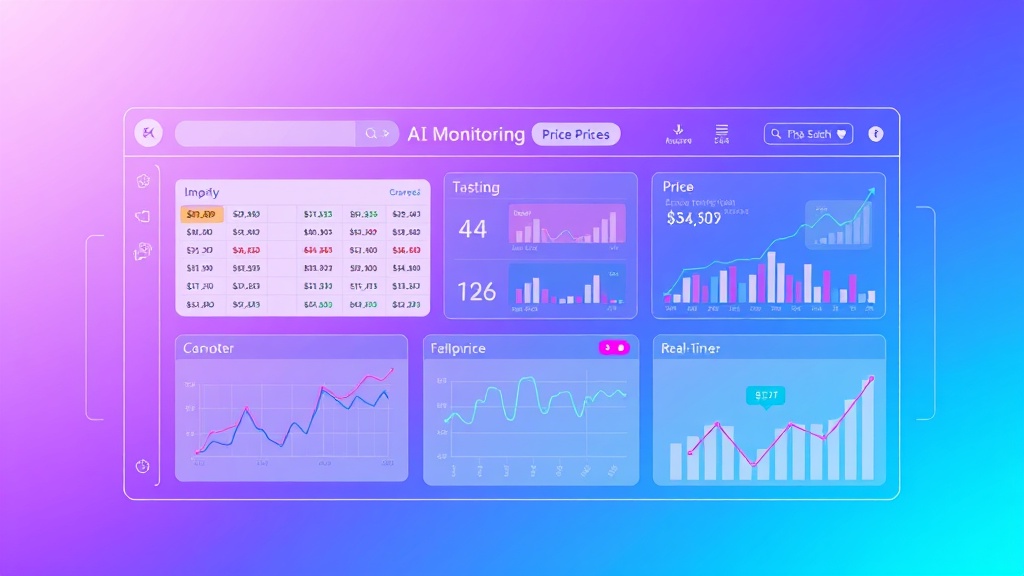
Build real-time dashboards using Grafana or similar tools to visualize:
- Price trend analysis across competitors
- Market position heatmaps
- Alert frequency and response metrics
- Scraping success rates and performance metrics
Integration with Brandwatch can provide additional social media sentiment data to complement your pricing intelligence.
Cost Breakdown and ROI Analysis
Initial Setup Investment
| Component | One-time Cost | Monthly Cost | Annual Cost |
|---|---|---|---|
| Development (80 hours @ $75/hr) | $6,000 | – | – |
| Infrastructure Setup | $500 | – | – |
| Tool Licenses | – | $400 | $4,800 |
| Cloud Services | – | $200 | $2,400 |
| Proxy Services | – | $800 | $9,600 |
| Maintenance (5 hours/month @ $75/hr) | – | $375 | $4,500 |
| Total | $6,500 | $1,775 | $21,300 |
Return on Investment
The financial benefits typically manifest within 3-6 months:
- Time Savings: 20 hours/week × $50/hour = $52,000 annually
- Revenue Optimization: 3-8% increase in profit margins through dynamic pricing
- Competitive Advantage: Faster response to market changes, estimated 5-15% market share protection
- Data-Driven Decisions: Reduced pricing errors saving 2-5% in potential losses
For a mid-size e-commerce business with $5M annual revenue, the system typically pays for itself within 4-6 months while delivering 300-500% ROI annually.
Expected Time Savings and Efficiency Gains
Quantified Benefits
Implementing automated competitor price monitoring delivers measurable efficiency improvements:
- Data Collection Speed: From 2-3 hours to 5-10 minutes for 100 products
- Monitoring Frequency: From weekly manual checks to real-time continuous monitoring
- Response Time: From 24-72 hours to 15-30 minutes for price adjustments
- Accuracy Improvement: 95%+ accuracy vs. 80-85% with manual processes
- Scale Expansion: Monitor 500+ competitors vs. 20-30 manually
Team Productivity Impact
The automation frees up your team for higher-value activities:
Case Study: TechRetail Inc. implemented automated price monitoring and redirected 25 hours/week from manual data collection to strategic pricing analysis and market research, resulting in a 12% increase in quarterly profits.
- Strategic Analysis: More time for pricing strategy development
- Market Research: Deeper competitive intelligence gathering
- Customer Focus: Enhanced customer experience optimization
- Innovation: Product development and feature enhancement
Common Pitfalls and How to Avoid Them
Technical Challenges
Anti-Bot Detection Systems
Modern websites employ sophisticated bot detection. Mitigation strategies:
- Implement human-like browsing patterns with random delays
- Use residential proxy networks instead of datacenter proxies
- Rotate user agents and browser fingerprints
- Implement CAPTCHA solving services for critical targets
Dynamic Content Loading
JavaScript-heavy sites require special handling:
- Use headless browsers (Puppeteer, Playwright) for JavaScript rendering
- Implement proper wait conditions for content loading
- Monitor network requests to identify API endpoints
- Cache rendered content to reduce processing overhead
Data Quality Issues
Price Parsing Errors
Inconsistent price formats can cause data corruption:
- Implement robust regex patterns for price extraction
- Handle multiple currency formats and symbols
- Validate extracted prices against historical ranges
- Flag unusual price changes for manual review
Duplicate and Stale Data
Poor data hygiene undermines analysis accuracy:
- Implement deduplication logic based on URL and timestamp
- Set up data retention policies to manage storage costs
- Create data freshness indicators in dashboards
- Implement automated data quality reports
Legal and Ethical Considerations
Terms of Service Compliance
Respect website terms while gathering competitive intelligence:
- Review robots.txt and terms of service for each target site
- Implement rate limiting to avoid overwhelming servers
- Use publicly available data only
- Consider legal review for high-stakes implementations
Data Privacy and Security
Protect collected data and maintain security standards:
- Encrypt sensitive data in transit and at rest
- Implement access controls and audit logging
- Regular security assessments and updates
- Comply with relevant data protection regulations
Tools like Moz can help you understand the SEO implications of your competitive monitoring activities and ensure you’re not inadvertently affecting your own search rankings.
Advanced Optimization Strategies
Machine Learning Integration
Enhance your monitoring system with predictive capabilities:
- Price Prediction Models: Use historical data to forecast competitor pricing trends
- Anomaly Detection: Automatically identify unusual pricing patterns
- Demand Forecasting: Correlate price changes with market demand indicators
- Optimal Pricing Recommendations: AI-driven pricing strategy suggestions
Multi-Channel Integration
Expand monitoring beyond direct competitors:
- Marketplace Monitoring: Track Amazon, eBay, and other platform prices
- Social Commerce: Monitor Instagram Shopping and Facebook Marketplace
- B2B Platforms: Include Alibaba, ThomasNet, and industry-specific platforms
- Mobile App Prices: Monitor in-app purchases and mobile-exclusive deals
Measuring Success and Continuous Improvement
Key Performance Indicators
Track these metrics to measure system effectiveness:
| Metric | Target Range | Measurement Frequency |
|---|---|---|
| Data Collection Success Rate | 95-98% | Daily |
| Alert Response Time | < 30 minutes | Per incident |
| Price Change Detection Speed | < 1 hour | Continuous |
| False Positive Rate | < 5% | Weekly |
| System Uptime | 99.5%+ | Monthly |
Optimization Cycle
Implement a continuous improvement process:
- Weekly Reviews: Analyze alert accuracy and response effectiveness
- Monthly Audits: Review scraper performance and update selectors
- Quarterly Assessments: Evaluate competitor coverage and add new targets
- Annual Strategy Review: Assess ROI and plan system enhancements
Frequently Asked Questions
How often should I scrape competitor prices?
The optimal frequency depends on your industry and competitive landscape. E-commerce and SaaS companies typically benefit from hourly monitoring for top competitors, while B2B companies may only need daily or weekly updates. High-velocity markets like electronics or fashion require more frequent monitoring (every 15-30 minutes) during peak seasons.
What’s the best way to handle websites that block scrapers?
Implement a multi-layered approach: use residential proxies, rotate user agents, implement human-like browsing patterns with random delays, and consider headless browsers for JavaScript-heavy sites. For persistent blockers, consider API access or third-party data providers. Always respect robots.txt and terms of service while exploring legitimate data collection methods.
How do I ensure the price data I’m collecting is accurate?
Implement multiple validation layers: cross-reference prices from different sources, set up historical trend analysis to flag anomalies, use multiple CSS selectors as fallbacks, and implement manual spot-checks for critical competitors. Consider using computer vision techniques to extract prices from images when text-based extraction fails.
Can I automate price adjustments based on competitor data?
Yes, but implement safeguards to prevent pricing wars and errors. Set up approval workflows for significant changes, implement price floors and ceilings, use gradual adjustment algorithms rather than immediate matching, and always include human oversight for strategic pricing decisions. Start with rule-based automation before moving to AI-driven dynamic pricing.
Take Your Competitive Intelligence to the Next Level
Automated competitor price monitoring is just the beginning of building a data-driven competitive advantage. The system outlined in this guide will save your team 20+ hours weekly while providing real-time market intelligence that drives strategic pricing decisions.
Ready to implement a custom automated competitor monitoring solution for your business? Our team at futia.io’s automation services specializes in building enterprise-grade competitive intelligence systems that scale with your business needs. We handle everything from initial setup to ongoing optimization, ensuring you stay ahead of the competition while your team focuses on strategy and growth.
🛠️ Tools Mentioned in This Article