Building a Telegram Bot for Business Notifications: Complete Guide
In today’s fast-paced business environment, real-time notifications can make the difference between catching a critical issue early and dealing with a full-blown crisis. While email notifications often get buried in overflowing inboxes, Telegram bots offer a direct, instant communication channel that ensures your team never misses important updates. This comprehensive guide will walk you through building a robust Telegram bot specifically designed for business notifications, from initial setup to advanced deployment strategies.
According to Telegram’s latest statistics, over 700 million users actively use the platform monthly, with business adoption growing by 40% year-over-year. The platform’s bot API processes over 15 billion messages daily, making it a reliable infrastructure for mission-critical notifications. Unlike traditional notification systems that can cost $50-200 per month for enterprise features, Telegram bots are completely free to operate, with only your hosting costs to consider.
What We’re Building: A Production-Ready Business Notification System
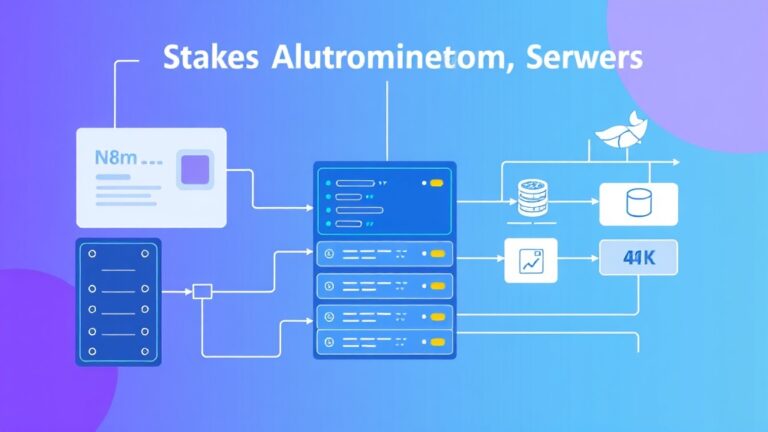
Our Telegram bot will serve as a centralized notification hub capable of handling multiple types of business alerts. The system will feature:
- Multi-channel support: Send notifications to individual users, groups, or broadcast channels
- Message formatting: Rich text formatting with buttons, inline keyboards, and media attachments
- Webhook integration: Accept notifications from external services like monitoring tools, CRM systems, and analytics platforms
- Priority levels: Different notification types with varying urgency levels
- Rate limiting: Prevent spam and ensure compliance with Telegram’s API limits
- Logging and analytics: Track delivery rates and user engagement
The bot will integrate seamlessly with popular business tools. For instance, you can connect it to Airtable for database notifications, or Amplitude for analytics alerts when specific user behavior thresholds are met.
Prerequisites and Technology Stack
Before diving into development, ensure you have the following prerequisites:
Technical Requirements
- Programming Knowledge: Intermediate Python skills (we’ll use Python 3.8+)
- Server Access: A VPS or cloud instance (AWS EC2, DigitalOcean, etc.)
- Domain: Optional but recommended for webhook URLs
- SSL Certificate: Required for webhook functionality
Technology Stack
| Component | Technology | Purpose | Cost |
|---|---|---|---|
| Bot Framework | python-telegram-bot | Telegram API wrapper | Free |
| Web Framework | FastAPI | Webhook handling | Free |
| Database | PostgreSQL | User and message storage | Free (self-hosted) |
| Message Queue | Redis | Rate limiting and caching | Free (self-hosted) |
| Hosting | DigitalOcean Droplet | Application server | $5-20/month |
| Monitoring | Prometheus + Grafana | Performance metrics | Free |
Account Setup
You’ll need to create a Telegram bot through BotFather. Start a chat with @BotFather and use the /newbot command. Choose a name and username for your bot, then save the API token securely. This token provides full access to your bot, so treat it like a password.
Step-by-Step Implementation
Step 1: Environment Setup and Dependencies
Create a new project directory and set up a virtual environment:
mkdir telegram-business-bot
cd telegram-business-bot
python -m venv venv
source venv/bin/activate  # On Windows: venvScriptsactivate
Install the required dependencies:
pip install python-telegram-bot[webhooks]==20.7
pip install fastapi==0.104.1
pip install uvicorn==0.24.0
pip install redis==5.0.1
pip install asyncpg==0.29.0
pip install pydantic==2.5.0
pip install python-multipart==0.0.6
Step 2: Core Bot Structure
Create the main bot file bot.py:
import os
import logging
import asyncio
from datetime import datetime
from typing import Dict, List, Optional

from telegram import Update, InlineKeyboardButton, InlineKeyboardMarkup
from telegram.ext import (
    Application, CommandHandler, MessageHandler,
    CallbackQueryHandler, filters, ContextTypes
)
from telegram.constants import ParseMode

# Configure logging
logging.basicConfig(
    format='%(asctime)s - %(name)s - %(levelname)s - %(message)s',
    level=logging.INFO
)
logger = logging.getLogger(__name__)

class BusinessNotificationBot:
    def __init__(self, token: str):
        self.token = token
        self.application = Application.builder().token(token).build()
        self.authorized_users = set()
        self.notification_channels = {}

    async def start_command(self, update: Update, context: ContextTypes.DEFAULT_TYPE):
        """Handle /start command"""
        user_id = update.effective_user.id
        username = update.effective_user.username or "Unknown"

        welcome_message = f"""
🤖 Business Notification Bot

Hello {username}! This bot delivers real-time business notifications.

Available Commands:
/subscribe - Subscribe to notifications
/unsubscribe - Unsubscribe from notifications
/status - Check subscription status
/help - Show this help message
        """

        keyboard = [
            [InlineKeyboardButton("📊 Subscribe to Alerts", callback_data="subscribe")],
            [InlineKeyboardButton("❓ Help", callback_data="help")]
        ]
        reply_markup = InlineKeyboardMarkup(keyboard)

        await update.message.reply_text(
            welcome_message,
            parse_mode=ParseMode.HTML,
            reply_markup=reply_markup
        )

    async def subscribe_command(self, update: Update, context: ContextTypes.DEFAULT_TYPE):
        """Handle subscription requests"""
        user_id = update.effective_user.id
        chat_id = update.effective_chat.id

        # In production, validate against authorized user list
        self.authorized_users.add(user_id)
        self.notification_channels[user_id] = chat_id

        await update.message.reply_text(
            "✅ Successfully subscribed to business notifications!",
            parse_mode=ParseMode.HTML
        )

        logger.info(f"User {user_id} subscribed to notifications")

    async def send_notification(self, message: str, priority: str = "normal",
                             user_ids: Optional[List[int]] = None):
        """Send notification to subscribed users"""
        if user_ids is None:
            user_ids = list(self.authorized_users)

        priority_icons = {
            "low": "🔵",
            "normal": "🟡",
            "high": "🟠",
            "critical": "🔴"
        }

        icon = priority_icons.get(priority, "🔔")
        formatted_message = f"{icon} {priority.upper()}nn{message}"

        for user_id in user_ids:
            if user_id in self.notification_channels:
                try:
                    await self.application.bot.send_message(
                        chat_id=self.notification_channels[user_id],
                        text=formatted_message,
                        parse_mode=ParseMode.HTML
                    )
                except Exception as e:
                    logger.error(f"Failed to send notification to {user_id}: {e}")

    def setup_handlers(self):
        """Setup command and message handlers"""
        self.application.add_handler(CommandHandler("start", self.start_command))
        self.application.add_handler(CommandHandler("subscribe", self.subscribe_command))

    async def run_polling(self):
        """Run bot in polling mode"""
        self.setup_handlers()
        await self.application.run_polling()
Step 3: Webhook API Server
Create webhook_server.py to handle incoming notifications:
from fastapi import FastAPI, HTTPException, Depends, Security
from fastapi.security import HTTPBearer, HTTPAuthorizationCredentials
from pydantic import BaseModel, Field
from typing import List, Optional
import os
import asyncio
from bot import BusinessNotificationBot

app = FastAPI(title="Business Notification API", version="1.0.0")
security = HTTPBearer()

# Initialize bot instance
bot_instance = None

class NotificationRequest(BaseModel):
    message: str = Field(..., min_length=1, max_length=4000)
    priority: str = Field(default="normal", regex="^(low|normal|high|critical)$")
    user_ids: Optional[List[int]] = None
    channel_type: str = Field(default="private", regex="^(private|group|channel)$")

class NotificationResponse(BaseModel):
    success: bool
    message: str
    delivered_count: int

def verify_token(credentials: HTTPAuthorizationCredentials = Security(security)):
    """Verify API token for webhook security"""
    expected_token = os.getenv("WEBHOOK_TOKEN")
    if not expected_token or credentials.credentials != expected_token:
        raise HTTPException(status_code=401, detail="Invalid authentication token")
    return credentials.credentials

@app.on_event("startup")
async def startup_event():
    global bot_instance
    telegram_token = os.getenv("TELEGRAM_BOT_TOKEN")
    if not telegram_token:
        raise ValueError("TELEGRAM_BOT_TOKEN environment variable required")

    bot_instance = BusinessNotificationBot(telegram_token)
    bot_instance.setup_handlers()

    # Start bot in background
    asyncio.create_task(bot_instance.application.initialize())

@app.post("/notify", response_model=NotificationResponse)
async def send_notification(
    notification: NotificationRequest,
    token: str = Depends(verify_token)
):
    """Send business notification via Telegram"""
    try:
        await bot_instance.send_notification(
            message=notification.message,
            priority=notification.priority,
            user_ids=notification.user_ids
        )

        delivered_count = len(notification.user_ids) if notification.user_ids else len(bot_instance.authorized_users)

        return NotificationResponse(
            success=True,
            message="Notification sent successfully",
            delivered_count=delivered_count
        )
    except Exception as e:
        raise HTTPException(status_code=500, detail=f"Failed to send notification: {str(e)}")

@app.get("/health")
async def health_check():
    """Health check endpoint"""
    return {"status": "healthy", "bot_active": bot_instance is not None}

@app.get("/stats")
async def get_stats(token: str = Depends(verify_token)):
    """Get bot statistics"""
    return {
        "authorized_users": len(bot_instance.authorized_users),
        "active_channels": len(bot_instance.notification_channels),
        "bot_username": bot_instance.application.bot.username
    }
Step 4: Configuration and Environment Variables
Create a .env file for configuration:
# Telegram Bot Configuration
TELEGRAM_BOT_TOKEN=your_bot_token_here
WEBHOOK_TOKEN=your_secure_webhook_token_here

# Server Configuration
HOST=0.0.0.0
PORT=8000
DEBUG=false

# Database Configuration (for production)
DATABASE_URL=postgresql://user:password@localhost/notifications
REDIS_URL=redis://localhost:6379/0

# Rate Limiting
MAX_NOTIFICATIONS_PER_MINUTE=60
MAX_NOTIFICATIONS_PER_HOUR=1000
Create config.py to manage settings:
import os
from typing import List
from pydantic import BaseSettings

class Settings(BaseSettings):
    telegram_bot_token: str
    webhook_token: str
    host: str = "0.0.0.0"
    port: int = 8000
    debug: bool = False

    # Rate limiting
    max_notifications_per_minute: int = 60
    max_notifications_per_hour: int = 1000

    # Database
    database_url: str = ""
    redis_url: str = "redis://localhost:6379/0"

    class Config:
        env_file = ".env"

settings = Settings()
Testing and Validation
Local Testing Setup
Create a test script test_bot.py:
import asyncio
import aiohttp
import os
from datetime import datetime

async def test_notification_api():
    """Test the notification API endpoint"""
    base_url = "http://localhost:8000"
    headers = {
        "Authorization": f"Bearer {os.getenv('WEBHOOK_TOKEN')}",
        "Content-Type": "application/json"
    }

    test_notifications = [
        {
            "message": "🚨 Server CPU usage exceeded 90% threshold",
            "priority": "critical"
        },
        {
            "message": "📊 Daily sales report: $15,420 revenue (+12% vs yesterday)",
            "priority": "normal"
        },
        {
            "message": "🔧 Scheduled maintenance completed successfully",
            "priority": "low"
        }
    ]

    async with aiohttp.ClientSession() as session:
        for notification in test_notifications:
            async with session.post(
                f"{base_url}/notify",
                headers=headers,
                json=notification
            ) as response:
                result = await response.json()
                print(f"Status: {response.status}, Response: {result}")
                await asyncio.sleep(2)  # Rate limiting

if __name__ == "__main__":
    asyncio.run(test_notification_api())
Run local testing:
# Terminal 1: Start the bot server
python -m uvicorn webhook_server:app --reload --host 0.0.0.0 --port 8000

# Terminal 2: Run tests
python test_bot.py
Integration Testing
Test integration with external services by creating webhook endpoints. For example, to integrate with Apollo for lead notifications:
@app.post("/webhook/apollo")
async def apollo_webhook(
    payload: dict,
    token: str = Depends(verify_token)
):
    """Handle Apollo CRM webhooks"""
    if payload.get("event_type") == "new_lead":
        lead_data = payload.get("data", {})
        message = f"""
🎯 New Lead Alert

Name: {lead_data.get('name', 'Unknown')}
Company: {lead_data.get('company', 'Unknown')}
Email: {lead_data.get('email', 'Unknown')}
Score: {lead_data.get('score', 0)}/100

View Profile
        """

        await bot_instance.send_notification(
            message=message,
            priority="high" if lead_data.get("score", 0) > 80 else "normal"
        )

    return {"status": "processed"}
Production Deployment
Docker Configuration
Create Dockerfile:
FROM python:3.11-slim

WORKDIR /app

COPY requirements.txt .
RUN pip install --no-cache-dir -r requirements.txt

COPY . .

EXPOSE 8000

CMD ["uvicorn", "webhook_server:app", "--host", "0.0.0.0", "--port", "8000"]
Create docker-compose.yml for full stack deployment:
version: '3.8'

services:
  bot-api:
    build: .
    ports:
      - "8000:8000"
    environment:
      - TELEGRAM_BOT_TOKEN=${TELEGRAM_BOT_TOKEN}
      - WEBHOOK_TOKEN=${WEBHOOK_TOKEN}
      - DATABASE_URL=postgresql://postgres:password@db:5432/notifications
      - REDIS_URL=redis://redis:6379/0
    depends_on:
      - db
      - redis
    restart: unless-stopped

  db:
    image: postgres:15
    environment:
      - POSTGRES_DB=notifications
      - POSTGRES_USER=postgres
      - POSTGRES_PASSWORD=password
    volumes:
      - postgres_data:/var/lib/postgresql/data
    restart: unless-stopped

  redis:
    image: redis:7-alpine
    restart: unless-stopped

  nginx:
    image: nginx:alpine
    ports:
      - "80:80"
      - "443:443"
    volumes:
      - ./nginx.conf:/etc/nginx/nginx.conf
      - ./ssl:/etc/ssl/certs
    depends_on:
      - bot-api
    restart: unless-stopped

volumes:
  postgres_data:
SSL and Domain Setup
Telegram webhooks require HTTPS. Use Let’s Encrypt for free SSL certificates:
# Install certbot
sudo apt install certbot python3-certbot-nginx

# Generate certificate
sudo certbot --nginx -d your-domain.com

# Auto-renewal
sudo crontab -e
# Add: 0 12 * * * /usr/bin/certbot renew --quiet
Monitoring and Logging
Implement comprehensive monitoring with Prometheus metrics:
from prometheus_client import Counter, Histogram, generate_latest
from fastapi import Response

# Metrics
notification_counter = Counter('notifications_sent_total', 'Total notifications sent', ['priority', 'status'])
notification_duration = Histogram('notification_duration_seconds', 'Notification processing time')

@app.get("/metrics")
async def metrics():
    """Prometheus metrics endpoint"""
    return Response(generate_latest(), media_type="text/plain")
Production Tip: Set up log aggregation using ELK stack or similar tools. Monitor key metrics like delivery rates, response times, and error rates. A healthy notification system should maintain 99%+ delivery rates with sub-second response times.
Enhancement Ideas and Advanced Features
Advanced Notification Features
Rich Media Support: Extend the bot to send charts, graphs, and images. Integrate with visualization tools or generate charts programmatically:
async def send_chart_notification(self, chart_data: dict, title: str):
    """Send notification with embedded chart"""
    # Generate chart using matplotlib or similar
    chart_buffer = generate_chart(chart_data, title)

    for user_id in self.authorized_users:
        await self.application.bot.send_photo(
            chat_id=self.notification_channels[user_id],
            photo=chart_buffer,
            caption=f"📊 {title}"
        )
Smart Filtering: Implement intelligent filtering based on user preferences, time zones, and notification history. This prevents alert fatigue while ensuring critical notifications always reach their targets.
Integration Hub: Create connectors for popular business tools. Beyond the mentioned Airtable and Amplitude integrations, consider connecting to monitoring tools, payment processors, and customer support platforms.
Scalability Considerations
| Aspect | Small Scale (< 100 users) | Medium Scale (100-1000 users) | Large Scale (1000+ users) |
|---|---|---|---|
| Architecture | Single server | Load balancer + multiple instances | Microservices + message queues |
| Database | SQLite or small PostgreSQL | PostgreSQL with read replicas | Sharded PostgreSQL or MongoDB |
| Caching | In-memory | Redis single instance | Redis cluster |
| Monitoring | Basic logging | Prometheus + Grafana | Full observability stack |
| Cost | $5-20/month | $50-200/month | $200-1000+/month |
Security Enhancements
Implement additional security measures for production environments:
- Rate limiting per user: Prevent abuse by limiting notifications per user
- Message encryption: Encrypt sensitive notification content
- Audit logging: Track all notification activities for compliance
- IP whitelisting: Restrict webhook access to known sources
- Token rotation: Regularly rotate API tokens and webhook secrets
Performance Optimization
For high-volume deployments, implement these optimizations:
Batch Processing: Group notifications and send them in batches to reduce API calls and improve throughput. Telegram allows up to 30 messages per second per bot.
Queue Management: Use Redis or RabbitMQ to queue notifications during peak loads. This ensures no notifications are lost during traffic spikes.
Caching Strategy: Cache user preferences, chat IDs, and frequently accessed data to reduce database queries.
Frequently Asked Questions
How many notifications can I send per day with Telegram bots?
Telegram doesn’t impose daily limits on bot messages, but they do enforce rate limits of 30 messages per second per bot. For business notifications, this translates to approximately 2.6 million messages per day at maximum throughput. However, it’s recommended to implement your own rate limiting to avoid hitting these limits and ensure consistent delivery performance.
Can I send notifications to users who haven’t started a conversation with my bot?
No, Telegram’s privacy policy requires users to initiate contact with your bot first. Users must send a message to your bot (like /start) before you can send them notifications. This is why the subscription flow is essential. You can encourage users to subscribe through your website, email campaigns, or other communication channels.
What’s the best way to handle notification failures and retries?
Implement a robust retry mechanism with exponential backoff. Store failed notifications in a queue and retry them up to 3 times with increasing delays (1 second, 5 seconds, 25 seconds). After 3 failures, log the error and optionally send an alert to administrators. Common failure reasons include users blocking the bot, deleted accounts, or temporary API issues.
How do I ensure my notifications comply with data privacy regulations?
Implement proper data handling practices: obtain explicit consent for notifications, provide easy unsubscribe options, encrypt sensitive data in transit and at rest, maintain audit logs of all notification activities, and allow users to export or delete their data. Consider implementing data retention policies and regular security audits, especially if operating in regions with strict privacy laws like GDPR.
Building a Telegram bot for business notifications provides a powerful, cost-effective way to keep your team informed about critical business events. The implementation we’ve covered scales from small teams to enterprise deployments, with extensibility for advanced features and integrations. Ready to automate your business notification workflows? Explore futia.io’s automation services to accelerate your implementation and integrate with your existing business tools seamlessly.
🛠️ Tools Mentioned in This Article