Server-Side Analytics & First-Party Data: Complete Implementation Guide
The digital landscape has fundamentally shifted. With iOS 14.5 blocking third-party tracking by default and Google Chrome phasing out third-party cookies by 2024, businesses are scrambling to maintain data accuracy and marketing effectiveness. Server-side analytics and first-party data collection have emerged as the definitive solution, offering up to 30% more accurate data capture compared to client-side implementations.
This comprehensive guide will walk you through building a robust server-side analytics infrastructure that ensures data ownership, improves accuracy, and future-proofs your business intelligence stack. We’ll cover everything from architectural decisions to implementation code, helping you transition from dependency on third-party tracking to a self-reliant data ecosystem.
Prerequisites and Planning
Before diving into server-side analytics implementation, ensure your team has the necessary technical foundation and strategic alignment.
Technical Requirements
- Server Infrastructure: Access to cloud platforms (AWS, GCP, Azure) or dedicated servers with scalable compute resources
- Development Skills: Proficiency in at least one server-side language (Node.js, Python, Go, or Java)
- Database Management: Experience with both relational (PostgreSQL, MySQL) and NoSQL (MongoDB, BigQuery) databases
- API Integration: Understanding of REST APIs, webhooks, and data transformation processes
- Security Protocols: Knowledge of data encryption, GDPR compliance, and secure data transmission
Strategic Planning Checklist
Success with server-side analytics requires careful planning beyond technical implementation:
- Data Audit: Catalog all current data sources, tracking pixels, and third-party integrations
- Compliance Review: Ensure GDPR, CCPA, and other regional privacy regulations are addressed
- Budget Allocation: Plan for infrastructure costs, which typically range from $200-2000 monthly depending on traffic volume
- Team Training: Prepare your marketing and analytics teams for new data collection methodologies
- Migration Timeline: Allow 3-6 months for complete transition from client-side to server-side analytics
According to Segment’s 2023 State of Data report, companies implementing server-side analytics see 40% improvement in data quality and 25% reduction in data processing costs within the first year.
Architecture and Strategy Overview
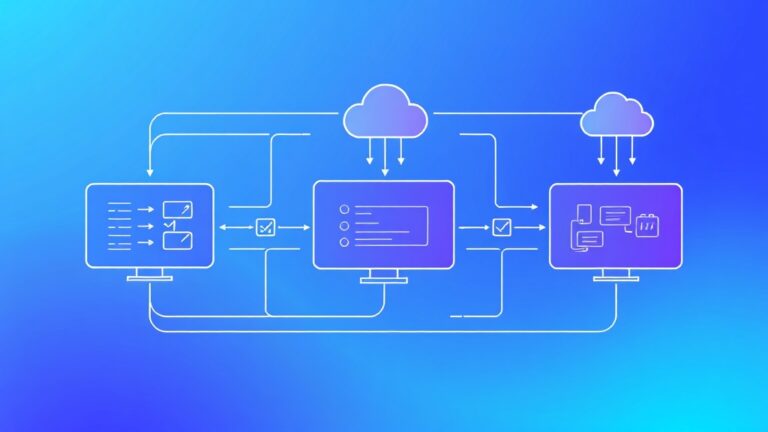
Server-side analytics architecture centers on moving data collection and processing from browsers and mobile apps to your controlled server environment. This shift provides several critical advantages:
Core Architecture Components
| Component | Function | Technology Options | Estimated Cost |
|---|---|---|---|
| Data Collection Layer | Captures events from web/mobile | Custom APIs, Segment, RudderStack | $50-500/month |
| Processing Engine | Transforms and enriches data | Apache Kafka, AWS Kinesis, Google Pub/Sub | $100-1000/month |
| Storage Layer | Stores processed analytics data | BigQuery, Snowflake, Amazon Redshift | $200-2000/month |
| Destination Routing | Sends data to analytics platforms | Custom webhooks, CDP integrations | $0-300/month |
Data Flow Strategy
The optimal server-side analytics flow follows this pattern:
- Event Capture: Client-side SDK sends minimal data to your server endpoint
- Server Enrichment: Server adds user context, session data, and business logic
- Data Processing: Events are validated, transformed, and prepared for multiple destinations
- Destination Routing: Processed data flows to analytics platforms like Adobe Analytics, Amplitude, and marketing tools
- Storage and Backup: Raw and processed data stored in your data warehouse for future analysis
First-Party Data Collection Strategy
First-party data collection requires strategic touchpoint identification and progressive data gathering:
- Authentication Events: Capture user registration, login, and profile updates
- Behavioral Data: Track page views, clicks, form submissions, and content engagement
- Transaction Data: Monitor purchases, subscriptions, and revenue-generating activities
- Customer Service: Integrate support tickets, chat interactions, and feedback surveys
- Email Engagement: Connect email platform data from tools like ActiveCampaign or Beehiiv
Implementation Steps
Follow this systematic approach to implement server-side analytics and establish robust first-party data collection.
Step 1: Set Up Data Collection Infrastructure
Begin by establishing your server-side data collection endpoint. Here’s a Node.js example using Express:
const express = require('express');
const { v4: uuidv4 } = require('uuid');
const app = express();

app.use(express.json());

// Analytics endpoint
app.post('/api/analytics/track', async (req, res) => {
  try {
    const {
      event,
      properties,
      userId,
      anonymousId,
      timestamp = new Date().toISOString()
    } = req.body;

    // Server-side enrichment
    const enrichedEvent = {
      id: uuidv4(),
      event,
      properties: {
        ...properties,
        ip: req.ip,
        userAgent: req.get('User-Agent'),
        referrer: req.get('Referrer'),
        timestamp
      },
      userId,
      anonymousId: anonymousId || uuidv4(),
      context: {
        library: 'server-side-analytics',
        version: '1.0.0'
      }
    };

    // Process and route to destinations
    await processEvent(enrichedEvent);

    res.status(200).json({ success: true });
  } catch (error) {
    console.error('Analytics tracking error:', error);
    res.status(500).json({ error: 'Internal server error' });
  }
});
Step 2: Implement Client-Side SDK
Create a lightweight client-side SDK that sends data to your server endpoint:
class ServerSideAnalytics {
  constructor(endpoint, options = {}) {
    this.endpoint = endpoint;
    this.userId = options.userId;
    this.anonymousId = this.getAnonymousId();
  }

  track(event, properties = {}) {
    const payload = {
      event,
      properties,
      userId: this.userId,
      anonymousId: this.anonymousId,
      timestamp: new Date().toISOString()
    };

    // Use sendBeacon for reliability
    if (navigator.sendBeacon) {
      navigator.sendBeacon(
        this.endpoint,
        JSON.stringify(payload)
      );
    } else {
      fetch(this.endpoint, {
        method: 'POST',
        headers: { 'Content-Type': 'application/json' },
        body: JSON.stringify(payload),
        keepalive: true
      });
    }
  }

  getAnonymousId() {
    let id = localStorage.getItem('analytics_anonymous_id');
    if (!id) {
      id = 'anon_' + Math.random().toString(36).substr(2, 9);
      localStorage.setItem('analytics_anonymous_id', id);
    }
    return id;
  }
}
Step 3: Configure Data Processing Pipeline
Implement event processing logic that handles validation, transformation, and routing:
async function processEvent(event) {
  // Validate event structure
  if (!validateEvent(event)) {
    throw new Error('Invalid event structure');
  }

  // Apply business rules and enrichment
  const processedEvent = await enrichEvent(event);

  // Store in data warehouse
  await storeEvent(processedEvent);

  // Route to destinations
  const destinations = getDestinationsForEvent(event.event);
  await Promise.all(
    destinations.map(dest => routeToDestination(processedEvent, dest))
  );
}

function validateEvent(event) {
  return event.event &&
         event.properties &&
         (event.userId || event.anonymousId);
}

async function enrichEvent(event) {
  // Add server-side context
  const enriched = { ...event };

  if (event.userId) {
    const user = await getUserData(event.userId);
    enriched.properties.userSegment = user.segment;
    enriched.properties.lifetimeValue = user.ltv;
  }

  return enriched;
}
Step 4: Set Up Data Storage
Configure your data warehouse to store both raw and processed events. Here’s a BigQuery table schema example:
CREATE TABLE analytics.events (
  id STRING NOT NULL,
  event STRING NOT NULL,
  user_id STRING,
  anonymous_id STRING,
  timestamp TIMESTAMP NOT NULL,
  properties JSON,
  context JSON,
  created_at TIMESTAMP DEFAULT CURRENT_TIMESTAMP()
)
PARTITION BY DATE(timestamp)
CLUSTER BY event, user_id;
Step 5: Configure Destination Routing
Implement routing logic to send processed data to your analytics and marketing platforms:
async function routeToDestination(event, destination) {
  switch (destination.type) {
    case 'google_analytics':
      return sendToGA4(event, destination.config);
    case 'facebook_pixel':
      return sendToFacebookPixel(event, destination.config);
    case 'amplitude':
      return sendToAmplitude(event, destination.config);
    default:
      console.warn(`Unknown destination type: ${destination.type}`);
  }
}

async function sendToGA4(event, config) {
  const payload = {
    client_id: event.anonymousId,
    user_id: event.userId,
    events: [{
      name: event.event,
      parameters: event.properties
    }]
  };

  return fetch(`https://www.google-analytics.com/mp/collect?measurement_id=${config.measurementId}&api_secret=${config.apiSecret}`, {
    method: 'POST',
    body: JSON.stringify(payload)
  });
}
Advanced Configuration and Optimization
Performance Optimization
Server-side analytics can generate significant load. Implement these optimization strategies:
- Batch Processing: Collect events in batches of 50-100 before processing
- Async Processing: Use message queues (Redis, RabbitMQ) for non-blocking event handling
- Caching: Cache user data and destination configurations to reduce database queries
- Rate Limiting: Implement rate limiting to prevent abuse and control costs
Data Quality Assurance
Implement comprehensive data validation and monitoring:
function validateEventSchema(event) {
  const requiredFields = ['event', 'timestamp'];
  const missingFields = requiredFields.filter(field => !event[field]);

  if (missingFields.length > 0) {
    throw new ValidationError(`Missing required fields: ${missingFields.join(', ')}`);
  }

  // Validate data types
  if (typeof event.timestamp !== 'string' || !isValidISO8601(event.timestamp)) {
    throw new ValidationError('Invalid timestamp format');
  }

  return true;
}
Privacy and Compliance
Ensure your server-side implementation meets privacy requirements:
- Data Minimization: Only collect data necessary for business objectives
- Consent Management: Implement consent checking before data processing
- Data Retention: Automatically delete data based on retention policies
- Anonymization: Hash or encrypt PII data before storage
Troubleshooting Common Issues
Data Loss and Missing Events
Symptoms: Lower event volumes compared to client-side tracking, missing conversion data
Solutions:
- Implement retry logic for failed API calls
- Use sendBeacon API for critical events
- Add client-side buffering for offline scenarios
- Monitor server uptime and response times
Performance and Latency Issues
Symptoms: Slow page load times, high server response times, increased infrastructure costs
Solutions:
- Implement asynchronous event processing
- Use CDN endpoints for data collection
- Optimize database queries and add proper indexing
- Scale horizontally with load balancers
Data Accuracy Problems
Symptoms: Inconsistent metrics across platforms, duplicate events, incorrect attribution
Solutions:
- Implement event deduplication logic
- Add comprehensive event validation
- Use consistent timestamp formats across all systems
- Regularly audit data quality with automated tests
Integration Failures
Symptoms: Data not appearing in destination platforms, API errors, authentication issues
Solutions:
- Implement proper error handling and logging
- Use exponential backoff for retries
- Monitor destination API status and rate limits
- Maintain fallback mechanisms for critical integrations
Pro tip: Set up comprehensive monitoring and alerting for your server-side analytics infrastructure. Tools like Datadog or New Relic can help you identify issues before they impact data collection.
Integration with Marketing and Analytics Platforms
Server-side analytics shines when integrated with your existing marketing and analytics stack. Here’s how to connect with popular platforms:
Marketing Automation Integration
Connect your server-side data with marketing platforms to enable sophisticated automation. For instance, integrating with ActiveCampaign allows you to trigger email sequences based on server-side events:
async function syncToActiveCampaign(event) {
  if (event.event === 'product_viewed' && event.properties.category === 'premium') {
    const contact = {
      email: event.properties.email,
      fieldValues: [
        {
          field: 'LAST_PRODUCT_VIEWED',
          value: event.properties.product_name
        }
      ]
    };

    await activeCampaignAPI.createOrUpdateContact(contact);
    await activeCampaignAPI.addContactToAutomation(contact.email, 'premium-product-sequence');
  }
}
Analytics Platform Synchronization
Ensure consistent data across analytics platforms by implementing standardized event mapping. This is particularly important when working with enterprise solutions that require specific data formats and attribution models.
Measuring Success and ROI
Track these key metrics to measure the success of your server-side analytics implementation:
| Metric | Target Improvement | Measurement Method |
|---|---|---|
| Data Accuracy | 25-40% increase | Compare conversion rates before/after implementation |
| Event Capture Rate | 90%+ reliability | Monitor failed events vs. successful events |
| Attribution Accuracy | 30%+ improvement | Compare multi-touch attribution models |
| Cost Efficiency | 20%+ reduction | Calculate cost per processed event |
Next Steps and Advanced Strategies
Once your server-side analytics foundation is solid, consider these advanced implementations:
Real-Time Personalization
Leverage server-side data for real-time website and app personalization. This creates a competitive advantage by delivering relevant content based on comprehensive user behavior data.
Predictive Analytics Integration
Use your first-party data to build predictive models for customer lifetime value, churn prediction, and conversion optimization. Tools like Amplitude offer advanced analytics capabilities that work exceptionally well with server-side data.
Cross-Platform Identity Resolution
Implement sophisticated identity resolution to track users across devices and touchpoints. This requires careful privacy consideration but provides invaluable insights into customer journey complexity.
Advanced Data Governance
Establish comprehensive data governance frameworks including:
- Automated data quality monitoring
- Privacy-by-design implementations
- Comprehensive audit trails
- Automated compliance reporting
Frequently Asked Questions
How much does server-side analytics implementation typically cost?
Implementation costs vary significantly based on traffic volume and complexity. Expect initial setup costs of $5,000-25,000 for custom development, plus ongoing infrastructure costs of $200-2,000 monthly. However, the improved data accuracy and reduced dependency on third-party tools often result in positive ROI within 6-12 months.
Will server-side analytics slow down my website?
When properly implemented, server-side analytics should have minimal impact on website performance. The client-side SDK is lightweight, and data processing happens asynchronously on your servers. In many cases, removing heavy client-side tracking scripts actually improves page load times.
How do I handle GDPR compliance with server-side analytics?
Server-side analytics can actually improve GDPR compliance by giving you complete control over data processing. Implement consent checking before data collection, provide easy data deletion mechanisms, and ensure all data processing has a legal basis. Document your data flows and maintain comprehensive privacy policies.
Can I migrate gradually from client-side to server-side analytics?
Yes, gradual migration is recommended. Start by implementing server-side tracking for critical events while maintaining existing client-side tracking. Use A/B testing to compare data quality and gradually shift more events to server-side processing. This approach minimizes risk and allows for thorough testing.
Server-side analytics and first-party data collection represent the future of digital marketing and business intelligence. By taking control of your data infrastructure, you’re not just solving today’s privacy challenges—you’re building a sustainable competitive advantage that will serve your business for years to come.
Ready to implement a comprehensive server-side analytics solution for your business? futia.io’s automation services can help you design, build, and optimize a custom analytics infrastructure that maximizes data accuracy while ensuring privacy compliance and scalable performance.
🛠️ Tools Mentioned in This Article