Best Website Monitoring and Uptime Tools in 2026: Complete Guide
Website downtime costs businesses an average of $5,600 per minute according to Gartner’s latest research. For enterprise companies, that figure skyrockets to over $300,000 per hour. In 2026’s hyper-competitive digital landscape, choosing the right website monitoring and uptime tool isn’t just about preventing downtime—it’s about maintaining customer trust, protecting revenue, and ensuring your automated business operations run seamlessly.
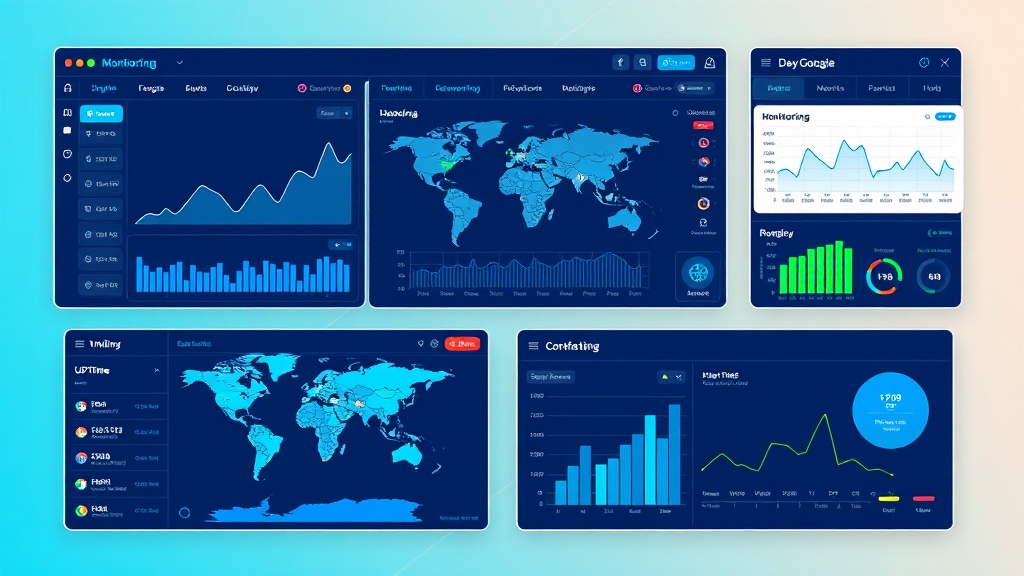
Modern website monitoring has evolved far beyond simple ping tests. Today’s tools offer synthetic monitoring, real user monitoring (RUM), API endpoint tracking, SSL certificate monitoring, and comprehensive performance analytics. Whether you’re running a SaaS platform, e-commerce store, or content-heavy site like those built with Framer, the stakes have never been higher.
Selection Criteria: How We Evaluated These Tools
Our evaluation process focused on eight critical factors that matter most to modern businesses:
- Monitoring Frequency and Accuracy: How often checks occur and false positive rates
- Global Monitoring Network: Number and distribution of monitoring locations worldwide
- Alert Capabilities: Speed, reliability, and customization of notifications
- Performance Metrics: Depth of analytics including page load times, Core Web Vitals, and user experience data
- Integration Ecosystem: Compatibility with popular tools like Slack, PagerDuty, and monitoring dashboards
- Scalability: Ability to handle enterprise-level monitoring needs
- Pricing Structure: Value proposition across different business sizes
- Advanced Features: API monitoring, transaction monitoring, and synthetic user journeys
“The best monitoring tool is the one you never have to think about—until it saves your business from a critical outage.” – DevOps Engineering Manager at Fortune 500 SaaS Company
Top Website Monitoring Tools for 2026
1. Pingdom (Best Overall)
Pingdom remains the gold standard for website monitoring, offering a perfect balance of features, reliability, and ease of use. Their global network spans 100+ locations, providing comprehensive coverage for businesses of all sizes.
Key Features:
- 1-minute monitoring intervals (30 seconds on premium plans)
- Real User Monitoring (RUM) with Core Web Vitals tracking
- Transaction monitoring for complex user journeys
- Mobile app monitoring for iOS and Android
- Comprehensive uptime and performance reporting
Pricing:
- Starter: $10/month (10 uptime checks, 1 RUM site)
- Standard: $42/month (50 uptime checks, 10 RUM sites)
- Advanced: $85/month (100 uptime checks, 25 RUM sites)
- Professional: $170/month (250 uptime checks, 100 RUM sites)
2. UptimeRobot (Best Value)
UptimeRobot has carved out a strong position by offering generous free tiers and competitive pricing for paid plans. It’s particularly popular among startups and small businesses looking for reliable monitoring without breaking the budget.
Key Features:
- Free plan with 50 monitors and 5-minute intervals
- 13 global monitoring locations
- Multi-channel alerting (email, SMS, webhooks)
- Public status pages
- Maintenance window scheduling
Pricing:
- Free: $0/month (50 monitors, 5-minute intervals)
- Pro: $7/month (500 monitors, 1-minute intervals)
- Enterprise: $69/month (10,000 monitors, 1-minute intervals)
3. Datadog Synthetics (Best for Enterprise)
Datadog’s synthetic monitoring solution integrates seamlessly with their broader observability platform, making it ideal for enterprises already using Datadog for infrastructure monitoring or those needing comprehensive observability.
Key Features:
- Browser and API test automation
- Global network of 30+ locations
- Advanced scripting capabilities
- Deep integration with Datadog’s full platform
- Machine learning-powered alerting
Pricing:
- API Tests: $5 per 10,000 test runs
- Browser Tests: $12 per 1,000 test runs
- Custom pricing for enterprise volumes
4. StatusCake (Best for Agencies)
StatusCake offers white-label solutions and multi-client management features that make it particularly attractive for agencies and managed service providers monitoring multiple client websites.
Key Features:
- White-label status pages and reports
- Multi-user account management
- Domain and SSL monitoring
- Virus scanning capabilities
- Page speed monitoring
Pricing:
- Free: $0/month (10 uptime tests, 5-minute intervals)
- Push: $24.99/month (unlimited tests, 1-minute intervals)
- Power: $49.99/month (includes page speed monitoring)
- Business: $199.99/month (includes virus scanning)
5. New Relic Synthetics
New Relic’s synthetic monitoring is part of their comprehensive observability platform, offering advanced scripting capabilities and deep integration with application performance monitoring.
Key Features:
- Scripted browser monitoring with Selenium WebDriver
- API monitoring with custom scripts
- 23 global monitoring locations
- Integration with New Relic’s full observability suite
- Advanced analytics and machine learning insights
Pricing:
- Free tier: 500 synthetic checks per month
- Pro: $25 per user/month (includes 10,000 synthetic checks)
- Enterprise: Custom pricing
6. Site24x7
Site24x7 provides comprehensive monitoring that extends beyond websites to include servers, applications, and network infrastructure, making it ideal for businesses needing unified monitoring.
Key Features:
- 110+ global monitoring locations
- Website, server, and application monitoring
- Real User Monitoring (RUM)
- AI-powered root cause analysis
- Mobile monitoring for iOS and Android apps
Pricing:
- Starter: $9/month (10 website monitors)
- Pro: $35/month (50 website monitors)
- Classic: $89/month (100 website monitors)
- Enterprise: $225/month (250 website monitors)
7. Freshping by Freshworks
Freshping offers a clean, intuitive interface with strong team collaboration features, making it popular among development teams and growing businesses.
Key Features:
- Free plan with 50 checks and 1-minute intervals
- 10 global monitoring locations
- Team collaboration features
- Public and private status pages
- Integration with Slack, webhooks, and email
Pricing:
- Free: $0/month (50 checks, 1-minute intervals)
- Paid plans start at $5/month for additional features
8. Better Uptime
Better Uptime focuses on incident management and team communication, offering beautiful status pages and comprehensive alerting capabilities.
Key Features:
- Incident management with timeline tracking
- Beautiful, customizable status pages
- Phone call alerting
- Slack and Microsoft Teams integration
- On-call scheduling and escalation
Pricing:
- Free: $0/month (10 monitors, 3-minute intervals)
- Team: $18/month (100 monitors, 1-minute intervals)
- Business: $54/month (500 monitors, advanced features)
- Enterprise: $162/month (2000 monitors, priority support)
Comprehensive Comparison Table
| Tool | Starting Price | Free Plan | Min Interval | Global Locations | Best For |
|---|---|---|---|---|---|
| Pingdom | $10/month | No | 30 seconds | 100+ | Overall best choice |
| UptimeRobot | $7/month | Yes (50 monitors) | 1 minute | 13 | Budget-conscious users |
| Datadog Synthetics | $5/10k tests | No | 1 minute | 30+ | Enterprise observability |
| StatusCake | $24.99/month | Yes (10 tests) | 1 minute | 20+ | Agencies & MSPs |
| New Relic | $25/user/month | Yes (500 checks) | 1 minute | 23 | APM integration |
| Site24x7 | $9/month | No | 1 minute | 110+ | Unified monitoring |
| Freshping | Free | Yes (50 checks) | 1 minute | 10 | Small teams |
| Better Uptime | $18/month | Yes (10 monitors) | 1 minute | 15+ | Incident management |
Category Winners
Best Overall: Pingdom
Pingdom takes the crown for its comprehensive feature set, extensive global network, and proven reliability. While not the cheapest option, it offers the best balance of features, performance, and support. The addition of Real User Monitoring and Core Web Vitals tracking makes it particularly valuable for businesses focused on user experience—crucial for sites using modern frameworks or those tracking performance with Google Analytics.
Best Value: UptimeRobot
UptimeRobot’s generous free tier and affordable paid plans make it the clear winner for value-conscious businesses. The free plan’s 50 monitors with 5-minute intervals can handle most small to medium business needs, while the Pro plan at $7/month offers enterprise-grade monitoring at a fraction of competitors’ costs.
Best for Teams: Better Uptime
Better Uptime excels in team collaboration and incident management. Its beautiful status pages, comprehensive alerting system, and focus on communication make it ideal for development teams and businesses where multiple stakeholders need visibility into system status.
How to Choose the Right Website Monitoring Tool
Assess Your Monitoring Needs
Start by evaluating what you need to monitor:
- Simple websites: Basic uptime monitoring may suffice
- E-commerce platforms: Transaction monitoring and page load speed are critical
- SaaS applications: API endpoint monitoring and user journey testing are essential
- Content sites: Core Web Vitals and mobile performance matter most
Consider Your Budget and Scale
Free plans work well for small projects, but growing businesses should budget for paid monitoring. Consider your growth trajectory—tools like UptimeRobot and Freshping offer generous free tiers that can grow with you, while enterprise solutions like Datadog provide advanced features from the start.
Evaluate Integration Requirements
Modern businesses rely on integrated toolchains. Ensure your chosen monitoring tool integrates with:
- Communication platforms (Slack, Microsoft Teams)
- Incident management systems (PagerDuty, Opsgenie)
- Analytics platforms
- CI/CD pipelines
- Status page providers
Test Alert Reliability
The best monitoring tool is useless if alerts don’t reach you reliably. During evaluation, test:
- Alert delivery speed
- Multiple notification channels
- Escalation procedures
- False positive rates
“We learned the hard way that monitoring frequency matters less than alert reliability. A tool that checks every 30 seconds but fails to alert you is worthless compared to one that checks every 5 minutes but never misses a notification.” – CTO at $50M ARR SaaS Company
Advanced Monitoring Considerations for 2026
Core Web Vitals and User Experience
Google’s Core Web Vitals have become critical ranking factors. Modern monitoring tools must track:
- Largest Contentful Paint (LCP)
- First Input Delay (FID)
- Cumulative Layout Shift (CLS)
- Interaction to Next Paint (INP)
API and Microservices Monitoring
As businesses increasingly adopt microservices architectures, monitoring individual API endpoints becomes crucial. Look for tools that offer:
- REST and GraphQL API monitoring
- Custom request headers and authentication
- Response time and error rate tracking
- Dependency mapping
Mobile and Progressive Web App Monitoring
With mobile traffic dominating web usage, ensure your monitoring solution can track:
- Mobile page load performance
- PWA functionality
- Mobile-specific user journeys
- Device-specific performance metrics
Implementation Best Practices
Start with Critical Path Monitoring
Begin by monitoring your most critical user journeys:
- Homepage and key landing pages
- Login and registration flows
- Checkout and payment processes
- Core application functionality
Set Up Intelligent Alerting
Avoid alert fatigue by configuring smart notifications:
- Use escalation policies for different severity levels
- Implement alert grouping to reduce noise
- Set up maintenance windows for planned downtime
- Configure different alert channels for different teams
Establish Performance Baselines
Understanding normal performance patterns helps identify issues quickly:
- Track performance trends over time
- Set up anomaly detection for unusual patterns
- Monitor performance across different geographic regions
- Establish SLA targets based on business requirements
Future-Proofing Your Monitoring Strategy
The monitoring landscape continues evolving rapidly. Key trends shaping 2026 and beyond include:
- AI-Powered Insights: Machine learning algorithms that predict issues before they occur
- Edge Monitoring: Monitoring CDN performance and edge computing environments
- Security Integration: Combining uptime monitoring with security scanning and threat detection
- Sustainability Metrics: Tracking carbon footprint and energy efficiency of web applications
Choose tools that demonstrate innovation in these areas and have roadmaps aligned with emerging trends. Companies building automated businesses with tools like Bubble or managing complex content workflows need monitoring solutions that can evolve with their technical requirements.
Frequently Asked Questions
How often should website monitoring checks run?
For most businesses, 1-minute intervals provide the right balance of timely detection and cost efficiency. E-commerce sites and critical applications may benefit from 30-second or even 15-second intervals, while informational sites can often use 5-minute intervals. Consider that more frequent checks increase costs but reduce the time between an outage occurring and being detected.
What’s the difference between synthetic monitoring and real user monitoring?
Synthetic monitoring uses automated scripts to simulate user interactions and test website functionality from various locations. It provides consistent, controlled testing but may not reflect real user experiences. Real User Monitoring (RUM) collects data from actual visitors, providing insights into real-world performance but offering less control over test conditions. The best monitoring strategies combine both approaches.
How many monitoring locations do I need?
The number of monitoring locations depends on your audience distribution and redundancy requirements. For global audiences, aim for at least 5-10 geographically distributed locations. If your audience is primarily regional, 3-5 locations in that region may suffice. More locations provide better redundancy against false positives but increase costs.
Should I use free or paid monitoring tools?
Free tools work well for personal projects and small businesses with simple monitoring needs. However, paid tools typically offer more frequent checks, better support, advanced features, and higher reliability. For businesses where downtime costs exceed the monitoring tool’s monthly fee, paid solutions provide better ROI through faster issue detection and resolution.
Implementing robust website monitoring is just one piece of building a resilient, automated business infrastructure. Whether you’re scaling a SaaS platform, optimizing e-commerce performance, or building automated workflows, having the right monitoring foundation is crucial. For businesses looking to implement comprehensive monitoring and automation strategies, futia.io’s automation services can help design and implement monitoring solutions that align with your specific business requirements and growth objectives.
🛠️ Tools Mentioned in This Article