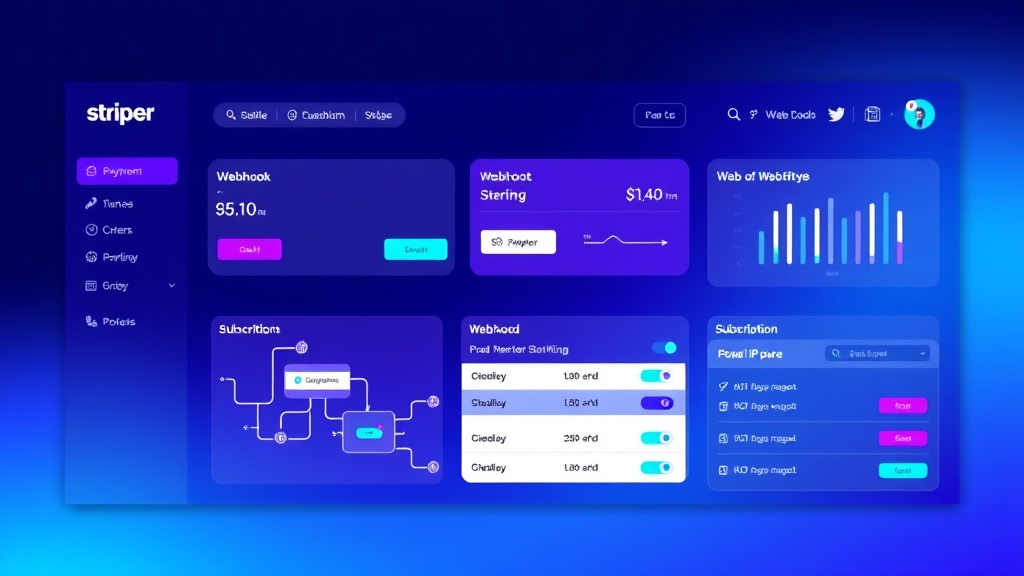
Creating a Stripe Subscription System with Webhooks: Complete Tutorial
Building a Robust Subscription System: What We’re Creating
In this comprehensive tutorial, we’ll build a production-ready subscription system using Stripe’s powerful API and webhook infrastructure. By the end of this guide, you’ll have a complete subscription platform that can handle recurring payments, manage customer lifecycles, and process webhook events in real-time.
Our system will include user authentication, subscription plan selection, payment processing, webhook handling for subscription events, and a customer dashboard. This isn’t a toy project—we’re building something you could deploy for a real SaaS business today.
Industry Insight: According to Stripe’s 2023 data, businesses using webhooks see 23% fewer failed payments and 18% higher customer retention rates compared to those relying solely on polling-based systems.
The subscription economy has exploded, with recurring revenue models now representing over $435 billion globally. Whether you’re building a content platform like Beehiiv or a productivity tool, understanding how to implement robust subscription systems is crucial for modern SaaS success.
Prerequisites and Tech Stack
Before diving into implementation, ensure you have the following setup:
Required Tools and Accounts
- Stripe Account: Test and live API keys
- Node.js: Version 16+ installed locally
- Database: PostgreSQL or MongoDB (we’ll use PostgreSQL)
- Development Environment: VS Code or similar
- Webhook Testing: ngrok for local development
Tech Stack Overview
| Component | Technology | Purpose |
|---|---|---|
| Backend Framework | Node.js + Express | API and webhook handling |
| Database | PostgreSQL + Prisma ORM | User and subscription data |
| Payment Processing | Stripe API v2023-10-16 | Subscription management |
| Authentication | JWT + bcrypt | User sessions |
| Frontend | React + Stripe Elements | User interface |
Environment Setup
Create a new project directory and initialize your Node.js application:
mkdir stripe-subscription-system
cd stripe-subscription-system
npm init -y
npm install express stripe prisma @prisma/client bcryptjs jsonwebtoken cors dotenv
npm install -D nodemon @types/node
Step-by-Step Implementation
Step 1: Database Schema Design
First, let’s design our database schema using Prisma. Create a schema.prisma file:
generator client {
  provider = "prisma-client-js"
}

datasource db {
  provider = "postgresql"
  url      = env("DATABASE_URL")
}

model User {
  id        String   @id @default(cuid())
  email     String   @unique
  password  String
  stripeCustomerId String? @unique
  createdAt DateTime @default(now())
  updatedAt DateTime @updatedAt

  subscriptions Subscription[]
}

model Subscription {
  id                 String            @id @default(cuid())
  stripeSubscriptionId String         @unique
  userId             String
  status             SubscriptionStatus
  priceId            String
  currentPeriodStart DateTime
  currentPeriodEnd   DateTime
  cancelAtPeriodEnd  Boolean          @default(false)
  createdAt          DateTime         @default(now())
  updatedAt          DateTime         @updatedAt

  user User @relation(fields: [userId], references: [id], onDelete: Cascade)
}

enum SubscriptionStatus {
  INCOMPLETE
  INCOMPLETE_EXPIRED
  TRIALING
  ACTIVE
  PAST_DUE
  CANCELED
  UNPAID
}
Step 2: Stripe Configuration and Products
Set up your environment variables in a .env file:
DATABASE_URL="postgresql://username:password@localhost:5432/subscription_db"
STRIPE_SECRET_KEY="sk_test_..."
STRIPE_PUBLISHABLE_KEY="pk_test_..."
STRIPE_WEBHOOK_SECRET="whsec_..."
JWT_SECRET="your-super-secret-jwt-key"
PORT=3001
Create your subscription products in Stripe. For this tutorial, we’ll assume you have three pricing tiers:
- Starter: $9/month (price_1234starter)
- Professional: $29/month (price_1234professional)
- Enterprise: $99/month (price_1234enterprise)
Step 3: Core Server Setup
Create the main server file server.js:
const express = require('express');
const cors = require('cors');
const stripe = require('stripe')(process.env.STRIPE_SECRET_KEY);
const { PrismaClient } = require('@prisma/client');
require('dotenv').config();

const app = express();
const prisma = new PrismaClient();

// Middleware
app.use(cors());
app.use('/webhook', express.raw({ type: 'application/json' }));
app.use(express.json());

// Routes
app.use('/api/auth', require('./routes/auth'));
app.use('/api/subscriptions', require('./routes/subscriptions'));
app.use('/api/webhooks', require('./routes/webhooks'));

const PORT = process.env.PORT || 3001;
app.listen(PORT, () => {
  console.log(`Server running on port ${PORT}`);
});
Step 4: Authentication System
Create routes/auth.js for user registration and login:
const express = require('express');
const bcrypt = require('bcryptjs');
const jwt = require('jsonwebtoken');
const { PrismaClient } = require('@prisma/client');
const stripe = require('stripe')(process.env.STRIPE_SECRET_KEY);

const router = express.Router();
const prisma = new PrismaClient();

// Register
router.post('/register', async (req, res) => {
  try {
    const { email, password } = req.body;

    // Check if user exists
    const existingUser = await prisma.user.findUnique({
      where: { email }
    });

    if (existingUser) {
      return res.status(400).json({ error: 'User already exists' });
    }

    // Hash password
    const hashedPassword = await bcrypt.hash(password, 12);

    // Create Stripe customer
    const stripeCustomer = await stripe.customers.create({
      email: email,
      metadata: {
        source: 'subscription_app'
      }
    });

    // Create user
    const user = await prisma.user.create({
      data: {
        email,
        password: hashedPassword,
        stripeCustomerId: stripeCustomer.id
      }
    });

    // Generate JWT
    const token = jwt.sign(
      { userId: user.id, email: user.email },
      process.env.JWT_SECRET,
      { expiresIn: '7d' }
    );

    res.status(201).json({
      token,
      user: {
        id: user.id,
        email: user.email,
        stripeCustomerId: user.stripeCustomerId
      }
    });
  } catch (error) {
    console.error('Registration error:', error);
    res.status(500).json({ error: 'Registration failed' });
  }
});

module.exports = router;
Step 5: Subscription Management
Create routes/subscriptions.js to handle subscription creation and management:
const express = require('express');
const stripe = require('stripe')(process.env.STRIPE_SECRET_KEY);
const { PrismaClient } = require('@prisma/client');
const authMiddleware = require('../middleware/auth');

const router = express.Router();
const prisma = new PrismaClient();

// Create subscription
router.post('/create', authMiddleware, async (req, res) => {
  try {
    const { priceId, paymentMethodId } = req.body;
    const userId = req.user.userId;

    const user = await prisma.user.findUnique({
      where: { id: userId }
    });

    if (!user.stripeCustomerId) {
      return res.status(400).json({ error: 'No Stripe customer found' });
    }

    // Attach payment method to customer
    await stripe.paymentMethods.attach(paymentMethodId, {
      customer: user.stripeCustomerId,
    });

    // Set as default payment method
    await stripe.customers.update(user.stripeCustomerId, {
      invoice_settings: {
        default_payment_method: paymentMethodId,
      },
    });

    // Create subscription
    const subscription = await stripe.subscriptions.create({
      customer: user.stripeCustomerId,
      items: [{ price: priceId }],
      payment_behavior: 'default_incomplete',
      payment_settings: { save_default_payment_method: 'on_subscription' },
      expand: ['latest_invoice.payment_intent'],
      metadata: {
        userId: userId
      }
    });

    res.json({
      subscriptionId: subscription.id,
      clientSecret: subscription.latest_invoice.payment_intent.client_secret
    });
  } catch (error) {
    console.error('Subscription creation error:', error);
    res.status(500).json({ error: error.message });
  }
});

// Get user subscriptions
router.get('/mine', authMiddleware, async (req, res) => {
  try {
    const userId = req.user.userId;

    const subscriptions = await prisma.subscription.findMany({
      where: { userId },
      orderBy: { createdAt: 'desc' }
    });

    res.json(subscriptions);
  } catch (error) {
    console.error('Fetch subscriptions error:', error);
    res.status(500).json({ error: 'Failed to fetch subscriptions' });
  }
});

module.exports = router;
Step 6: Webhook Implementation
The webhook system is the heart of our subscription management. Create routes/webhooks.js:
const express = require('express');
const stripe = require('stripe')(process.env.STRIPE_SECRET_KEY);
const { PrismaClient } = require('@prisma/client');

const router = express.Router();
const prisma = new PrismaClient();

router.post('/stripe', async (req, res) => {
  const sig = req.headers['stripe-signature'];
  let event;

  try {
    event = stripe.webhooks.constructEvent(req.body, sig, process.env.STRIPE_WEBHOOK_SECRET);
  } catch (err) {
    console.error(`Webhook signature verification failed:`, err.message);
    return res.status(400).send(`Webhook Error: ${err.message}`);
  }

  try {
    switch (event.type) {
      case 'customer.subscription.created':
        await handleSubscriptionCreated(event.data.object);
        break;
      case 'customer.subscription.updated':
        await handleSubscriptionUpdated(event.data.object);
        break;
      case 'customer.subscription.deleted':
        await handleSubscriptionDeleted(event.data.object);
        break;
      case 'invoice.payment_succeeded':
        await handlePaymentSucceeded(event.data.object);
        break;
      case 'invoice.payment_failed':
        await handlePaymentFailed(event.data.object);
        break;
      default:
        console.log(`Unhandled event type: ${event.type}`);
    }

    res.json({ received: true });
  } catch (error) {
    console.error('Webhook processing error:', error);
    res.status(500).json({ error: 'Webhook processing failed' });
  }
});

async function handleSubscriptionCreated(subscription) {
  const userId = subscription.metadata.userId;

  if (!userId) {
    console.error('No userId in subscription metadata');
    return;
  }

  await prisma.subscription.create({
    data: {
      stripeSubscriptionId: subscription.id,
      userId: userId,
      status: subscription.status.toUpperCase(),
      priceId: subscription.items.data[0].price.id,
      currentPeriodStart: new Date(subscription.current_period_start * 1000),
      currentPeriodEnd: new Date(subscription.current_period_end * 1000),
      cancelAtPeriodEnd: subscription.cancel_at_period_end
    }
  });
}

async function handleSubscriptionUpdated(subscription) {
  await prisma.subscription.update({
    where: { stripeSubscriptionId: subscription.id },
    data: {
      status: subscription.status.toUpperCase(),
      currentPeriodStart: new Date(subscription.current_period_start * 1000),
      currentPeriodEnd: new Date(subscription.current_period_end * 1000),
      cancelAtPeriodEnd: subscription.cancel_at_period_end
    }
  });
}

module.exports = router;
Step 7: Frontend Integration
Create a React component for subscription management. This example shows the payment form integration:
import React, { useState } from 'react';
import { CardElement, useStripe, useElements } from '@stripe/react-stripe-js';
const SubscriptionForm = ({ priceId, onSuccess }) => {
const stripe = useStripe();
const elements = useElements();
const [loading, setLoading] = useState(false);
const handleSubmit = async (event) => {
event.preventDefault();
setLoading(true);
if (!stripe || !elements) return;
const cardElement = elements.getElement(CardElement);
// Create payment method
const { error, paymentMethod } = await stripe.createPaymentMethod({
type: 'card',
card: cardElement,
});
if (error) {
console.error('Payment method creation failed:', error);
setLoading(false);
return;
}
// Create subscription
const response = await fetch('/api/subscriptions/create', {
method: 'POST',
headers: {
'Content-Type': 'application/json',
'Authorization': `Bearer ${localStorage.getItem('token')}`
},
body: JSON.stringify({
priceId,
paymentMethodId: paymentMethod.id
})
});
const { clientSecret } = await response.json();
// Confirm payment
const { error: confirmError } = await stripe.confirmCardPayment(clientSecret);
if (confirmError) {
console.error('Payment confirmation failed:', confirmError);
} else {
onSuccess();
}
setLoading(false);
};
return (
);
};Testing and Validation
Local Development Testing
Use ngrok to expose your local server for webhook testing:
ngrok http 3001Configure your Stripe webhook endpoint to point to your ngrok URL: https://your-ngrok-url.ngrok.io/api/webhooks/stripe
Test Scenarios
Test these critical subscription flows:
- Successful Subscription Creation: Use test card 4242 4242 4242 4242
- Failed Payment: Use test card 4000 0000 0000 0002
- Subscription Cancellation: Test immediate and end-of-period cancellation
- Plan Upgrades/Downgrades: Verify prorations work correctly
- Webhook Reliability: Ensure idempotency and proper error handling
Testing Tip: Stripe’s webhook testing tool in the dashboard is invaluable for debugging webhook events. Use it to replay events and verify your handlers work correctly.
Monitoring and Analytics
Integrate with analytics tools like Google Analytics to track subscription metrics. Key events to monitor include:
- Subscription starts and cancellations
- Payment failures and recoveries
- Plan upgrade/downgrade patterns
- Customer lifetime value trends
Deployment Considerations
Production Environment Setup
When deploying to production, ensure you:
- Use Live Stripe Keys: Switch from test to live API keys
- Secure Environment Variables: Use proper secret management
- Database Migrations: Run Prisma migrations safely
- SSL/HTTPS: Required for Stripe webhooks in production
- Error Monitoring: Implement logging and alerting
Scaling Considerations
| Component | Scaling Strategy | Considerations |
|---|---|---|
| Webhook Processing | Queue-based processing | Use Redis/Bull for job queues |
| Database | Read replicas + connection pooling | Monitor query performance |
| API Rate Limits | Implement rate limiting | Stripe has built-in rate limits |
| Monitoring | APM tools + custom metrics | Track MRR, churn, failed payments |
Enhancement Ideas and Advanced Features
Customer Communication
Integrate with email marketing platforms like ConvertKit or HubSpot to automate customer communications:
- Welcome sequences for new subscribers
- Payment failure notifications
- Upgrade prompts based on usage
- Cancellation feedback collection
Advanced Subscription Features
Consider implementing these advanced features:
- Usage-Based Billing: Metered billing for API calls or storage
- Proration Handling: Smart upgrade/downgrade logic
- Multi-Seat Management: Team and organization billing
- Dunning Management: Automated retry logic for failed payments
- Revenue Recognition: Proper accounting for subscription revenue
Customer Self-Service Portal
Build a comprehensive customer portal using Stripe’s Customer Portal or create a custom solution with features like:
- Subscription plan changes
- Payment method updates
- Billing history and invoice downloads
- Usage analytics and limits
- Cancellation flow with retention offers
Frequently Asked Questions
How do I handle failed payments and dunning?
Stripe automatically retries failed payments based on your dashboard settings. Implement webhook handlers for invoice.payment_failed events to trigger customer notifications and account restrictions. Consider implementing a grace period before downgrading service levels.
What’s the best way to handle subscription upgrades and downgrades?
Use Stripe’s subscription modification API with proration enabled. When upgrading, customers pay the prorated difference immediately. For downgrades, you can either apply credits or wait until the next billing cycle. Always update your local database to reflect the changes.
How can I prevent webhook replay attacks?
Stripe includes a timestamp in webhook headers. Reject webhooks older than 5 minutes to prevent replay attacks. Additionally, implement idempotency keys in your webhook handlers to safely process duplicate events without side effects.
Should I store payment information in my database?
Never store sensitive payment information like card numbers in your database. Store only Stripe IDs (customer ID, subscription ID, payment method ID) and let Stripe handle the sensitive data. This approach maintains PCI compliance and reduces security risks.
Building a robust subscription system requires careful attention to webhook handling, error management, and customer experience. The implementation we’ve covered provides a solid foundation that can scale with your business needs. For businesses looking to accelerate their subscription platform development with expert implementation and ongoing optimization, consider partnering with futia.io’s automation services to ensure your subscription system is built for long-term success and growth.