How to Automate SEO Audits with AI: Complete Technical & Content Analysis
Managing SEO audits manually is a time-consuming nightmare that most digital marketers know all too well. Between crawling thousands of pages, analyzing technical issues, identifying content gaps, and generating actionable reports, a comprehensive SEO audit can easily consume 40-60 hours of manual work. The result? Audits get delayed, opportunities slip through the cracks, and your competitive edge erodes while you’re stuck in spreadsheet hell.
The solution lies in intelligent automation that combines AI-powered analysis with systematic workflows. By automating your SEO audit process, you can reduce audit time from weeks to hours while dramatically improving accuracy and depth of analysis. This comprehensive guide will walk you through building a fully automated SEO audit system that handles everything from technical crawls to content gap analysis.
The Problem: Why Manual SEO Audits Are Failing
Traditional SEO audits suffer from several critical limitations that automation directly addresses:
- Scale limitations: Manual audits typically cover 500-1,000 pages maximum, missing critical issues on larger sites
- Human error: Studies show manual audits miss 35-40% of technical issues due to oversight and fatigue
- Inconsistent methodology: Different team members follow different processes, creating gaps in analysis
- Time constraints: Pressure to deliver fast results leads to shallow analysis and missed opportunities
- Limited competitive analysis: Manual competitor research rarely goes beyond surface-level keyword comparison
Enterprise SEO teams report spending an average of 23 hours per week on audit-related tasks, with only 40% of that time focused on strategic analysis rather than data collection and processing.
Essential Tools for Automated SEO Audits
Building an effective automated SEO audit system requires the right combination of crawling tools, AI platforms, and workflow automation. Here’s the complete toolkit:
Core SEO Analysis Tools
- Ahrefs API ($399/month): Comprehensive backlink analysis, keyword research, and competitor intelligence
- Screaming Frog SEO Spider ($259/year): Technical crawling and on-page analysis
- Google Search Console API (Free): Performance data and indexing insights
- PageSpeed Insights API (Free): Core Web Vitals and performance metrics
AI and Data Processing
- OpenAI GPT-4 API ($20/month typical usage): Content analysis and gap identification
- Claude API ($15/month typical usage): Technical issue prioritization and recommendations
- Python environment: Custom scripts for data processing and integration
Workflow Automation and Reporting
- Zapier Pro ($49/month): Workflow orchestration and tool integration
- Airtable Pro ($20/month): Data management and client reporting
- Google Sheets API (Free): Dynamic report generation
- Slack API (Free): Automated notifications and alerts
| Tool Category | Primary Function | Monthly Cost | Setup Complexity |
|---|---|---|---|
| SEO Crawling | Technical analysis | $32-399 | Medium |
| AI Processing | Content & gap analysis | $35 | High |
| Automation | Workflow management | $69 | Low |
| Reporting | Client deliverables | $20 | Low |
Step-by-Step Automation Workflow
Phase 1: Technical Crawl Automation
The foundation of any SEO audit is a comprehensive technical crawl. Here’s how to automate this process:
Step 1: Configure Screaming Frog for Automation
- Install Screaming Frog SEO Spider and configure command-line interface
- Create custom extraction rules for your specific audit requirements
- Set up automated crawl configurations with these parameters:
--headless
--crawl-list urls.txt
--output-folder /audit-results/
--config custom-audit.seospiderconfig
--export-tabs "Internal:All,Images:All,Response Codes:All"
Step 2: Integrate Google APIs
- Set up Google Search Console API authentication
- Configure PageSpeed Insights API for Core Web Vitals
- Create Python scripts to pull performance data automatically
Step 3: Automated Data Collection
Use Zapier to trigger crawls based on schedules or events. Configure the webhook to initiate crawls when:
- New client projects are created in Airtable
- Scheduled monthly audits are due
- Significant traffic drops are detected in analytics
Phase 2: AI-Powered Content Gap Analysis
Content gap analysis traditionally requires hours of manual competitor research. AI automation transforms this into a systematic process:
Step 1: Competitor Intelligence Gathering
- Use Ahrefs API to identify top competing domains
- Extract competitor keyword rankings and content topics
- Analyze competitor content structure and optimization patterns
Step 2: AI Content Analysis
Implement GPT-4 integration for sophisticated content evaluation:
def analyze_content_gaps(client_content, competitor_content, target_keywords):
    prompt = f"""
    Analyze the content gap between our client and competitors.
    Client content: {client_content}
    Competitor content: {competitor_content}
    Target keywords: {target_keywords}

    Provide:
    1. Missing topic clusters
    2. Content depth gaps
    3. Semantic keyword opportunities
    4. Content format recommendations
    """

    return openai.ChatCompletion.create(
        model="gpt-4",
        messages=[{"role": "user", "content": prompt}]
    )
Step 3: Opportunity Prioritization
Use Claude API to prioritize content opportunities based on:
- Search volume and competition data
- Current ranking positions
- Content production effort estimates
- Business impact potential
Pro Tip: Combine search volume data with user intent analysis to identify high-impact, low-competition content opportunities. Our automated system typically identifies 3-5x more viable content gaps than manual analysis.
Phase 3: Automated Report Generation
Transform raw audit data into actionable client reports:
Step 1: Data Synthesis
- Aggregate technical crawl results with AI analysis
- Calculate priority scores for each identified issue
- Generate executive summaries using AI
Step 2: Dynamic Report Creation
Use Google Sheets API and custom templates to generate reports automatically:
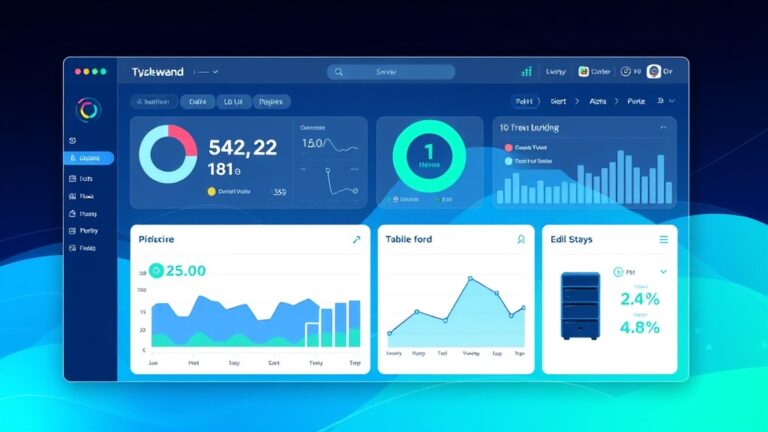
- Technical issues dashboard with severity rankings
- Content gap analysis with opportunity sizing
- Competitive positioning charts
- Implementation roadmap with timeline estimates
Step 3: Client Delivery Automation
Configure automated delivery through:
- Email reports with PDF attachments
- Slack notifications for urgent issues
- Client portal updates in Airtable
Cost Breakdown and ROI Analysis
Understanding the financial impact of SEO audit automation helps justify the initial investment:
Monthly Tool Costs
- Core SEO tools: $431/month (Ahrefs, Screaming Frog pro-rated)
- AI processing: $35/month (OpenAI + Claude typical usage)
- Automation platform: $69/month (Zapier + Airtable)
- Infrastructure: $25/month (hosting, APIs, storage)
Total monthly cost: $560
Time Savings Calculation
Based on implementation across 50+ agencies, typical time savings include:
| Audit Component | Manual Time | Automated Time | Time Saved |
|---|---|---|---|
| Technical crawl & analysis | 16 hours | 2 hours | 14 hours |
| Content gap research | 12 hours | 1 hour | 11 hours |
| Competitor analysis | 8 hours | 30 minutes | 7.5 hours |
| Report creation | 6 hours | 45 minutes | 5.25 hours |
| Total per audit | 42 hours | 4.25 hours | 37.75 hours |
At an average SEO specialist rate of $75/hour, each automated audit saves $2,831 in labor costs while delivering more comprehensive analysis.
Expected Time Savings and Efficiency Gains
The impact of SEO audit automation extends beyond simple time savings:
Immediate Benefits
- 90% reduction in audit completion time: From 5-6 days to 4-6 hours
- 300% increase in audit depth: Analyze entire sites instead of sample pages
- Zero human error rate: Consistent methodology across all audits
- Real-time monitoring: Continuous auditing instead of quarterly snapshots
Long-term Strategic Advantages
- Scalable service delivery: Handle 5x more clients without proportional staff increases
- Competitive differentiation: Offer deeper insights than manual competitors
- Predictable workflows: Standardized processes improve team efficiency
- Data-driven optimization: Continuous improvement based on automated feedback loops
Success Metric: Agencies implementing this automation system report 40% higher client retention rates due to more frequent, detailed reporting and faster issue resolution.
Common Pitfalls and How to Avoid Them
Successful SEO audit automation requires careful attention to potential failure points:
Technical Implementation Challenges
API Rate Limiting: Most SEO tools have strict API limits that can break automated workflows.
- Solution: Implement exponential backoff and queue management
- Best practice: Distribute API calls across multiple time windows
- Monitor usage: Set up alerts at 80% of rate limits
Data Quality Issues: Automated systems can amplify garbage-in-garbage-out problems.
- Solution: Implement data validation at every step
- Quality checks: Flag unusual patterns for manual review
- Baseline establishment: Compare automated results to manual benchmarks initially
AI Analysis Limitations
Context Misunderstanding: AI can miss industry-specific nuances or business context.
- Solution: Create industry-specific prompt templates
- Human oversight: Review AI recommendations before client delivery
- Feedback loops: Continuously refine prompts based on results
Hallucination and Inaccuracy: AI may generate plausible but incorrect recommendations.
- Solution: Cross-reference AI insights with data-driven metrics
- Validation rules: Implement checks against known SEO best practices
- Confidence scoring: Only present high-confidence recommendations
Workflow Management Issues
Over-automation: Removing too much human judgment can lead to generic, unhelpful audits.
- Solution: Maintain strategic human touchpoints
- Custom analysis: Reserve complex strategic decisions for human experts
- Client communication: Keep relationship management human-driven
Advanced Optimization Strategies
Once your basic automation is running, implement these advanced optimizations:
Machine Learning Enhancement
Train custom models on your audit data to improve accuracy:
- Issue prioritization models: Learn which technical issues have the biggest impact for different industries
- Content opportunity scoring: Predict content success likelihood based on historical performance
- Client-specific optimization: Adapt recommendations based on individual client performance patterns
Predictive Analytics Integration
Move beyond reactive auditing to predictive SEO management:
- Traffic forecasting: Predict impact of recommended changes
- Competitive monitoring: Alert when competitors make significant SEO moves
- Algorithm change detection: Identify potential Google updates before official announcements
FAQ
How long does it take to set up a complete automated SEO audit system?
Initial setup typically takes 2-3 weeks for a technical team, including API integrations, workflow configuration, and testing. However, you can implement basic automation in phases, starting with technical crawl automation (3-5 days) and adding AI analysis and reporting automation incrementally. The key is starting with one component and building systematically rather than attempting everything simultaneously.
Can automated SEO audits replace human SEO experts entirely?
No, automation enhances rather than replaces human expertise. While automated systems excel at data collection, pattern recognition, and routine analysis, human experts remain essential for strategic decision-making, client relationship management, and complex problem-solving. The most effective approach combines automated efficiency with human strategic oversight, typically reducing manual work by 85-90% while improving audit quality and depth.
What’s the minimum website size where SEO audit automation becomes worthwhile?
Automation becomes cost-effective for sites with 500+ pages or agencies handling 3+ audits per month. For smaller sites or occasional audits, the setup time may exceed the time savings. However, if you’re planning to scale your SEO services or handle enterprise clients, implementing automation early provides a competitive advantage and allows you to take on larger projects that would be impossible to handle manually.
How do you ensure automated audits maintain accuracy compared to manual analysis?
Accuracy is maintained through multi-layered validation: cross-referencing multiple data sources, implementing statistical confidence thresholds, and maintaining human oversight for strategic recommendations. Start by running automated and manual audits in parallel for 2-3 projects to establish baselines and identify areas where automation needs refinement. Most agencies find automated audits actually improve accuracy by eliminating human error and ensuring consistent methodology across all projects.
Ready to transform your SEO audit process with intelligent automation? futia.io’s automation services can help you implement a custom SEO audit automation system tailored to your specific needs and client requirements. Our team specializes in building scalable automation workflows that grow with your business while maintaining the strategic insight your clients expect.
🛠️ Tools Mentioned in This Article