Docker Container Deployments for SaaS: Complete Production Setup Guide
Building a scalable SaaS platform requires robust infrastructure that can handle unpredictable traffic spikes, maintain high availability, and scale seamlessly. Docker containerization has become the industry standard for achieving these goals, with over 83% of Fortune 500 companies now using container technologies in production according to recent surveys.
This comprehensive guide walks you through setting up a production-ready Docker deployment pipeline for your SaaS application, from initial containerization to automated CI/CD workflows. We’ll build a complete system that can handle everything from development environments to multi-region production deployments.
What We’re Building: A Complete SaaS Container Infrastructure
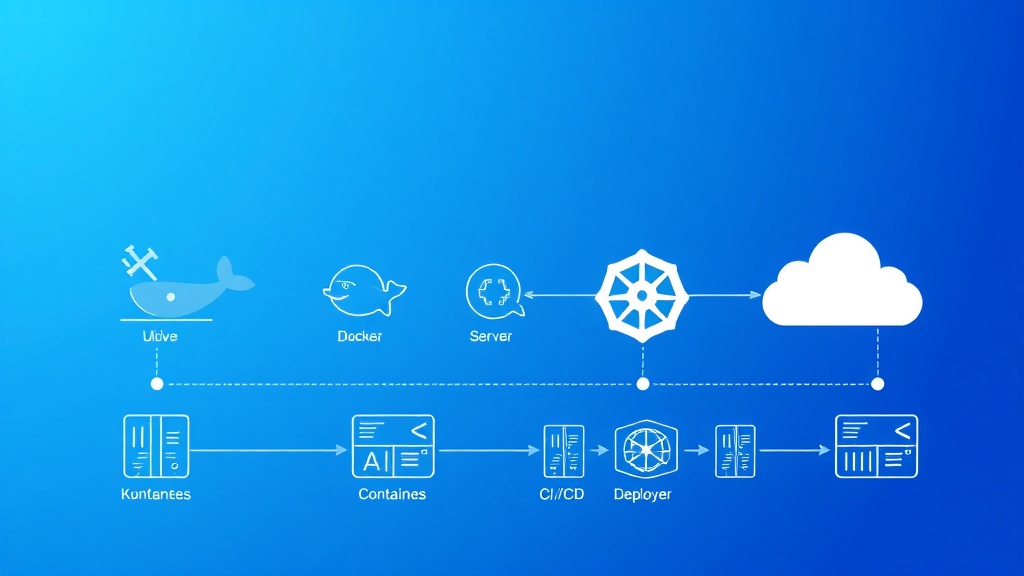
Our target architecture includes:
- Multi-service containerized application with web frontend, API backend, and database
- Docker Compose orchestration for local development
- Production-ready Kubernetes deployment with auto-scaling capabilities
- CI/CD pipeline with automated testing and deployment
- Monitoring and logging stack for production observability
- Load balancing and SSL termination for high availability
By the end of this tutorial, you’ll have a bulletproof container deployment system that can scale from startup to enterprise levels. Many successful SaaS companies using platforms like Railway or Appsmith follow similar architectural patterns.
Prerequisites and Technology Stack
Before diving into implementation, ensure you have the following tools and knowledge:
Required Software
- Docker Desktop (version 4.15+) with at least 8GB RAM allocated
- Docker Compose (version 2.15+)
- kubectl for Kubernetes management
- Git for version control
- Node.js 18+ (for our sample application)
- Cloud provider CLI (AWS CLI, gcloud, or Azure CLI)
Technology Stack Overview
| Component | Technology | Purpose | Cost (Monthly) |
|---|---|---|---|
| Frontend | React 18 + Nginx | User interface | $0 (static hosting) |
| Backend API | Node.js + Express | Business logic | $25-100 |
| Database | PostgreSQL 15 | Data persistence | $20-200 |
| Cache | Redis 7 | Session & data caching | $15-50 |
| Orchestration | Kubernetes | Container management | $50-500 |
| Monitoring | Prometheus + Grafana | Observability | $30-150 |
Knowledge Prerequisites
- Basic understanding of containerization concepts
- Familiarity with YAML configuration files
- Command-line proficiency
- Understanding of web application architecture
Step 1: Creating the Base Application Structure
Let’s start by setting up a sample SaaS application that we’ll containerize. This represents a typical multi-tier architecture.
Project Structure Setup
saas-docker-deployment/
├── frontend/
│   ├── src/
│   ├── public/
│   ├── package.json
│   └── Dockerfile
├── backend/
│   ├── src/
│   ├── package.json
│   └── Dockerfile
├── database/
│   └── init.sql
├── docker-compose.yml
├── docker-compose.prod.yml
└── k8s/
    ├── namespace.yaml
    ├── configmap.yaml
    ├── secrets.yaml
    ├── database.yaml
    ├── backend.yaml
    └── frontend.yaml
Backend Application (Node.js/Express)
Create the backend service with essential SaaS features:
// backend/src/app.js
const express = require('express');
const cors = require('cors');
const helmet = require('helmet');
const rateLimit = require('express-rate-limit');
const { Pool } = require('pg');
const redis = require('redis');

const app = express();
const port = process.env.PORT || 3001;

// Security middleware
app.use(helmet());
app.use(cors({
  origin: process.env.FRONTEND_URL || 'http://localhost:3000',
  credentials: true
}));

// Rate limiting
const limiter = rateLimit({
  windowMs: 15 * 60 * 1000, // 15 minutes
  max: 100 // limit each IP to 100 requests per windowMs
});
app.use('/api/', limiter);

// Database connection
const pool = new Pool({
  host: process.env.DB_HOST || 'localhost',
  port: process.env.DB_PORT || 5432,
  database: process.env.DB_NAME || 'saasapp',
  user: process.env.DB_USER || 'postgres',
  password: process.env.DB_PASSWORD || 'password'
});

// Redis connection
const redisClient = redis.createClient({
  host: process.env.REDIS_HOST || 'localhost',
  port: process.env.REDIS_PORT || 6379
});

app.use(express.json());

// Health check endpoint
app.get('/health', async (req, res) => {
  try {
    await pool.query('SELECT 1');
    await redisClient.ping();
    res.json({ status: 'healthy', timestamp: new Date().toISOString() });
  } catch (error) {
    res.status(500).json({ status: 'unhealthy', error: error.message });
  }
});

// Sample API endpoints
app.get('/api/users', async (req, res) => {
  try {
    const result = await pool.query('SELECT id, email, created_at FROM users LIMIT 50');
    res.json(result.rows);
  } catch (error) {
    res.status(500).json({ error: error.message });
  }
});

app.listen(port, '0.0.0.0', () => {
  console.log(`Backend server running on port ${port}`);
});
Step 2: Dockerizing the Applications
Backend Dockerfile
# backend/Dockerfile
FROM node:18-alpine AS builder

WORKDIR /app
COPY package*.json ./
RUN npm ci --only=production && npm cache clean --force

FROM node:18-alpine AS production

# Create non-root user
RUN addgroup -g 1001 -S nodejs
RUN adduser -S nodejs -u 1001

WORKDIR /app

# Copy dependencies
COPY --from=builder --chown=nodejs:nodejs /app/node_modules ./node_modules
COPY --chown=nodejs:nodejs . .

# Security: run as non-root user
USER nodejs

EXPOSE 3001

# Health check
HEALTHCHECK --interval=30s --timeout=3s --start-period=5s --retries=3
  CMD node healthcheck.js

CMD ["node", "src/app.js"]
Frontend Dockerfile
# frontend/Dockerfile
FROM node:18-alpine AS builder

WORKDIR /app
COPY package*.json ./
RUN npm ci
COPY . .
RUN npm run build

FROM nginx:alpine AS production

# Copy custom nginx config
COPY nginx.conf /etc/nginx/conf.d/default.conf

# Copy built application
COPY --from=builder /app/build /usr/share/nginx/html

# Security headers
RUN echo 'add_header X-Frame-Options "SAMEORIGIN" always;' >> /etc/nginx/conf.d/security.conf
RUN echo 'add_header X-Content-Type-Options "nosniff" always;' >> /etc/nginx/conf.d/security.conf
RUN echo 'add_header X-XSS-Protection "1; mode=block" always;' >> /etc/nginx/conf.d/security.conf

EXPOSE 80

CMD ["nginx", "-g", "daemon off;"]
Step 3: Docker Compose Configuration
Development Environment
# docker-compose.yml
version: '3.8'

services:
  frontend:
    build:
      context: ./frontend
      target: production
    ports:
      - "3000:80"
    environment:
      - REACT_APP_API_URL=http://localhost:3001
    depends_on:
      - backend
    restart: unless-stopped

  backend:
    build:
      context: ./backend
    ports:
      - "3001:3001"
    environment:
      - NODE_ENV=development
      - DB_HOST=database
      - DB_NAME=saasapp
      - DB_USER=postgres
      - DB_PASSWORD=secure_password_123
      - REDIS_HOST=redis
      - JWT_SECRET=your_jwt_secret_here
    depends_on:
      database:
        condition: service_healthy
      redis:
        condition: service_healthy
    restart: unless-stopped
    volumes:
      - ./backend/src:/app/src

  database:
    image: postgres:15-alpine
    environment:
      - POSTGRES_DB=saasapp
      - POSTGRES_USER=postgres
      - POSTGRES_PASSWORD=secure_password_123
    ports:
      - "5432:5432"
    volumes:
      - postgres_data:/var/lib/postgresql/data
      - ./database/init.sql:/docker-entrypoint-initdb.d/init.sql
    healthcheck:
      test: ["CMD-SHELL", "pg_isready -U postgres"]
      interval: 10s
      timeout: 5s
      retries: 5
    restart: unless-stopped

  redis:
    image: redis:7-alpine
    ports:
      - "6379:6379"
    healthcheck:
      test: ["CMD", "redis-cli", "ping"]
      interval: 10s
      timeout: 3s
      retries: 5
    restart: unless-stopped
    volumes:
      - redis_data:/data

volumes:
  postgres_data:
  redis_data:

networks:
  default:
    name: saas-network
Pro Tip: Always use health checks in your Docker Compose files. They ensure services are actually ready to accept connections before dependent services start, preventing race conditions that can cause deployment failures.
Step 4: Production Kubernetes Deployment
Namespace and ConfigMap
# k8s/namespace.yaml
apiVersion: v1
kind: Namespace
metadata:
  name: saas-production
  labels:
    environment: production
---
# k8s/configmap.yaml
apiVersion: v1
kind: ConfigMap
metadata:
  name: app-config
  namespace: saas-production
data:
  NODE_ENV: "production"
  DB_HOST: "postgres-service"
  DB_NAME: "saasapp"
  DB_PORT: "5432"
  REDIS_HOST: "redis-service"
  REDIS_PORT: "6379"
Database Deployment
# k8s/database.yaml
apiVersion: apps/v1
kind: StatefulSet
metadata:
  name: postgres
  namespace: saas-production
spec:
  serviceName: postgres-service
  replicas: 1
  selector:
    matchLabels:
      app: postgres
  template:
    metadata:
      labels:
        app: postgres
    spec:
      containers:
      - name: postgres
        image: postgres:15-alpine
        env:
        - name: POSTGRES_DB
          value: "saasapp"
        - name: POSTGRES_USER
          valueFrom:
            secretKeyRef:
              name: db-credentials
              key: username
        - name: POSTGRES_PASSWORD
          valueFrom:
            secretKeyRef:
              name: db-credentials
              key: password
        ports:
        - containerPort: 5432
        volumeMounts:
        - name: postgres-storage
          mountPath: /var/lib/postgresql/data
        livenessProbe:
          exec:
            command:
            - pg_isready
            - -U
            - postgres
          initialDelaySeconds: 30
          periodSeconds: 10
        readinessProbe:
          exec:
            command:
            - pg_isready
            - -U
            - postgres
          initialDelaySeconds: 5
          periodSeconds: 5
        resources:
          requests:
            memory: "256Mi"
            cpu: "250m"
          limits:
            memory: "1Gi"
            cpu: "500m"
  volumeClaimTemplates:
  - metadata:
      name: postgres-storage
    spec:
      accessModes: ["ReadWriteOnce"]
      resources:
        requests:
          storage: 10Gi
---
apiVersion: v1
kind: Service
metadata:
  name: postgres-service
  namespace: saas-production
spec:
  selector:
    app: postgres
  ports:
  - port: 5432
    targetPort: 5432
  type: ClusterIP
Backend Deployment with Auto-scaling
# k8s/backend.yaml
apiVersion: apps/v1
kind: Deployment
metadata:
  name: backend
  namespace: saas-production
spec:
  replicas: 3
  selector:
    matchLabels:
      app: backend
  template:
    metadata:
      labels:
        app: backend
    spec:
      containers:
      - name: backend
        image: your-registry/saas-backend:latest
        ports:
        - containerPort: 3001
        env:
        - name: NODE_ENV
          valueFrom:
            configMapKeyRef:
              name: app-config
              key: NODE_ENV
        - name: DB_HOST
          valueFrom:
            configMapKeyRef:
              name: app-config
              key: DB_HOST
        - name: DB_USER
          valueFrom:
            secretKeyRef:
              name: db-credentials
              key: username
        - name: DB_PASSWORD
          valueFrom:
            secretKeyRef:
              name: db-credentials
              key: password
        livenessProbe:
          httpGet:
            path: /health
            port: 3001
          initialDelaySeconds: 30
          periodSeconds: 10
        readinessProbe:
          httpGet:
            path: /health
            port: 3001
          initialDelaySeconds: 5
          periodSeconds: 5
        resources:
          requests:
            memory: "128Mi"
            cpu: "100m"
          limits:
            memory: "512Mi"
            cpu: "500m"
---
apiVersion: v1
kind: Service
metadata:
  name: backend-service
  namespace: saas-production
spec:
  selector:
    app: backend
  ports:
  - port: 3001
    targetPort: 3001
  type: ClusterIP
---
apiVersion: autoscaling/v2
kind: HorizontalPodAutoscaler
metadata:
  name: backend-hpa
  namespace: saas-production
spec:
  scaleTargetRef:
    apiVersion: apps/v1
    kind: Deployment
    name: backend
  minReplicas: 3
  maxReplicas: 20
  metrics:
  - type: Resource
    resource:
      name: cpu
      target:
        type: Utilization
        averageUtilization: 70
  - type: Resource
    resource:
      name: memory
      target:
        type: Utilization
        averageUtilization: 80
Step 5: Testing and Validation
Local Development Testing
Start your development environment and run comprehensive tests:
# Build and start all services
docker-compose up --build -d

# Check service health
docker-compose ps

# Test API endpoints
curl http://localhost:3001/health
curl http://localhost:3001/api/users

# Check logs for any issues
docker-compose logs -f backend

# Run integration tests
npm run test:integration
Production Readiness Checklist
- Security scanning: Use tools like Trivy or Snyk to scan container images
- Performance testing: Load test with tools like k6 or Artillery
- Resource monitoring: Verify CPU/memory usage under load
- Health check validation: Ensure all endpoints respond correctly
- Database connectivity: Test connection pooling and failover scenarios
Monitoring Setup
For production monitoring, integrate with analytics platforms. Many teams use PostHog for product analytics alongside infrastructure monitoring, or Amplitude for detailed user behavior tracking.
# Add monitoring stack to docker-compose.yml
  prometheus:
    image: prom/prometheus:latest
    ports:
      - "9090:9090"
    volumes:
      - ./monitoring/prometheus.yml:/etc/prometheus/prometheus.yml
    command:
      - '--config.file=/etc/prometheus/prometheus.yml'
      - '--storage.tsdb.path=/prometheus'
      - '--web.console.libraries=/etc/prometheus/console_libraries'
      - '--web.console.templates=/etc/prometheus/consoles'

  grafana:
    image: grafana/grafana:latest
    ports:
      - "3003:3000"
    environment:
      - GF_SECURITY_ADMIN_PASSWORD=admin123
    volumes:
      - grafana_data:/var/lib/grafana
      - ./monitoring/grafana/dashboards:/etc/grafana/provisioning/dashboards
      - ./monitoring/grafana/datasources:/etc/grafana/provisioning/datasources
Step 6: CI/CD Pipeline Implementation
GitHub Actions Workflow
# .github/workflows/deploy.yml
name: Build and Deploy

on:
  push:
    branches: [ main, develop ]
  pull_request:
    branches: [ main ]

env:
  REGISTRY: ghcr.io
  IMAGE_NAME: ${{ github.repository }}

jobs:
  test:
    runs-on: ubuntu-latest
    steps:
    - uses: actions/checkout@v3

    - name: Setup Node.js
      uses: actions/setup-node@v3
      with:
        node-version: '18'
        cache: 'npm'
        cache-dependency-path: backend/package-lock.json

    - name: Install dependencies
      run: |
        cd backend && npm ci
        cd ../frontend && npm ci

    - name: Run tests
      run: |
        cd backend && npm test
        cd ../frontend && npm test -- --coverage

    - name: Security scan
      run: |
        npm audit --audit-level high
        docker run --rm -v "$PWD":/app securecodewarrior/docker-security-scanner /app

  build-and-push:
    needs: test
    runs-on: ubuntu-latest
    if: github.ref == 'refs/heads/main'

    steps:
    - uses: actions/checkout@v3

    - name: Set up Docker Buildx
      uses: docker/setup-buildx-action@v2

    - name: Log in to Container Registry
      uses: docker/login-action@v2
      with:
        registry: ${{ env.REGISTRY }}
        username: ${{ github.actor }}
        password: ${{ secrets.GITHUB_TOKEN }}

    - name: Build and push backend
      uses: docker/build-push-action@v3
      with:
        context: ./backend
        push: true
        tags: ${{ env.REGISTRY }}/${{ env.IMAGE_NAME }}-backend:${{ github.sha }}
        cache-from: type=gha
        cache-to: type=gha,mode=max

    - name: Build and push frontend
      uses: docker/build-push-action@v3
      with:
        context: ./frontend
        push: true
        tags: ${{ env.REGISTRY }}/${{ env.IMAGE_NAME }}-frontend:${{ github.sha }}
        cache-from: type=gha
        cache-to: type=gha,mode=max

  deploy:
    needs: build-and-push
    runs-on: ubuntu-latest
    if: github.ref == 'refs/heads/main'

    steps:
    - uses: actions/checkout@v3

    - name: Configure kubectl
      run: |
        echo "${{ secrets.KUBE_CONFIG }}" | base64 -d > kubeconfig
        export KUBECONFIG=kubeconfig

    - name: Deploy to Kubernetes
      run: |
        export KUBECONFIG=kubeconfig
        kubectl set image deployment/backend backend=${{ env.REGISTRY }}/${{ env.IMAGE_NAME }}-backend:${{ github.sha }} -n saas-production
        kubectl set image deployment/frontend frontend=${{ env.REGISTRY }}/${{ env.IMAGE_NAME }}-frontend:${{ github.sha }} -n saas-production
        kubectl rollout status deployment/backend -n saas-production
        kubectl rollout status deployment/frontend -n saas-production
Step 7: Production Deployment
Cloud Provider Setup
Deploy your Kubernetes cluster on your preferred cloud provider:
| Provider | Service | Monthly Cost (3-node cluster) | Key Features |
|---|---|---|---|
| AWS | EKS | $220-400 | Managed control plane, auto-scaling groups |
| Google Cloud | GKE | $200-350 | Autopilot mode, integrated monitoring |
| Azure | AKS | $180-320 | Azure DevOps integration, hybrid connectivity |
| DigitalOcean | DOKS | $120-250 | Simple setup, predictable pricing |
SSL and Load Balancing
# k8s/ingress.yaml
apiVersion: networking.k8s.io/v1
kind: Ingress
metadata:
  name: saas-ingress
  namespace: saas-production
  annotations:
    kubernetes.io/ingress.class: "nginx"
    cert-manager.io/cluster-issuer: "letsencrypt-prod"
    nginx.ingress.kubernetes.io/rate-limit: "100"
    nginx.ingress.kubernetes.io/rate-limit-window: "1m"
spec:
  tls:
  - hosts:
    - api.yoursaas.com
    - app.yoursaas.com
    secretName: saas-tls
  rules:
  - host: api.yoursaas.com
    http:
      paths:
      - path: /
        pathType: Prefix
        backend:
          service:
            name: backend-service
            port:
              number: 3001
  - host: app.yoursaas.com
    http:
      paths:
      - path: /
        pathType: Prefix
        backend:
          service:
            name: frontend-service
            port:
              number: 80
Enhancement Ideas and Advanced Features
Multi-Region Deployment
- Database replication: Set up read replicas in multiple regions
- CDN integration: Use CloudFront or CloudFlare for global content delivery
- Cross-region load balancing: Implement DNS-based failover
- Data synchronization: Consider eventual consistency patterns for distributed data
Advanced Monitoring and Observability
- Distributed tracing: Implement Jaeger or Zipkin for request tracking
- Log aggregation: Use ELK stack or Fluentd for centralized logging
- Custom metrics: Track business KPIs alongside infrastructure metrics
- Alerting rules: Set up PagerDuty or Slack notifications for critical issues
Security Enhancements
- Network policies: Implement Kubernetes network segmentation
- Pod security standards: Enforce security contexts and capabilities
- Secrets management: Use HashiCorp Vault or AWS Secrets Manager
- Image scanning: Automate vulnerability scanning in CI/CD pipelines
Expert Insight: Companies scaling beyond 10 million requests per day typically implement service mesh architectures like Istio for advanced traffic management, security policies, and observability. Consider this upgrade path as your SaaS grows.
Performance Optimization
- Caching strategies: Implement Redis Cluster for distributed caching
- Database optimization: Add read replicas and connection pooling
- Image optimization: Use multi-stage builds and alpine base images
- Resource tuning: Optimize CPU and memory requests/limits based on actual usage
Disaster Recovery
- Backup automation: Schedule regular database and volume backups
- Blue-green deployments: Implement zero-downtime deployment strategies
- Chaos engineering: Use tools like Chaos Monkey to test system resilience
- Recovery procedures: Document and test disaster recovery playbooks
Frequently Asked Questions
How do I handle database migrations in a containerized environment?
Database migrations should be handled through init containers or dedicated migration jobs in Kubernetes. Create a separate container that runs migrations before your application starts, ensuring schema changes are applied consistently across environments. Use tools like Flyway or Liquibase for version-controlled database changes.
What’s the best strategy for managing secrets and environment variables?
Never bake secrets into container images. Use Kubernetes Secrets for sensitive data, and consider external secret management solutions like HashiCorp Vault, AWS Secrets Manager, or Azure Key Vault for production environments. Rotate secrets regularly and implement least-privilege access principles.
How can I optimize container startup times for better scaling performance?
Optimize your Dockerfiles by using multi-stage builds, choosing minimal base images (alpine variants), and leveraging Docker layer caching. Pre-warm your application by implementing proper health checks and readiness probes. Consider using init containers for heavy initialization tasks that don’t need to run on every pod restart.
What monitoring metrics should I track for a production SaaS deployment?
Focus on the four golden signals: latency, traffic, errors, and saturation. Track application-specific metrics like user registration rates, subscription conversions, and feature usage. Infrastructure metrics should include CPU/memory utilization, disk I/O, network throughput, and container restart rates. Set up alerts for critical thresholds and business impact scenarios.
Ready to take your SaaS infrastructure to the next level? Our team at futia.io’s automation services specializes in building production-ready container deployments and CI/CD pipelines that scale with your business. We help SaaS companies implement robust, secure, and cost-effective container orchestration solutions that support rapid growth and maintain high availability.
🛠️ Tools Mentioned in This Article