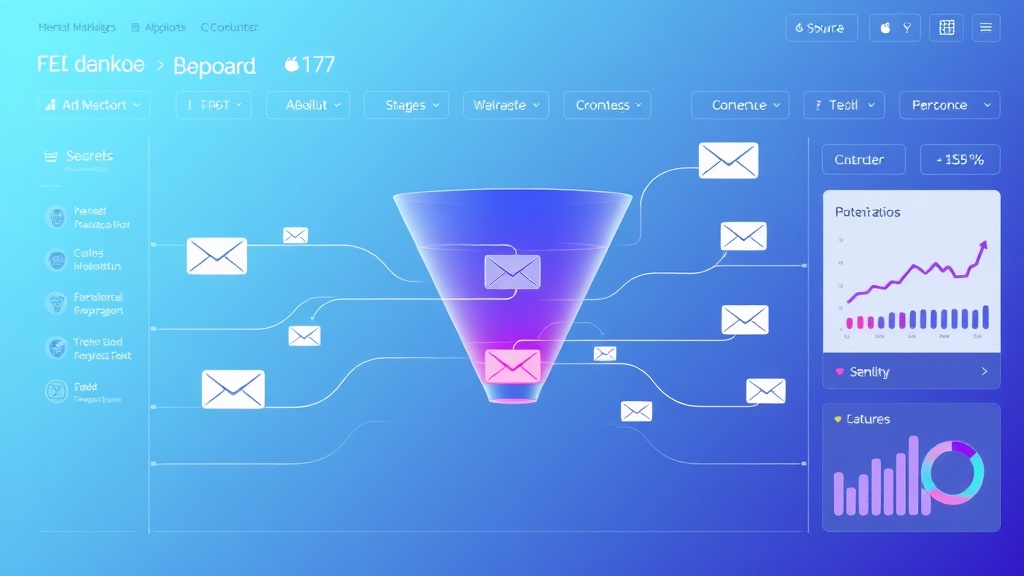
Building an Automated Sales Funnel with Email Sequences: Complete Guide
Email marketing drives an average ROI of $42 for every $1 spent, making automated sales funnels one of the most profitable investments for modern businesses. Yet 64% of companies still struggle with email automation implementation, often due to poor funnel architecture and disconnected sequences. This comprehensive tutorial will walk you through building a high-converting automated sales funnel from scratch, complete with behavioral triggers, segmentation logic, and performance optimization.
We’ll construct a complete system that nurtures leads from initial awareness through purchase and retention, using proven automation platforms and industry best practices. By the end of this guide, you’ll have a fully functional sales funnel generating qualified leads and converting them into customers automatically.
What We’re Building: The Complete Automated Sales Funnel Architecture
Our automated sales funnel will consist of five core components working in seamless integration:
- Lead Capture System: Landing pages with optimized opt-in forms
- Welcome Series: 5-email onboarding sequence for new subscribers
- Nurture Campaigns: Behavioral-triggered content delivery based on engagement
- Sales Sequences: 7-email conversion-focused campaign with social proof and urgency
- Post-Purchase Automation: Retention and upsell sequences for customer lifecycle management
The funnel will automatically segment leads based on behavior, demographics, and engagement levels, delivering personalized content that moves prospects through the buyer’s journey. We’ll implement advanced features like lead scoring, A/B testing, and performance analytics to optimize conversion rates continuously.
Expert Insight: Companies using marketing automation see 451% increase in qualified leads and 34% faster sales cycles compared to non-automated approaches.
Prerequisites and Technology Stack
Required Skills and Knowledge
Before diving into implementation, ensure you have:
- Basic understanding of email marketing principles and metrics
- Familiarity with HTML/CSS for email template customization
- Experience with marketing automation platforms or willingness to learn
- Understanding of customer journey mapping and funnel psychology
- Basic analytics interpretation skills for performance optimization
Technology Stack Overview
| Component | Primary Tool | Alternative Options | Monthly Cost |
|---|---|---|---|
| Email Automation | ActiveCampaign | ConvertKit, Mailchimp | $29-$149 |
| Landing Pages | Leadpages | Bubble, Unbounce | $37-$79 |
| Analytics | Google Analytics 4 | Amplitude | Free-$150 |
| CRM Integration | HubSpot CRM | Airtable, Pipedrive | Free-$50 |
| Content Creation | Anyword | Copy.ai, Jasper | $39-$99 |
Setup Requirements
Ensure you have the following configured before starting:
- Domain with proper DNS settings and SPF/DKIM records
- SSL certificate for secure data transmission
- Email authentication (DMARC policy recommended)
- Analytics tracking codes properly installed
- GDPR-compliant privacy policy and consent mechanisms
Step-by-Step Implementation
Phase 1: Email Platform Configuration
We’ll use ActiveCampaign for this implementation due to its robust automation capabilities and visual workflow builder. Start by setting up your account and configuring essential settings:
// ActiveCampaign API Configuration
const ac = require('activecampaign');

const client = ac({
  apiUrl: 'https://youraccountname.api-us1.com',
  apiKey: 'your-api-key-here'
});

// Test connection
client.users.me().then(result => {
  console.log('Connected to ActiveCampaign:', result.email);
}).catch(error => {
  console.error('Connection failed:', error);
});
Domain Authentication Setup:
- Navigate to Settings → Advanced → Domain Authentication
- Add your sending domain (e.g., mail.yourdomain.com)
- Configure DNS records as provided by ActiveCampaign
- Verify authentication status (should show green checkmarks)
Phase 2: Lead Capture System Development
Create high-converting landing pages with embedded opt-in forms. Here’s the HTML structure for an optimized lead magnet page:
<!DOCTYPE html>
<html lang="en">
<head>
    <meta charset="UTF-8">
    <meta name="viewport" content="width=device-width, initial-scale=1.0">
    <title>Free Email Marketing Automation Guide</title>
</head>
<body>
    <div class="hero-section">
        <h1>Download Your Free Email Automation Blueprint</h1>
        <p>Get the exact 7-step system that generated $2.3M in automated revenue</p>

        <form id="lead-capture-form" action="https://youraccountname.activehosted.com/proc.php" method="post">
            <input type="hidden" name="u" value="1">
            <input type="hidden" name="f" value="1">
            <input type="hidden" name="s">
            <input type="hidden" name="c" value="0">
            <input type="hidden" name="m" value="0">
            <input type="hidden" name="act" value="sub">
            <input type="hidden" name="v" value="2">

            <input type="email" name="email" placeholder="Enter your email address" required>
            <input type="text" name="fullname" placeholder="First Name" required>
            <button type="submit">Get Instant Access</button>
        </form>
    </div>
</body>
</html>
Phase 3: Welcome Email Series Configuration
Build a 5-email welcome series that delivers immediate value while building trust and setting expectations. Access the Automation builder in ActiveCampaign and create the following sequence:
Email 1 – Immediate Delivery (Trigger: Form Submission)
- Subject: “Your Email Automation Blueprint is here! 📧”
- Deliver the promised lead magnet
- Set expectations for upcoming emails
- Include unsubscribe and preference center links
Email 2 – 24 Hours Later
- Subject: “The #1 mistake that kills email campaigns”
- Educational content addressing common pain points
- Soft introduction to your methodology
- CTA to visit blog or resource center
Email 3 – 3 Days Later
- Subject: “Case study: How [Client] increased revenue by 340%”
- Social proof and success stories
- Demonstrate your expertise and results
- Include testimonials and specific metrics
Automation Logic Configuration:
// ActiveCampaign Automation Webhook Example
app.post('/webhook/email-opened', (req, res) => {
  const { contact, campaign } = req.body;

  // Add tag based on email engagement
  if (campaign.name.includes('Welcome Series')) {
    client.contactTags.create({
      contactTag: {
        contact: contact.id,
        tag: 'engaged-subscriber'
      }
    });
  }

  res.status(200).send('OK');
});
Phase 4: Behavioral Trigger Implementation
Set up advanced behavioral triggers that respond to subscriber actions automatically:
Email Engagement Triggers:
- Opens multiple emails → Tag as “Highly Engaged”
- Clicks specific links → Move to product-interest segment
- No opens in 14 days → Enter re-engagement sequence
- Unsubscribes → Remove from all active campaigns
Website Behavior Integration:
// JavaScript tracking for website behavior
(function() {
    // Track page views and send to ActiveCampaign
    function trackPageView(page) {
        fetch('/api/track-behavior', {
            method: 'POST',
            headers: {
                'Content-Type': 'application/json'
            },
            body: JSON.stringify({
                email: getUserEmail(), // Implement based on your auth system
                action: 'page_view',
                page: page,
                timestamp: new Date().toISOString()
            })
        });
    }

    // Track pricing page visits
    if (window.location.pathname.includes('/pricing')) {
        trackPageView('pricing');
    }

    // Track demo requests
    document.addEventListener('DOMContentLoaded', function() {
        const demoButtons = document.querySelectorAll('.demo-button');
        demoButtons.forEach(button => {
            button.addEventListener('click', function() {
                trackPageView('demo_request');
            });
        });
    });
})();
Phase 5: Sales Sequence Development
Create a 7-email sales sequence triggered when leads show buying intent (pricing page visits, demo requests, high engagement scores):
| Email # | Timing | Focus | Primary CTA |
|---|---|---|---|
| 1 | Immediate | Problem Agitation | Book Discovery Call |
| 2 | Day 2 | Solution Introduction | View Demo Video |
| 3 | Day 4 | Social Proof | Read Case Studies |
| 4 | Day 6 | Feature Benefits | Start Free Trial |
| 5 | Day 8 | Objection Handling | FAQ Page Visit |
| 6 | Day 10 | Urgency/Scarcity | Claim Limited Offer |
| 7 | Day 12 | Final Offer | Purchase Now |
Testing and Validation
A/B Testing Implementation
Set up systematic testing for key funnel components to optimize performance continuously:
Subject Line Testing:
// A/B Test Configuration in ActiveCampaign
const abTestConfig = {
  campaignName: "Welcome Email Series - Email 1",
  testType: "subject",
  variants: [
    {
      name: "Control",
      subject: "Your Email Automation Blueprint is here! 📧",
      percentage: 50
    },
    {
      name: "Variant A",
      subject: "Inside: The $2.3M email automation system",
      percentage: 50
    }
  ],
  winnerCriteria: "open_rate",
  testDuration: "24_hours"
};
Performance Metrics Tracking
Monitor these critical KPIs to ensure funnel effectiveness:
- Opt-in Conversion Rate: Target 15-25% for cold traffic
- Email Open Rates: Aim for 25-35% average
- Click-Through Rates: Target 3-8% depending on email type
- Unsubscribe Rate: Keep below 2% per campaign
- Sales Conversion Rate: Track from lead to customer
- Customer Lifetime Value: Measure long-term revenue impact
Pro Tip: Use UTM parameters in all email links to track traffic sources accurately in Google Analytics. This data is crucial for attribution and ROI calculations.
Quality Assurance Checklist
Before launching, verify these critical elements:
- Email Deliverability: Test emails across major providers (Gmail, Outlook, Yahoo)
- Mobile Responsiveness: Ensure emails render properly on mobile devices
- Link Functionality: Test all CTAs and tracking links
- Personalization Tokens: Verify dynamic content displays correctly
- Automation Triggers: Test each trigger condition manually
- Unsubscribe Process: Ensure compliance with CAN-SPAM requirements
Deployment and Launch Strategy
Soft Launch Approach
Deploy your automated sales funnel using a phased approach to minimize risk and optimize performance:
Phase 1: Internal Testing (Week 1)
- Run automation with team members and beta users
- Test all trigger conditions and email sequences
- Verify analytics tracking and data collection
- Fix any technical issues or content problems
Phase 2: Limited Traffic (Week 2-3)
- Direct 10-20% of website traffic to new funnel
- Monitor performance metrics closely
- Gather initial conversion data
- Make necessary adjustments based on real user behavior
Phase 3: Full Deployment (Week 4+)
- Scale to 100% of qualified traffic
- Implement advanced segmentation rules
- Launch additional automation branches
- Begin systematic optimization testing
Integration with Existing Systems
Ensure seamless integration with your current technology stack:
// CRM Integration Example (HubSpot)
const hubspot = require('@hubspot/api-client');

const hubspotClient = new hubspot.Client({
  accessToken: 'your-hubspot-access-token'
});

// Sync new leads from ActiveCampaign to HubSpot
app.post('/webhook/new-subscriber', async (req, res) => {
  const { contact } = req.body;

  try {
    const hubspotContact = {
      properties: {
        email: contact.email,
        firstname: contact.first_name,
        lastname: contact.last_name,
        lifecyclestage: 'lead',
        lead_source: 'email_automation'
      }
    };

    await hubspotClient.crm.contacts.basicApi.create(hubspotContact);
    console.log('Contact synced to HubSpot:', contact.email);

  } catch (error) {
    console.error('HubSpot sync failed:', error);
  }

  res.status(200).send('OK');
});
Advanced Enhancement Ideas
AI-Powered Personalization
Implement machine learning algorithms to personalize email content based on subscriber behavior patterns:
- Dynamic Content Blocks: Show different products based on browsing history
- Send Time Optimization: Use AI to determine optimal delivery times per subscriber
- Subject Line Generation: Leverage Anyword for AI-generated subject lines
- Predictive Lead Scoring: Score leads based on likelihood to convert
Multi-Channel Integration
Expand beyond email to create omnichannel experiences:
- SMS Integration: Add text message sequences for high-value leads
- Social Media Retargeting: Create Facebook and LinkedIn custom audiences
- Direct Mail Automation: Trigger physical mail for qualified prospects
- Webinar Sequences: Automatically register engaged leads for educational webinars
Advanced Analytics and Attribution
Implement sophisticated tracking to understand true funnel performance:
// Advanced Attribution Tracking
class FunnelAnalytics {
  constructor(config) {
    this.config = config;
    this.events = [];
  }

  trackEvent(eventType, contactId, metadata = {}) {
    const event = {
      type: eventType,
      contactId: contactId,
      timestamp: new Date().toISOString(),
      metadata: metadata,
      sessionId: this.getSessionId()
    };

    this.events.push(event);
    this.sendToAnalytics(event);
  }

  calculateAttribution(conversionEvent) {
    const contactEvents = this.events.filter(e => e.contactId === conversionEvent.contactId);

    // First-touch attribution
    const firstTouch = contactEvents[0];

    // Last-touch attribution
    const lastTouch = contactEvents[contactEvents.length - 2]; // Exclude conversion event

    // Multi-touch attribution (weighted)
    const touchpoints = contactEvents.map((event, index) => ({
      ...event,
      weight: this.calculateTouchpointWeight(index, contactEvents.length)
    }));

    return {
      firstTouch,
      lastTouch,
      touchpoints,
      conversionPath: contactEvents.map(e => e.type).join(' → ')
    };
  }
}
Frequently Asked Questions
How long should my email sequences be?
Welcome sequences should be 3-7 emails over 2-3 weeks, while sales sequences work best with 5-10 emails over 10-14 days. The key is providing consistent value while gradually building toward your conversion goal. Monitor engagement metrics and adjust length based on when you see significant drop-offs in open rates or increases in unsubscribes.
What’s the optimal email frequency for automated sequences?
For welcome series, send emails every 2-3 days to maintain momentum without overwhelming subscribers. Sales sequences can be more frequent (daily or every other day) since they target highly engaged prospects. Always provide value in every email and avoid sending purely promotional content more than 30% of the time.
How do I prevent my automated emails from going to spam?
Maintain good sender reputation by implementing proper authentication (SPF, DKIM, DMARC), keeping bounce rates below 5%, and unsubscribe rates under 2%. Use double opt-in for new subscribers, avoid spam trigger words in subject lines, and maintain a healthy text-to-image ratio in your emails. Regular list cleaning and engagement-based segmentation also improve deliverability.
Should I use different automation platforms for different funnel stages?
While possible, using a single platform like ActiveCampaign or Brevo provides better data consistency and easier management. However, you might integrate specialized tools for specific functions—like using Airtable for advanced lead scoring or Amplitude for behavioral analytics—while keeping your core automation in one platform.
Building an effective automated sales funnel requires careful planning, systematic implementation, and continuous optimization. The framework outlined in this guide provides a solid foundation for creating profitable email automation that scales with your business. Remember that the most successful funnels are those that genuinely serve your audience while efficiently moving them toward a purchase decision.
Ready to implement advanced marketing automation for your business? futia.io’s automation services can help you design, build, and optimize sophisticated sales funnels that drive consistent revenue growth. Our team of automation experts will work with you to create custom solutions tailored to your specific industry and business model.
🛠️ Tools Mentioned in This Article