How to Automate Customer Feedback Analysis with AI: Complete Guide
Customer feedback analysis has become a critical bottleneck for growing businesses. Companies receive hundreds of reviews, survey responses, and support tickets daily, making manual analysis impossible at scale. Research shows that businesses processing customer feedback manually spend an average of 12-15 hours per week just categorizing and analyzing responses, while missing 67% of actionable insights buried in unstructured text data.
AI-powered automation transforms this chaotic process into a systematic intelligence engine. By implementing the right workflow, you can automatically extract sentiment, identify recurring themes, track NPS trends, and generate actionable reports in real-time. This comprehensive guide walks through building a complete automated feedback analysis system that scales with your business.
The Customer Feedback Analysis Problem
Modern businesses face an overwhelming volume of customer feedback across multiple channels. Survey responses flood in from email campaigns, reviews accumulate on platforms like G2 and Trustpilot, support tickets contain valuable product insights, and social media mentions provide unfiltered customer opinions.
The traditional manual approach creates several critical problems:
- Time Consumption: Manual categorization takes 3-5 minutes per feedback item, making comprehensive analysis impossible
- Inconsistent Classification: Different team members categorize the same feedback differently, creating unreliable data
- Delayed Insights: By the time patterns are identified manually, market conditions have often changed
- Missed Opportunities: Subtle themes and emerging issues get overlooked in high-volume environments
- Resource Allocation: Skilled team members spend time on repetitive tasks instead of strategic analysis
Companies using automated feedback analysis report 73% faster insight generation and 45% improvement in customer satisfaction response times. The automation we’ll build addresses these challenges systematically.
Essential Tools and Technologies
Building an effective automated feedback analysis system requires carefully selected tools that integrate seamlessly. Here’s the complete technology stack:
Core AI and Analytics Platforms
- OpenAI GPT-4 API: Primary sentiment analysis and theme extraction engine ($0.03 per 1K tokens)
- Google Cloud Natural Language API: Backup sentiment analysis with entity recognition ($1 per 1K requests)
- Zapier or Make: Workflow automation and data routing ($29-99/month depending on volume)
- Airtable or Google Sheets: Structured data storage and reporting ($20-50/month for team plans)
Data Sources and Collection
- Typeform/Google Forms: Survey data collection with API access
- Intercom/Zendesk: Support ticket content extraction
- Review Platform APIs: G2, Trustpilot, App Store review aggregation
- Brandwatch or similar: Social media mention monitoring and sentiment tracking
Reporting and Visualization
- Tableau or Power BI: Advanced dashboard creation ($15-70/user/month)
- Google Data Studio: Free visualization with Google Sheets integration
- Slack/Microsoft Teams: Automated alert delivery
Integration and Monitoring
- Webhooks: Real-time data transfer between systems
- API rate limiting tools: Prevent service disruptions during high-volume periods
- Error logging system: Monitor automation health and identify failures
Step-by-Step Automation Workflow
Phase 1: Data Collection Setup
Step 1: Configure Data Sources
Begin by establishing reliable data pipelines from all feedback sources. Create API connections to your primary feedback channels:
// Example Typeform webhook configuration

{

  "webhook_url": "https://your-automation-endpoint.com/typeform",

  "enabled": true,

  "verify_ssl": true,

  "secret": "your-webhook-secret"

}
Configure each data source to trigger your automation workflow immediately when new feedback arrives. This ensures real-time processing without manual intervention.
Step 2: Standardize Data Format
Create a unified data schema that normalizes feedback from different sources. Your standardized format should include:
- Feedback text content
- Source platform identifier
- Timestamp
- Customer identifier (when available)
- Rating/score (if applicable)
- Product/service category
Phase 2: AI Processing Pipeline
Step 3: Sentiment Analysis Configuration
Set up your primary sentiment analysis using OpenAI’s GPT-4 API. Create a prompt template that consistently extracts sentiment with confidence scores:
Analyze the sentiment of this customer feedback and provide:
1. Overall sentiment (Positive/Negative/Neutral)
2. Confidence score (0-100%)
3. Emotional intensity (Low/Medium/High)
4. Key emotional indicators

Feedback: [FEEDBACK_TEXT]

Return as JSON format.
Implement fallback logic using Google Cloud Natural Language API for cases where OpenAI is unavailable or returns low confidence scores.
Step 4: Theme Extraction Setup
Configure automated theme identification using ChatGPT with a specialized prompt for categorizing feedback into predefined business-relevant themes:
Extract key themes from this customer feedback. Categorize into these areas:
- Product Quality
- Customer Service
- Pricing
- User Experience
- Feature Requests
- Technical Issues
- Delivery/Shipping
- Other

For each theme found, provide:
1. Theme category
2. Specific aspect mentioned
3. Sentiment toward that theme
4. Priority level (High/Medium/Low)

Feedback: [FEEDBACK_TEXT]
Step 5: NPS Trend Analysis
Build automated NPS calculation and trend tracking. Configure your system to:
- Automatically categorize responses into Promoters (9-10), Passives (7-8), and Detractors (0-6)
- Calculate rolling NPS scores over different time periods
- Identify statistically significant changes in NPS trends
- Correlate NPS changes with specific feedback themes
Phase 3: Data Processing and Storage
Step 6: Automated Data Enrichment
Enhance your processed feedback with additional context:
- Customer segment classification
- Product version or feature correlation
- Geographic location analysis
- Customer lifecycle stage identification
- Historical interaction context
Use tools like Amplitude to correlate feedback with user behavior data, providing deeper insights into the customer experience journey.
Step 7: Quality Assurance Automation
Implement automated quality checks to ensure analysis accuracy:
- Confidence score thresholds for AI analysis
- Cross-validation between multiple AI models
- Outlier detection for unusual sentiment patterns
- Duplicate feedback identification and removal
Phase 4: Reporting and Alerting
Step 8: Dashboard Creation
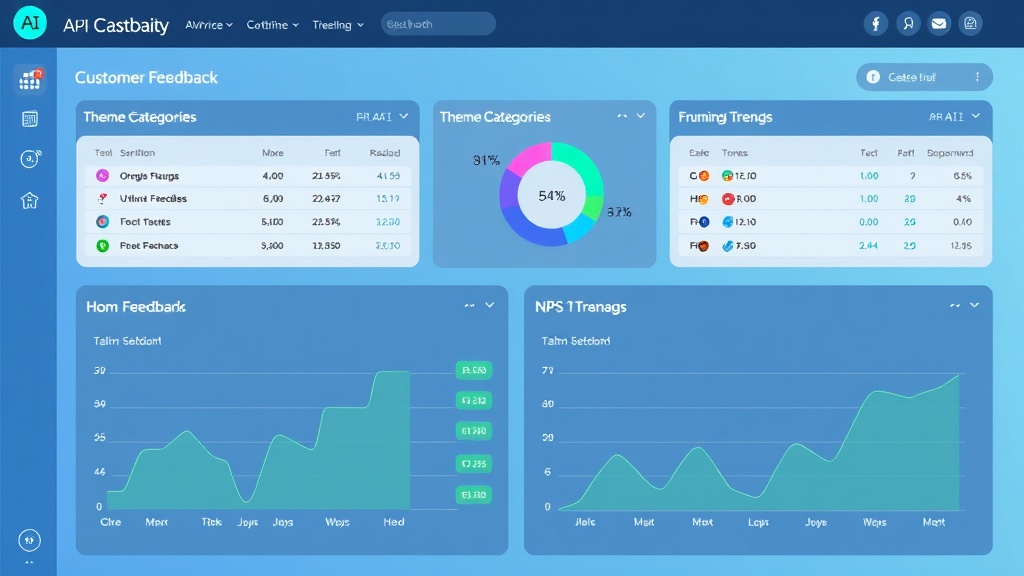
Build comprehensive dashboards that update automatically with new analysis results. Key visualizations should include:
| Dashboard Section | Key Metrics | Update Frequency |
|---|---|---|
| Sentiment Overview | Positive/Negative/Neutral percentages, trend lines | Real-time |
| Theme Analysis | Top themes by volume and sentiment | Hourly |
| NPS Tracking | Current NPS, trend analysis, segmentation | Daily |
| Alert Summary | Critical issues, emerging trends | Real-time |
| Action Items | Prioritized improvement opportunities | Daily |
Step 9: Intelligent Alerting System
Configure smart alerts that notify relevant team members when specific conditions are met:
- Sentiment Alerts: Sudden spikes in negative sentiment (>20% increase)
- Volume Alerts: Unusual feedback volume patterns
- Theme Alerts: New emerging themes or critical issue mentions
- NPS Alerts: Significant NPS score changes (>5 point shifts)
- Customer Alerts: High-value customer negative feedback
Cost Breakdown and ROI Analysis
Monthly Operational Costs
| Service Category | Tool/Service | Monthly Cost | Volume Capacity |
|---|---|---|---|
| AI Processing | OpenAI GPT-4 API | $150-400 | 10K-25K feedback items |
| Automation | Zapier Professional | $49-99 | 50K-100K tasks |
| Data Storage | Airtable Pro | $20-50 | Unlimited records |
| Visualization | Tableau Online | $70 | Per user |
| Monitoring | Social Media APIs | $100-300 | Platform dependent |
| Total | $389-919 |
Implementation Costs
- Initial Setup: 40-60 hours of development time ($4,000-8,000 if outsourced)
- API Integration: 20-30 hours for all data source connections
- Dashboard Creation: 15-25 hours for comprehensive reporting setup
- Testing and Optimization: 10-15 hours for quality assurance
Expected Time Savings and ROI
Organizations implementing this automation typically see:
- Time Savings: 85-90% reduction in manual feedback analysis time
- Faster Insights: Real-time analysis vs. weekly/monthly manual reviews
- Improved Accuracy: 95%+ consistent categorization vs. 60-70% with manual processes
- Increased Coverage: 100% feedback analysis vs. 20-30% sample-based manual analysis
ROI Example: A company processing 1,000 feedback items monthly saves approximately 50 hours of analyst time. At $50/hour, this represents $2,500 monthly savings, providing 3-6x ROI on automation costs within the first year.
Advanced Configuration and Optimization
Machine Learning Enhancement
After collecting several months of processed feedback data, implement machine learning improvements:
- Custom Model Training: Use your classified data to train domain-specific sentiment models
- Predictive Analytics: Identify patterns that predict customer churn or satisfaction changes
- Automated Categorization: Develop custom theme categories based on your specific business context
- Confidence Scoring: Improve AI accuracy by learning from manual corrections
Integration with Business Systems
Connect your feedback analysis to operational systems for maximum impact:
- CRM Integration: Automatically update customer records with sentiment scores
- Product Management: Feed feature requests and issues directly into product roadmaps
- Support Prioritization: Route negative sentiment feedback to appropriate support channels
- Marketing Automation: Trigger retention campaigns for at-risk customers identified through feedback
Common Pitfalls and Solutions
Data Quality Issues
Problem: Inconsistent or low-quality input data leads to unreliable analysis results.
Solution: Implement robust data validation and cleaning processes. Set minimum character requirements for feedback analysis and establish data quality scoring to filter out spam or irrelevant content.
API Rate Limiting
Problem: High-volume feedback processing hits API rate limits, causing delays or failures.
Solution: Implement intelligent queuing systems with exponential backoff. Distribute processing across multiple API keys and time zones to maximize throughput while respecting rate limits.
Context Loss
Problem: AI analysis misses important context or sarcasm in customer feedback.
Solution: Enhance prompts with context about your business, products, and common customer language patterns. Implement human-in-the-loop validation for edge cases and continuously refine AI prompts based on accuracy feedback.
Alert Fatigue
Problem: Too many automated alerts overwhelm team members, leading to important issues being ignored.
Solution: Implement intelligent alert prioritization with severity levels and escalation paths. Use machine learning to reduce false positives and establish clear alert thresholds based on statistical significance rather than absolute changes.
Integration Complexity
Problem: Multiple tools and APIs create maintenance overhead and potential failure points.
Solution: Design modular architecture with clear separation of concerns. Implement comprehensive monitoring and logging to quickly identify and resolve integration issues. Consider using unified platforms that reduce the number of required integrations.
Measuring Success and Continuous Improvement
Key Performance Indicators
Track these metrics to measure your automation’s effectiveness:
- Processing Speed: Time from feedback receipt to actionable insights
- Analysis Coverage: Percentage of feedback automatically processed
- Accuracy Rate: Percentage of AI classifications validated as correct
- Response Time: Speed of addressing issues identified through automated analysis
- Business Impact: Correlation between automated insights and business outcomes
Optimization Strategies
Continuously improve your automated feedback analysis system:
- Regular Prompt Refinement: Update AI prompts based on accuracy analysis and business changes
- Threshold Adjustment: Optimize confidence thresholds and alert triggers based on performance data
- New Data Source Integration: Expand analysis to additional feedback channels as they become available
- Advanced Analytics: Implement predictive models and trend forecasting capabilities
Frequently Asked Questions
How accurate is AI-powered sentiment analysis compared to human analysis?
Modern AI sentiment analysis achieves 85-92% accuracy on customer feedback, compared to 75-85% consistency between human analysts. The key advantage is AI’s consistency – it applies the same criteria to every piece of feedback, while humans can be influenced by fatigue, mood, or subjective interpretation. For best results, use AI for initial processing and human validation for edge cases or high-stakes feedback.
What’s the minimum feedback volume needed to justify automation?
Automation becomes cost-effective at around 200-300 feedback items per month. Below this threshold, the setup and maintenance costs may exceed the time savings. However, consider qualitative benefits like consistency and real-time insights, which provide value even at lower volumes. Companies expecting growth should implement automation early to avoid scaling challenges.
How do you handle feedback in multiple languages?
Most modern AI APIs, including OpenAI’s GPT-4 and Google Cloud Natural Language, support multiple languages natively. Configure your system to detect language automatically and route feedback to appropriate analysis models. For specialized languages or industry-specific terminology, consider training custom models or using translation APIs before sentiment analysis. Budget an additional 20-30% in API costs for multilingual processing.
What happens when the AI misclassifies feedback?
Implement a feedback loop system where team members can correct AI classifications. Use these corrections to improve your prompts and adjust confidence thresholds. Most systems achieve 95%+ accuracy after 2-3 months of refinement. For critical feedback (high-value customers, severe issues), implement human validation workflows to catch and correct misclassifications before they impact business decisions.
Ready to transform your customer feedback analysis with AI automation? Our team at futia.io’s automation services specializes in building custom feedback analysis systems that scale with your business. We handle the technical implementation while you focus on acting on the insights. Contact us to discuss your specific requirements and get started with a proof-of-concept that demonstrates ROI within 30 days.
🛠️ Tools Mentioned in This Article