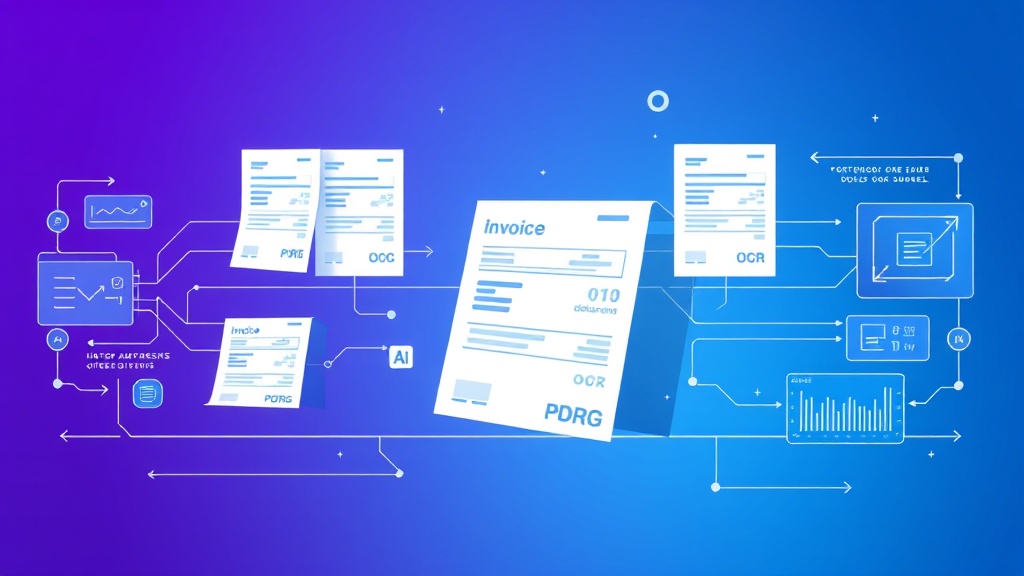
How to Automate Invoice Processing with AI: OCR, Matching & Approval
Manual invoice processing is a productivity killer that’s costing your business thousands of hours and dollars annually. Finance teams spend an average of 25 minutes processing each invoice manually, leading to delayed payments, human errors, and frustrated vendors. With AI-powered automation, you can reduce this to under 2 minutes per invoice while achieving 99.5% accuracy rates.
This comprehensive guide walks you through building a complete automated invoice processing system using OCR technology, AI matching algorithms, and approval workflows. You’ll learn exactly which tools to use, how to configure each component, and what results to expect.
The Invoice Processing Problem: Why Manual Methods Fail
Traditional invoice processing creates multiple bottlenecks that compound as your business scales. Finance teams manually receive invoices via email, postal mail, or supplier portals, then spend significant time extracting data like vendor information, amounts, dates, and line items. This data entry process introduces errors in approximately 3-5% of invoices, requiring costly corrections and vendor relationship management.
The approval routing process adds another layer of complexity. Invoices must be matched against purchase orders and receipts (three-way matching), then routed to appropriate managers for approval based on amount thresholds and department budgets. Without automation, this process averages 12-15 days from receipt to payment, straining vendor relationships and missing early payment discounts worth 2-3% of invoice values.
Companies processing over 1,000 invoices monthly can save $50,000-75,000 annually by implementing AI-powered automation, according to recent automation studies.
Key Pain Points in Manual Processing
- Data Entry Errors: Manual transcription leads to 3-5% error rates, requiring expensive corrections
- Processing Delays: Average 12-15 day cycle times delay payments and strain vendor relationships
- Lost Invoices: Paper-based systems result in 2-3% of invoices being misplaced or lost
- Compliance Issues: Manual approval routing often bypasses proper authorization controls
- Duplicate Payments: Lack of automated duplicate detection leads to overpayments averaging $2,500 per occurrence
Essential Tools for AI Invoice Automation
Building an effective automated invoice processing system requires three core technology components: OCR/AI extraction, workflow automation, and ERP integration. Here’s a breakdown of the essential tools you’ll need:
OCR and AI Extraction Platforms
| Tool | Monthly Cost | Accuracy Rate | Languages Supported | API Integration |
|---|---|---|---|---|
| Google Cloud Document AI | $1.50 per 1,000 pages | 98.5% | 50+ | Yes |
| ABBYY FlexiCapture | $2,500-5,000 | 99.2% | 190+ | Yes |
| Nanonets | $499-1,999 | 97.8% | 100+ | Yes |
| Rossum | $0.50 per document | 98.9% | 30+ | Yes |
| Automation Anywhere IQ Bot | $3,000-8,000 | 98.1% | 25+ | Yes |
Workflow Automation Platforms
For orchestrating the entire process, you’ll need a robust workflow platform. Airtable works excellently for smaller operations (under 500 invoices monthly), providing database functionality with automation capabilities. For enterprise-scale operations, consider Zapier, Microsoft Power Automate, or custom solutions built on platforms like Bubble.
Communication and Notification Systems
Automated approval workflows require reliable notification systems. Brevo offers excellent email automation capabilities for sending approval requests, while Slack or Microsoft Teams handle real-time notifications for urgent approvals.
Step-by-Step Implementation Guide
Phase 1: OCR Setup and Configuration
Step 1: Choose Your OCR Platform
For this guide, we’ll use Google Cloud Document AI due to its developer-friendly approach and competitive pricing. Start by creating a Google Cloud project and enabling the Document AI API.
gcloud projects create invoice-automation-project
gcloud config set project invoice-automation-project
gcloud services enable documentai.googleapis.com
Step 2: Configure Invoice Parser
Create a processor instance specifically for invoices:
curl -X POST
  -H "Authorization: Bearer $(gcloud auth print-access-token)"
  -H "Content-Type: application/json"
  -d '{
    "type": "INVOICE_PARSER",
    "display_name": "Invoice Processor"
  }'
  "https://documentai.googleapis.com/v1/projects/PROJECT_ID/locations/us/processors"
Step 3: Set Up Document Processing Pipeline
Configure your system to automatically process incoming invoices. Set up email forwarding rules or API webhooks to trigger processing when new invoices arrive. The system should:
- Receive invoice documents (PDF, PNG, JPEG)
- Send to Document AI for processing
- Extract key fields: vendor name, invoice number, date, amount, line items
- Store extracted data in your database
- Flag low-confidence extractions for manual review
Phase 2: Data Matching and Validation
Step 4: Implement Three-Way Matching
Create automated matching logic to compare invoices against purchase orders and receiving records:
def three_way_match(invoice_data, po_data, receipt_data):
    matches = {
        'vendor': invoice_data['vendor'] == po_data['vendor'],
        'amount': abs(invoice_data['amount'] - po_data['amount'])  0.85
Step 5: Configure Validation Rules
Set up business rules for automatic validation:
- Duplicate Detection: Check invoice numbers and amounts against existing records
- Vendor Validation: Verify vendors exist in your approved vendor database
- Amount Thresholds: Flag invoices exceeding predetermined limits for additional review
- GL Code Validation: Ensure proper account coding based on vendor and item categories
Phase 3: Approval Workflow Configuration
Step 6: Design Approval Hierarchy
Configure approval routing based on invoice characteristics:
| Invoice Amount | Department | Required Approvers | Escalation Time |
|---|---|---|---|
| $0 – $500 | Any | Department Manager | 2 days |
| $501 – $5,000 | Any | Department Manager + Finance | 3 days |
| $5,001 – $25,000 | Any | Department Head + CFO | 5 days |
| $25,000+ | Any | CFO + CEO | 7 days |
Step 7: Implement Automated Routing
Create workflow logic that automatically routes invoices based on your approval matrix. Include escalation procedures for overdue approvals and exception handling for invoices that fail validation checks.
Phase 4: Integration and Testing
Step 8: ERP System Integration
Connect your automation system to your existing ERP (SAP, Oracle, NetSuite, etc.) using APIs or file-based integration. Ensure approved invoices automatically create payable entries with proper GL coding and vendor information.
Step 9: Comprehensive Testing
Test your system with various invoice types and scenarios:
- Standard invoices with clear formatting
- Poor quality scans or photos
- Multi-page invoices with complex line items
- Foreign language invoices (if applicable)
- Invoices requiring special approval workflows
Cost Breakdown and ROI Analysis
Implementation Costs
Here’s a realistic cost breakdown for a mid-sized company processing 2,000 invoices monthly:
- OCR Processing: $3,000 annually (Google Cloud Document AI at $1.50 per 1,000 pages)
- Workflow Platform: $2,400 annually (Zapier Professional plan)
- Development/Configuration: $15,000-25,000 one-time setup cost
- Integration Costs: $5,000-10,000 for ERP connectivity
- Training and Change Management: $3,000-5,000
Total First-Year Investment: $28,400-45,400
Expected Savings and ROI
The same company can expect these annual savings:
- Labor Cost Reduction: $45,000 (equivalent to 0.75 FTE at $60,000 salary)
- Error Reduction: $8,000 (avoiding duplicate payments and correction costs)
- Early Payment Discounts: $12,000 (2% discount on $600,000 annual spend)
- Improved Cash Flow: $5,000 (better payment timing and planning)
Total Annual Savings: $70,000
ROI: 155-247% in the first year, with even higher returns in subsequent years as implementation costs are amortized.
Time Savings and Efficiency Gains
Automated invoice processing delivers significant time savings across multiple business functions:
Finance Team Productivity
- Data Entry Time: Reduced from 15 minutes to 30 seconds per invoice
- Approval Routing: Automated vs. 5 minutes of manual coordination
- Exception Handling: Streamlined from 45 minutes to 10 minutes per exception
- Reporting and Analytics: Real-time dashboards vs. manual compilation
Management Efficiency
Managers receive structured approval requests with complete context, reducing review time from 10 minutes to 2 minutes per invoice. Automated escalation ensures no approvals are forgotten or delayed.
Organizations typically see 85-90% reduction in invoice processing time within the first six months of implementation.
Common Pitfalls and How to Avoid Them
Poor OCR Training Data
Problem: Many implementations fail because OCR systems aren’t properly trained on the company’s specific invoice formats and vendor styles.
Solution: Collect 200-500 sample invoices from your top vendors before implementation. Use these to train and validate your OCR system, achieving 95%+ accuracy before going live.
Overly Complex Approval Workflows
Problem: Companies often replicate their complex manual approval processes in automation, creating bottlenecks and user frustration.
Solution: Simplify approval hierarchies during automation implementation. Use amount-based routing with clear escalation paths rather than complex departmental matrices.
Insufficient Exception Handling
Problem: Systems that can’t gracefully handle exceptions (poor scan quality, missing POs, new vendors) create more work than they save.
Solution: Design robust exception workflows with clear routing to human reviewers. Implement confidence scoring and automatic flagging for manual review.
Inadequate Change Management
Problem: Users resist new systems, especially when they don’t understand the benefits or haven’t been properly trained.
Solution: Invest in comprehensive training and communicate the benefits clearly. Start with a pilot group of enthusiastic users before full rollout.
Integration Challenges
Problem: Poor integration with existing ERP systems creates data silos and duplicate work.
Solution: Plan integration architecture carefully. Use standardized APIs where possible and invest in proper middleware for legacy systems.
Advanced Optimization Strategies
Machine Learning Enhancement
As your system processes more invoices, implement machine learning to improve accuracy and automation rates. Track which invoices require manual intervention and continuously refine your extraction and validation rules.
Vendor Portal Integration
Encourage vendors to submit invoices through automated portals that pre-structure data, eliminating OCR requirements entirely for cooperative suppliers.
Predictive Analytics
Use historical invoice data to predict cash flow requirements, identify spending patterns, and optimize payment timing for maximum early payment discounts.
Frequently Asked Questions
What accuracy rate should I expect from AI invoice processing?
Modern AI-powered OCR systems achieve 97-99% accuracy on well-formatted invoices. However, expect 85-95% accuracy in real-world scenarios with varying document quality. The key is implementing proper confidence scoring and exception handling for low-accuracy extractions.
How long does it take to implement automated invoice processing?
A typical implementation takes 8-12 weeks for mid-sized companies. This includes 2-3 weeks for tool selection and procurement, 4-6 weeks for configuration and integration, and 2-3 weeks for testing and training. Enterprise implementations may take 16-20 weeks due to complex integration requirements.
Can automated systems handle invoices in multiple languages?
Yes, leading OCR platforms like Google Cloud Document AI and ABBYY support 25-190 languages. However, accuracy may vary by language, and you’ll need to configure validation rules for different regional formats (date formats, currency symbols, tax requirements).
What happens when the system encounters an invoice it can’t process?
Well-designed systems include exception handling workflows that route problematic invoices to human reviewers with context about why automation failed. These exceptions should be tracked and analyzed to continuously improve system performance. Typically, 5-15% of invoices require some manual intervention initially, decreasing to 2-5% as the system learns.
Ready to transform your invoice processing with AI automation? futia.io’s automation services can help you implement a complete solution tailored to your business needs. Our experts handle everything from tool selection to integration, ensuring you achieve maximum ROI from your automation investment.
🛠️ Tools Mentioned in This Article